15
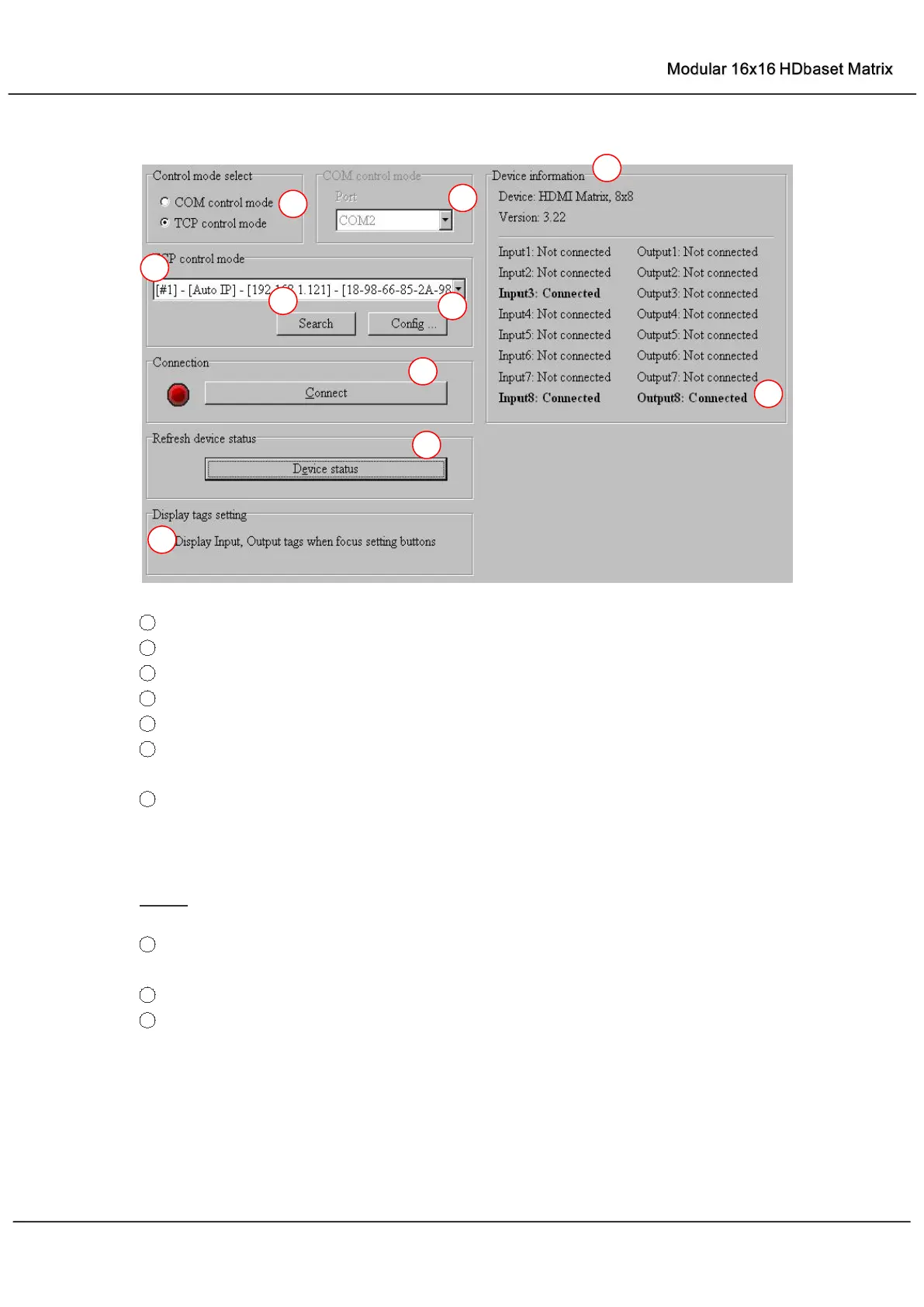
“General” page
1
Select control mode: RS232 COM mode (Auto COM ports detected) or TCP mode
2 List detected COM ports
3
List all Matrix devices after search operation
4
Click to search all Matrix devices that connected in same subnet
5
Click to configuration the selected Matrix’s TCP control configurations
6
Click to connect or disconnect PC and Matrix ( Connection will be established
automatically before control commands sending )
7
Click to refresh device status: include device information displayed in ⑨ area and
Input/output port connection status in
⑩
area.
NOTE: Tab pages cannot be changed during control command is processing.
8
To enable or disable Input/output tags displaying when setting buttons on “Setting” page
focused
9
Device information display area
10
Input/output port connection status



 To Next Page