16
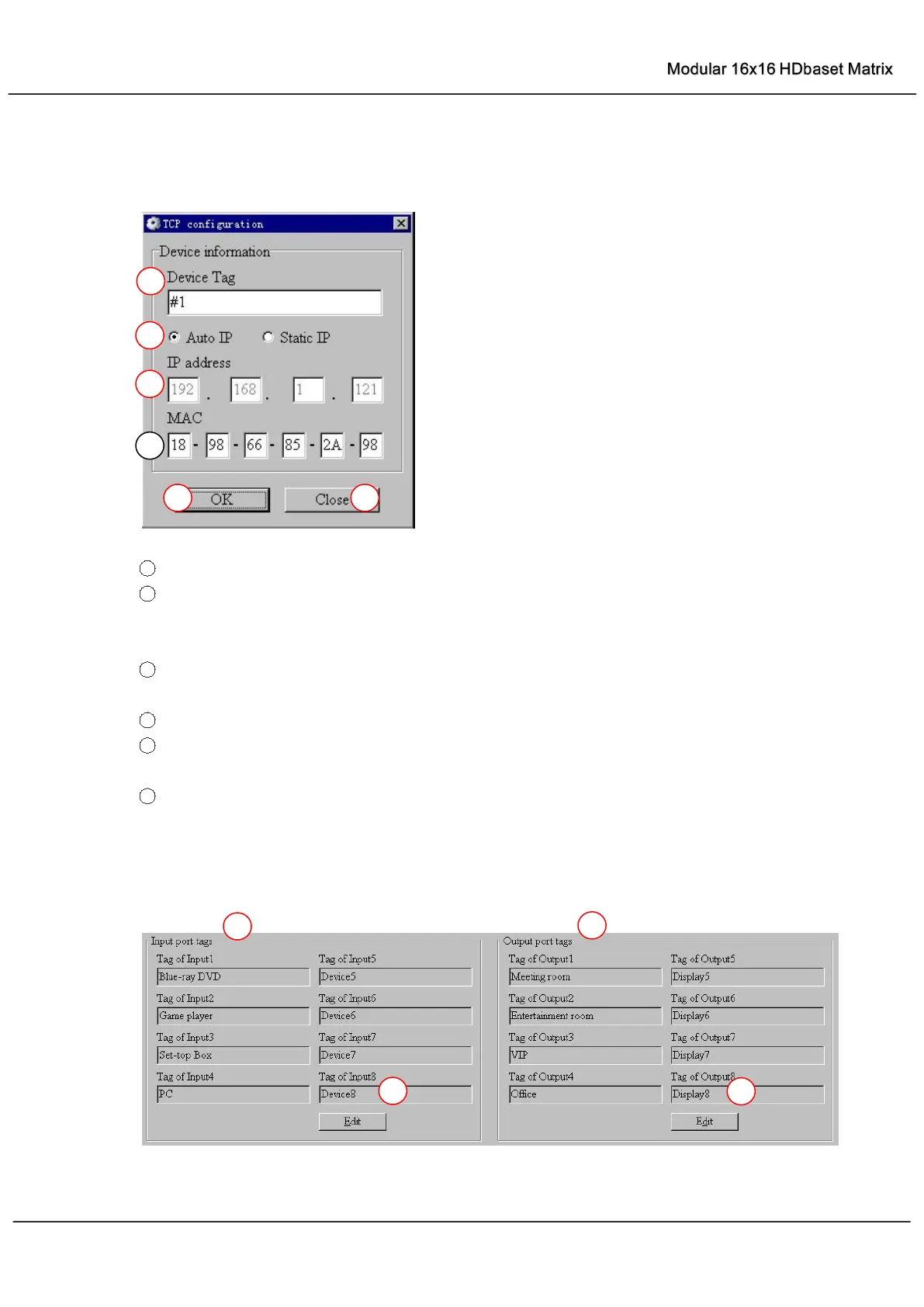
Set TCP control configuration
Click Config button to show TCP configuration window.
1
Set tag to identify Matrix device
2
Set IP mode: Subnet should support DHCP protocol when set Auto IP mode, then Matrix
device will obtain IP automatically. Otherwise, set Static IP mode and designate a useable
IP for Matrix device
3
Set IP address, not editable when Auto IP mode selected. Note: The last IP BYTE’s range
is 2-252.
4
Matrix device MAC address
5
Click OK to set configuration. If configuration is set OK, Matrix devices will be searched out
again
6
Click to Close the window and configuration cancelled
“Port Tag” page



 To Next Page