17
1
Input port tags
2
Click to edit Input port tags
3
Output port tags
4
Click to edit Output port tags
NOTE:
1) Edit boxes are read only, click “Edit” button to pop up window to edit the tags.
2) One set of Input/output port tags can be set for Matrix device when COM control mode
selected.
3) Input/output port tags can be set for respective Matrix device according to device’s MAC
address.
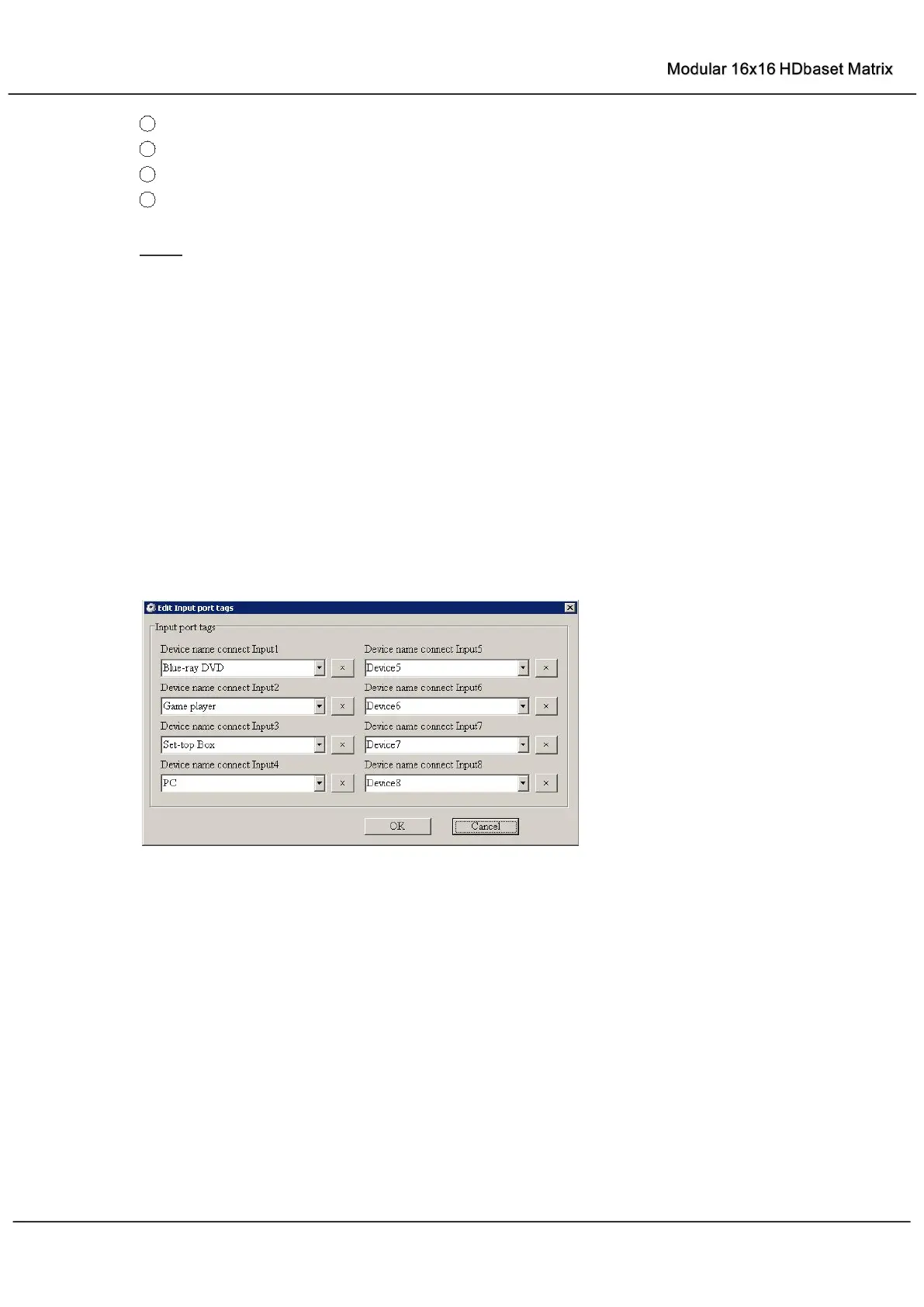
Edit Input port tags
After action of ②, edit form will pop-up as below:
Define tags for respective Input port, then devices connect the Input ports can be easily
remembered.
Click buttons with “×” caption to delete tag which is no use any more, if tag is still used by any
other Input port, delete action will be discarded.



 To Next Page