49
49
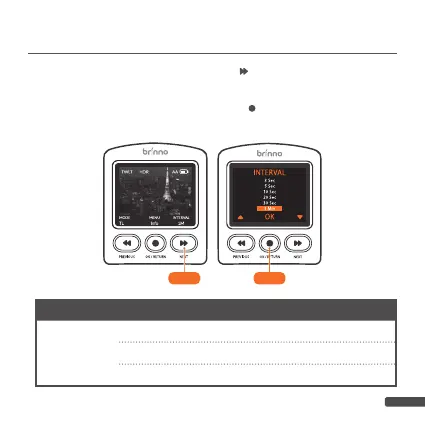
3-1. At PREVIEW SCREEN, press “
” button to go to INTER-
VAL SETTINGS.
3-2. Select desired
Interval,
press “ ” button to confirm and
go to PREVIEW SCREEN.
EXPO mode Interval options
Daytime
ASAP,1,2,3,5,10,20,30 SEC/1,2,3,5,10,20,30 MIN/Custom
Twilight
3,5,10,20,30 SEC/1,2,3,5,10,20,30 MIN/Custom
Night
10,20,30 SEC/1,2,3,5,10,20,30 MIN/Custom
3. INTERVAL SETTING
3-1 3-2



 To Next Page