EasyManua.ls Logo

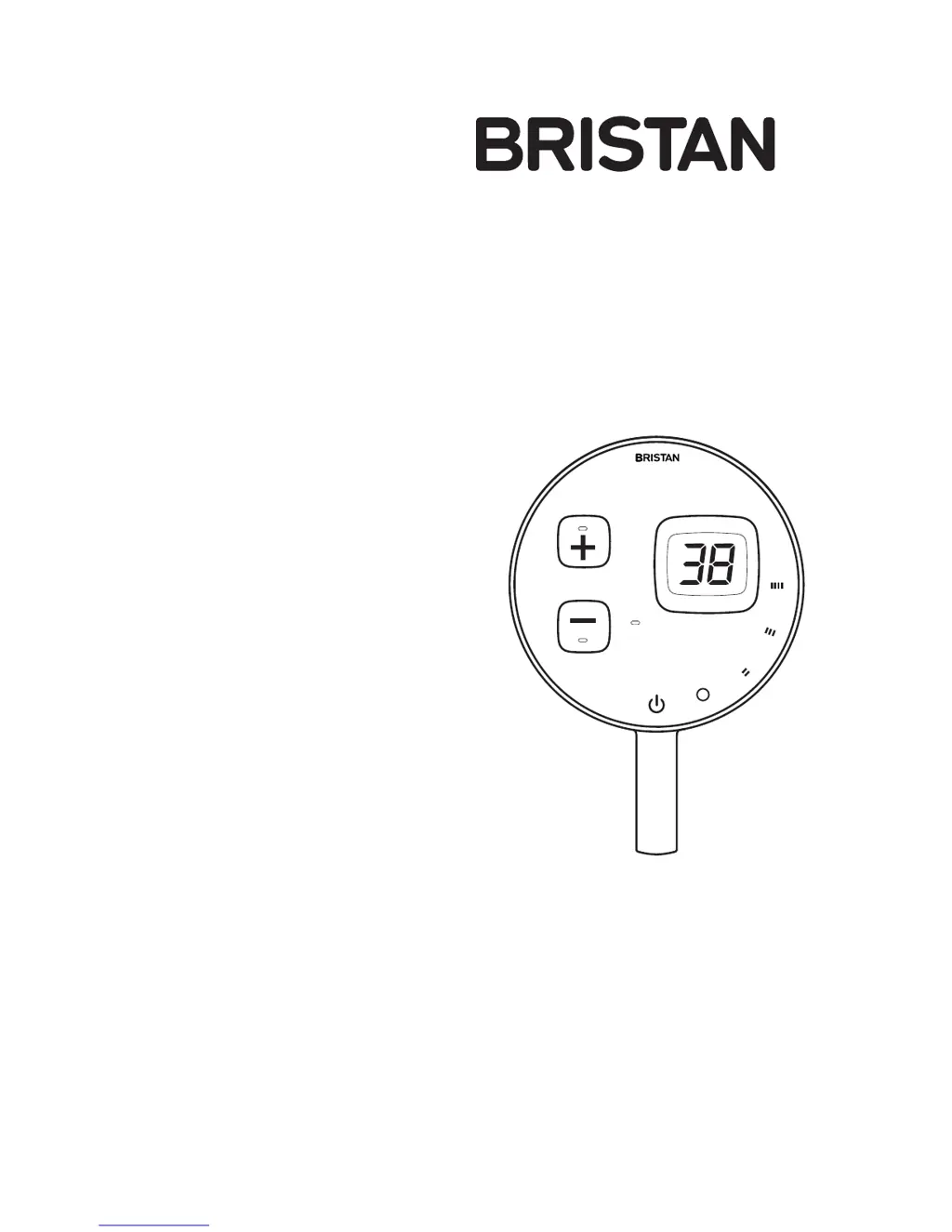
Bristan Artisan Evo - User Manual

Bristan Artisan Evo
32 pages
Print Icon
To Next Page IconTo Next Page
Loading...
Installation Instructions
and User Guide
Artisan Ev
o
Digital Electronic Mixer
Shower
Models covered: ARDE SHCCF W &
ARDE SHCCF B
Please keep this booklet for future
reference.
Installer, when you have read these
instructions please ensure you leave
them with the user.
E

Questions and Answers

  • S
    Sabrina NunezAug 21, 2025
    Why is water leaking from the Bristan Bathroom Fixtures showerhead after use?
    • T
      teresa15Aug 21, 2025
      A short period of water leaking from the showerhead after turning off your Bristan Bathroom Fixtures is normal. You can adjust the angle of the showerhead to vary the draining time.
  • A
    Amy EspinozaAug 23, 2025
    Why is there no or low water flow from my Bristan Kitchen & Bath Fixtures?
    • G
      George PonceAug 25, 2025
      There could be several reasons for low or no water flow. The batteries in the Wireless Controller might be low or have run out, so try replacing them. The outlet or shower rose might be blocked; check for and clear any blockages. A stop or service valve in the water supply pipework to the mixing valve may be partially closed; try opening it fully. There might be an airlock or blockage in the supply pipework, so flush the pipework to remove debris and airlocks. The inlet filters could be partially blocked; remove and clean them. Finally, the water supply pressure might be too low; check the water pressure.
  • M
    Mrs. Wanda KellyAug 26, 2025
    What to do if E3 is displayed on my Bristan Kitchen & Bath Fixtures?
    • J
      Jeffrey PerryAug 26, 2025
      If 'E3' is displayed, it could be due to several reasons related to the hot water supply. First, check that the hot water supply is not isolated. Second, the inlet filter on the hot water supply may be blocked; in this case, remove and clean the filter. Third, the hot water may be too hot or too cold; check that the hot water is functioning correctly.
  • K
    Kaitlin CollinsAug 27, 2025
    What to do if E4 is displayed on my Bristan Artisan Evo Kitchen & Bath Fixtures?
    • L
      Lauren RyanAug 28, 2025
      If 'E4' is displayed, it could indicate problems with the cold water supply. Check that the cold water supply is not isolated. Also, the inlet filter on the cold water supply may be blocked, so remove and clean it. Finally, verify that the cold water temperature is functioning correctly, as it might be too hot or too cold.
  • S
    Sarah RuizAug 29, 2025
    Why is water leaking from the shower rose of my Bristan Artisan Evo?
    • J
      Joseph RobinsonAug 30, 2025
      Water leaking from the shower rose for a short time after turning off is normal. You can adjust the angle of the shower rose as necessary to vary the draining time.
  • S
    samanthahullSep 1, 2025
    Why is my Bristan Artisan Evo Mixing Valve excessively noisy?
    • W
      William ChaseSep 1, 2025
      An excessively noisy Mixing Valve could be due to the purging procedure not being carried out during commissioning. In this case, purge the Mixing Valve.
  • A
    Annette CareySep 3, 2025
    What does E1 displayed mean for Bristan Artisan Evo?
    • S
      Stephanie DavisSep 3, 2025
      If 'E1' is displayed, it means the main unit is powered off. Check that the power is on at the main unit and check if the LED is Green or Yellow.
  • A
    Amy SaundersSep 5, 2025
    What to do if there is no water flow from my Bristan Bathroom Fixtures?
    • C
      Chris LeonardSep 5, 2025
      If you're experiencing no or low water flow from your Bristan Bathroom Fixtures, here are a few things to check: * Ensure the stop or service valve in the water supply pipework to the mixing valve is fully open. * Check the outlet hose and showerhead for any blockages. * Flush through the pipework to remove any debris or airlocks. * If you have a Wireless Controller, replace the batteries. * Inspect and clean the inlet filters. * Verify that your water supply pressure meets the specifications.
  • T
    Thomas QuinnSep 7, 2025
    What to do if E3 is displayed on my Bristan Bathroom Fixtures?
    • M
      Matthew RogersSep 8, 2025
      If error code E3 is displayed on your Bristan Bathroom Fixtures, it indicates a problem with the water supply. Check the following: * Ensure that both the hot and cold water supplies are not isolated and have sufficient flow. * Inspect and clean the inlet filters on both the hot and cold water supplies. * Check that the hot water temperature is functioning correctly.
  • R
    Randy LewisSep 9, 2025
    Why does the showering temperature fluctuate so much with my Bristan Bathroom Fixtures?
    • M
      Maria HansenSep 9, 2025
      If you notice significant temperature fluctuations while showering with your Bristan Bathroom Fixtures, it could be due to the mixing valve drawing a low hot flow, causing the combination boiler to turn off. Try increasing the flow on the controller. Another reason could be hot water temperature on the combination boiler is set too high. Try decreasing the set temperature of the hot water on the combination boiler.

Summary

Important Safety Information

Installation and Operational Safety

Crucial safety advice for installation, operation, and hazard avoidance.

Pack Contents and Tools Required

Product Features

Specifications

Dimensions

Installation Requirements

Positioning the Mixing Valve

Guidance on optimal placement of the mixing valve on walls or floors.

Wireless Installation Considerations

Advice on factors affecting wireless range and performance.

Water Requirements

Electrical Requirements

Mixing Valve Installation

Fixing the Mixing Valve Unit

Instructions on how to physically secure the mixing valve unit.

Water Connections Installation

Electrical Connections Installation

Wireless Controller Installation

Fitting the Wireless Controller

Steps for mounting the wireless control unit to the wall.

Ceiling Fed Arm & Rose Installation

Fitting the Ceiling Fed Arm & Rose

Guidance on installing the shower arm and rose assembly.

Commissioning Wireless Connection

Wireless Initialisation & Pairing

Steps to set up communication between the controller and mixing valve.

Initialise Remote Control Wireless Address

Procedure to set the wireless address for the remote control.

Commissioning Max Temp Setting

Pairing Remote Control to Mixing Valve

Finalizing the wireless connection between the controller and valve.

Maximum Temperature Setting

How to adjust the pre-set maximum water temperature.

Functional Testing

Water;Plumbing Connection Checks

Verifying correct water supply connections and checking for leaks.

Purge Procedure

Steps to flush the system to remove debris before use.

Basic Functional Testing

Performing checks on controls, display, and water flow.

Operating the Shower

Starting and Stopping the Shower

Instructions on how to turn the shower on and off.

Operating the Controls

Explanation of the wireless controller's buttons, display, and flow settings.

Maintenance

General Cleaning and Showerhead Care

Advice on cleaning the fitting surfaces and showerhead nozzles.

NRV and Filter Maintenance

Procedures for cleaning filters and maintaining Non-Return Valves.

Battery Replacement

Disposal and Recycling

End of Product Life Disposal

Guidance on safe and compliant disposal of the appliance.

Battery Disposal and Recycling

Instructions for proper recycling of used batteries.

Troubleshooting

Spare Parts

Notes

Product Guarantee

Guarantee Terms and Conditions

Outlines the warranty coverage, exclusions, and user responsibilities.

Customer Support Options

Technical Support and Advice

Contact details for installation advice, maintenance, and troubleshooting.

Spare Parts Ordering

Information on how to order replacement parts for the product.

Expert Plumbing Engineers

Details on professional repair services available for product issues.

Bristan Artisan Evo Specifications

General IconGeneral
BrandBristan
ModelArtisan Evo
CategoryKitchen & Bath Fixtures
LanguageEnglish

Related product manuals