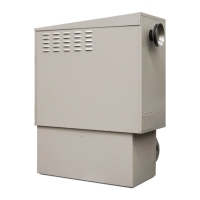
Rinnai 3 Ducted Gas Heater OM
Table of Contents
Warnings and Important Information 5
1.1 How Does Ducted Heating Work? .................................................................................................................. 7
1.2 Efficiency ......................................................................................................................................................... 7
1.3 Safety Warnings .............................................................................................................................................. 8
1.4 Supply Cord .................................................................................................................................................... 8
1.5 Notes on Heater Operation ............................................................................................................................. 8
1.6 Power Supply Interruption ............................................................................................................................... 8
1.7 Switch the System On ..................................................................................................................................... 8
2. Outlet Guide 9
3. Networker Wall Control Unit 12
4. Zoned Systems 13
4.1 Zoning Symbols ............................................................................................................................................ 13
5. Time and Day Settings 13
5.1 Set Time and Day ......................................................................................................................................... 13
6. User Settings 14
6.1 NC-6 User Settings in Heating Operation Display ........................................................................................ 14
7. Programmed (AUTO) Operation 15
7.1 Operate the System in AUTO Mode ............................................................................................................. 15
7.2 Temporarily Override the AUTO Mode Settings ........................................................................................... 15
7.3 Skip a Programmed Heating Period ............................................................................................................. 16
7.4 Permanently Change the AUTO Mode Settings ........................................................................................... 16
8. Manual Operation 17
8.1 Operate the System with Manual Settings .................................................................................................... 17
9. Special Fan Operations 18
9.1 Fan Only Operation ....................................................................................................................................... 18
9.2 Continuous Fan Operation – Networker On ................................................................................................. 18
10. System Messages 18
10.1 Read Messages ............................................................................................................................................ 18
10.2 Clear the Spanner Icon ................................................................................................................................. 18
11. Error Codes 19
12. Reset the Heater 20


 To Next Page
 Loading...