41
© 2020 Brivo Systems LLC. All rights reserved. P-MAN-PUB-Panel Networking Guide
Panel Networking Guide
Networking Tab
Status
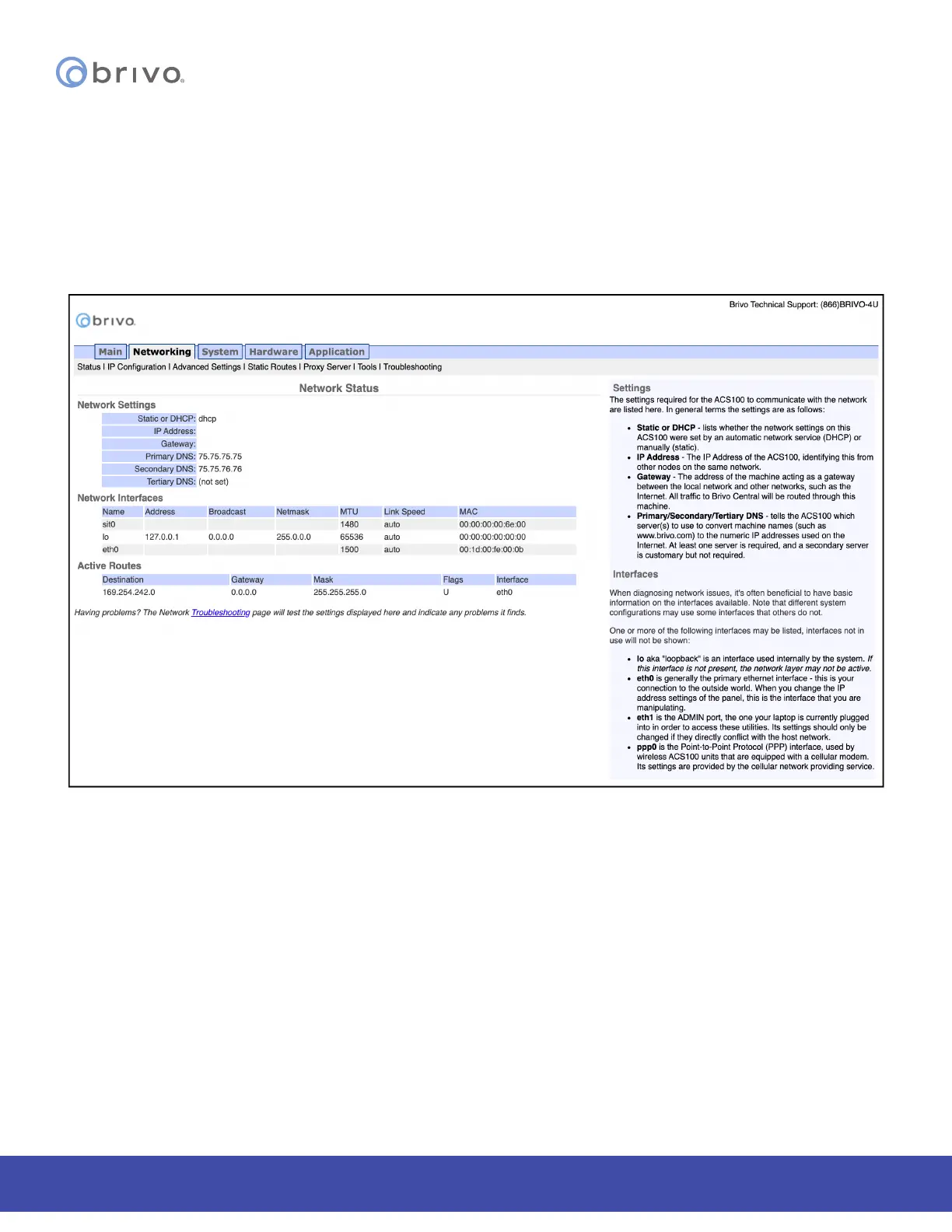
The Network Status page is useful for diagnosing various network conditions. To access this page:
1. Click Networking to access the Networking menu bar.
2. Click Status to access the Network Status page. Explanations of the various status elds are provided in the
text on the right side of the page.
Figure 41: Network Status


 To Next Page