EasyManua.ls Logo

Broan ERV200 ECM - User Manual

Broan ERV200 ECM
56 pages
Print Icon
To Next Page IconTo Next Page
Loading...
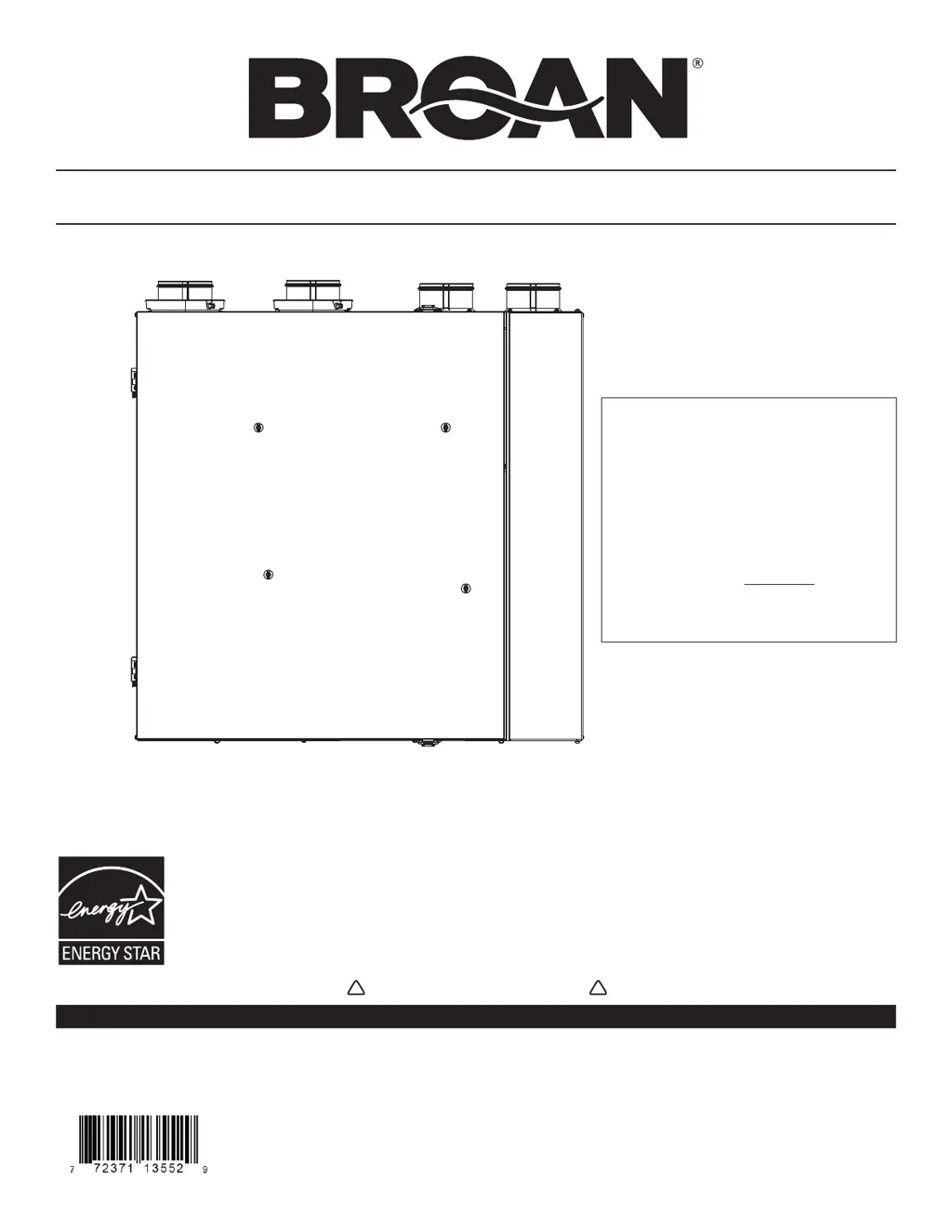
INSTALLATION GUIDE
These products earned the ENERGY STAR
®
by meeting strict energy efficiency guidelines set by Natural
Resources Canada and the US EPA. They meet ENERGY STAR requirements only when used in Canada.
21992 rev. 01
READ AND SAVE THESE INSTRUCTIONS
RESIDENTIAL USE ONLY
! !
VB0185
IMPORTANT NOTES
1. T h e o n e a n d o n l y m a i n w a l l
control compatible with these
units is the VT9W wall control.
2. These units have a new balancing
procedure, see Section 7.
3. The terminal connectors for
these units are not in the
installation kit; they are already
mounted to their control board.
ERV200 ECM HRV200 ECM
ERV250 ECM HRV250 ECM
Broan-NuTone LLC; Hartford, Wisconsin www.broan.com 800-543-3055
REGISTER YOUR PRODUCT ONLINE AT: www.broan.com/register
For additional information - visit www.broan.com

Table of Contents

Questions and Answers

  • J
    Janice SpenceAug 14, 2025
    What to do if my Broan Fan unit does not work?
    • B
      bstewartAug 14, 2025
      If your Broan Fan unit isn't working, here's what to check: * Ensure the unit is properly plugged in. * Test the power outlet with another device like a lamp. If the outlet doesn't work, contact an electrician. * Inspect fuse F1 on the PCB and replace it if it's blown, using the correct replacement as per the product nameplate. * Verify the connections of J10, J9, and J8 connectors. * With the unit powered on and J9 connected, check for approximately 9.5 VAC between J8-4 and J8-5 (YELLOW wires) on the transformer connector. If there's no voltage, replace the transformer. * If none of the above steps work, consider replacing the main PCB.
  • H
    Heather ZimmermanAug 17, 2025
    What to do if the damper system does not work on my Broan ERV200 ECM Fan (LED flashes AMBER, error code E23)?
    • C
      Christy LeeAug 17, 2025
      If the damper system on your Broan Fan isn't working and the LED flashes AMBER with error code E23, try the following: * Remove any ice or obstructions that may be hindering the damper system. * Check the J12 connection (both harness and board sides) and the J8 connection. * With the unit powered and J9 connected, verify that there is 20-24 VAC between J8-1 and J8-2 (BROWN transformer connector). If not, replace the transformer. * Erase the error code by pressing the MODE and keys for 10 seconds, then set the unit to CONT and check if the error code reappears. * If the error code returns, replace the damper system.
  • T
    Thomas MirandaAug 21, 2025
    What to do if the VB60W push-button timer does not work on my Broan ERV200 ECM Fan (unit LED lit, no matter the color)?
    • R
      Rebecca SolisAug 21, 2025
      If the VB60W push-button timer on your Broan Fan isn't working (but the unit LED is lit, regardless of the color), consider these steps: * Check that the color-coded wires are connected to the correct locations. * Make sure all wires are properly connected. * Inspect each wire for damage and replace any damaged wires. If the wires are inside walls, test the control using a shorter wire. * Jump the OL and OC terminals. If the unit switches to high speed, remove the push button and test it right beside the unit using another shorter wire. If it now works, replace the original wire. If it still doesn’t work, replace the VE0356 push button.
  • C
    Charles DennisAug 25, 2025
    What to do if the supply motor does not work, but exhaust motor works on my Broan ERV200 ECM Fan? (LED flashes RED, error code E25)
    • M
      mitchelldanielleAug 25, 2025
      If the supply motor of your Broan Fan isn't working, but the exhaust motor is (LED flashes RED, error code E25), follow these steps: * Check the connection of the J4 and J15 connectors. * Jump the OL and OC terminals and plug the supply motor to the J5 connector and the exhaust motor to the J4 connector. If the supply motor now works, but the exhaust motor doesn't, replace the main PCB. If the supply motor is still not working, plug the supply motor back to the J4 connector and the exhaust motor to the J5 connector and continue investigating.
  • L
    Larry MunozAug 30, 2025
    Why is my Broan ERV200 ECM unit always on high speed?
    • B
      Brandon CamposAug 30, 2025
      If your Broan Fan unit is always running at high speed, here are a couple of things you can check: * Make sure the OC and OL wires are not touching each other. * Unplug the wires from the auxiliary control terminal block and measure the resistance between the cables. There should be no resistance. If you detect resistance, make sure the wires are correctly connected, then check each wire for damage and replace any that are damaged.
  • R
    riddledavidSep 3, 2025
    Why does my Broan Fan work on CONT and TURBO modes, but not in RECIRC mode?
    • D
      David RichmondSep 3, 2025
      If your Broan Fan unit operates in CONT and TURBO modes but fails in RECIRC mode: * Swap both motor power cable connections J4 and PCB. Check for the supply motor (on the right side of the operation in RECIRC mode. * If the exhaust motor is still running in RECIRC mode of supply, connect back in place power cable connections J4 and J5 on PCB and swap control cables J15 and PCB. * If the problem persists, replace the PCB.
  • J
    John CoxSep 6, 2025
    What to do for a cold side thermistor error on my Broan Fan?
    • D
      Dr. Bryan RobinsonSep 6, 2025
      If you're encountering a cold side thermistor error with your Broan Fan, here's what you can do: * Make sure the J12 connector is properly connected and that its wires are not damaged. * If the connector and wires are fine, replace the damper system assembly.
  • S
    Susan SharpSep 9, 2025
    What to do for a warm side thermistor error on my Broan ERV200 ECM Fan?
    • H
      henrywendySep 9, 2025
      If you encounter a warm side thermistor error on your Broan Fan, try the following: * Ensure the J20 connector is properly connected and its wires are not damaged. * If the connector and wires are in good condition, replace the warm side thermistor.
  • D
    David LittleNov 26, 2025
    What to do if the Broan ERV200 ECM door is open while in function or there is a magnetic switch bad contact?
    • A
      Angela NortonNov 26, 2025
      If you have an open door or magnetic switch bad contact while the Broan Fan unit is in function, you can try the following: * Reset the VT9W wall control by pressing the MODE and %HUM keys for 10 seconds. * Check that the unit door is properly closed and that the door magnet is correctly seated. If not, correct the situation, close the door, and reset the VT9W wall control by pressing MODE and %HUM keys for 10 seconds. * Ensure the J11 connector is properly connected and its wires are not damaged. If not, correct the situation, close the door, and reset the VT9W wall control by pressing MODE and %HUM keys for 10 seconds. * Using a flat blade screwdriver, jump J11, reset the VT9W wall control by pressing MODE and %HUM keys for 10 seconds, and set the unit to CONT. If the LED contin...

Summary

ABOUT THESE UNITS

WARNINGS AND CAUTIONS

Crucial safety instructions to prevent injury, fire, or unit damage.

INSTALLATION

LOCATING THE UNIT

Guidance on choosing an appropriate location for the unit installation.

CONTROLS

WALL CONTROL(S) ELECTRICAL CONNECTION

Instructions for wiring the main and auxiliary wall controls to the unit.

WALL CONTROL(S) ELECTRICAL CONNECTION (TERMINAL BLOCKS)

Details on connecting terminal blocks for main and auxiliary wall controls.

ELECTRICAL CONNECTION TO THE FURNACE

WIRING DIAGRAM

BALANCING THE UNIT

BALANCING PROCEDURE

Step-by-step guide for performing the unit balancing procedure.

BALANCING PROCEDURE (CONTD)

Final steps for setting VB60W and RECIRC speeds, completing the balancing.

TROUBLESHOOTING

LED SIGNAL ERROR CODES

Explains unit status based on LED signals and associated error codes (E21-E26).

CONTROL SCREEN ERROR CODES

Lists error codes (E01, E03) displayed on the control screen and their solutions.

DAMPER SYSTEM ERRORS

Troubleshooting for damper system errors (E23) and movement issues.

MOTOR OPERATION ISSUES

Diagnosing problems with supply or exhaust motor operation (E25, E26).

Broan ERV200 ECM Specifications

General IconGeneral
BrandBroan
ModelERV200 ECM
CategoryFan
LanguageEnglish

Related product manuals