EasyManua.ls Logo

Broan ERV200HC - User Manual

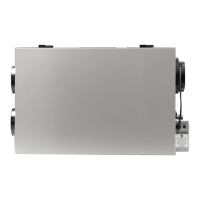
Broan ERV200HC
22 pages
Print Icon
To Next Page IconTo Next Page
Loading...
User Manual
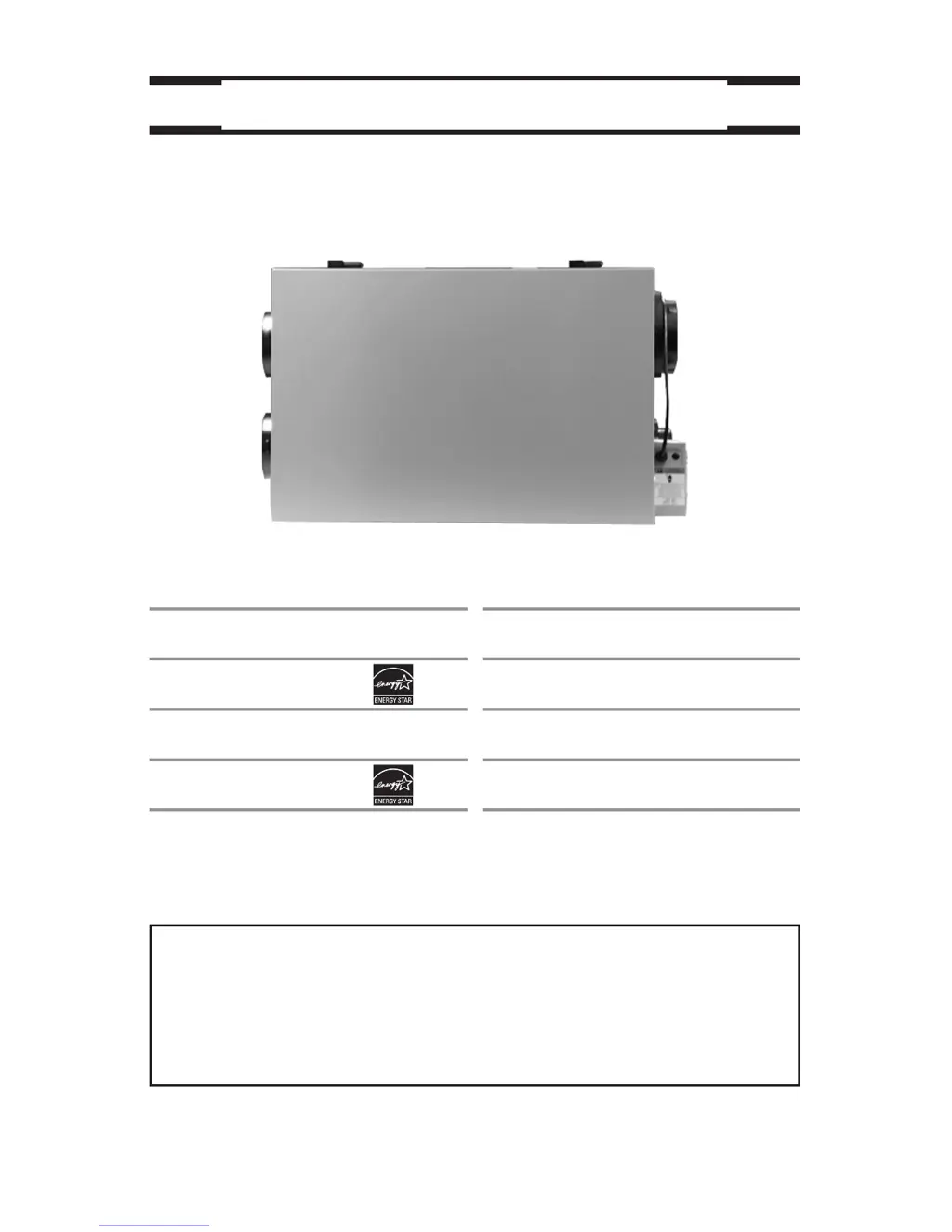
VENTILATION SYSTEMS
VB0065
vänEE Canadian Model Numbers
1001 ERV
1001 HRV*
2001 ERV
2001 HRV*
Broan U.S.A. Model Numbers
HRV100H
HRV200H
ERV100HC
ERV200HC
* These products earned the ENERGY STAR® by meeting strict
energy efficiency guidelines set by Natural Resources Canada
and the US EPA. They meet ENERGY STAR requirements only
when used in Canada.
03118 rev. 08
Address of your installer
To register your Broan product on line visit: www.broan.com/register

Other manuals for Broan ERV200HC

Questions and Answers

  • J
    jensenjanetSep 4, 2025
    Why is there no outside temperature displayed on my Broan Platinum Fan wall control screen?
    • K
      kyoungSep 4, 2025
      If there is no outside temperature displayed on your Broan Platinum wall control screen, the unit thermistor may be defective and needs to be replaced.
  • T
    Thomas KaufmanSep 2, 2025
    What to do if Broan 20-minute push-button timer does not work?
    • M
      michael76Sep 2, 2025
      If the 20-minute push-button timer on your Broan Fan isn't working, the switch may be defective. Unplug the unit, disconnect the main control and any optional controls. Jump the OL OC and OC terminals, then plug the unit back in. If the unit switches to high speed, replace the switch.
  • I
    Isaiah RichmondAug 29, 2025
    What to do if Broan Fan damper actuator does not work?
    • A
      Allen RangelAug 30, 2025
      If the Broan Fan damper actuator isn't working, it might be due to a loose connection in the 9-pin connector, a defective actuator, or a defective circuit board. First, unplug the unit and ensure all crimp connections are secure. If the problem persists, feed 120 V directly to the damper actuator. If it still doesn't work, replace the damper actuator. If the issue remains, replace the circuit board.
  • R
    Robin BakerAug 27, 2025
    Why is error code E1 displayed on my Broan Platinum or Deco-Touch Fan wall control screen?
    • C
      Claudia TorresAug 28, 2025
      The error code E1 on your Broan Platinum or Deco-Touch wall control screen might appear because the wires are in reverse position, broken, or have a bad connection. Ensure that the color-coded wires are connected to their appropriate places. Inspect every wire and replace any that is damaged. Also, make sure the wires are correctly connected.
  • J
    Jeffrey McconnellAug 27, 2025
    Why is my Broan ERV200HC unit so noisy?
    • M
      Margaret HatfieldAug 27, 2025
      If your Broan Fan unit is noisy, have the system balancing and the unit defrost system checked.
  • G
    Glenn MorrisAug 25, 2025
    What to do if nothing works on my Broan ERV200HC Fan?
    • E
      Ellen WallaceAug 25, 2025
      If your Broan Fan isn't working, first check if the unit is properly plugged in and receiving power from the house circuit breaker or fuse. If it is, unplug the unit, wait 30 seconds, and then reconnect it. If it still doesn't work, it is best to contact your installer.
  • R
    Robert PerezAug 22, 2025
    What to do if Broan ERV200HC Fan control does not work or the indicators flash every 8 seconds?
    • V
      victoria04Aug 23, 2025
      If your Broan Fan control isn't working or the indicators are flashing, the wires may be in reverse, broken, or there may be a short-circuit. Ensure the color-coded wires are correctly placed, inspect and replace any damaged wires, and check for continuity with a multimeter. The wire in the wall or the control itself may be defective; test the control right beside the unit using a shorter wire. If it works, replace the wire; if not, replace the control. If a second control does not solve the problem, replace the circuit board.

Summary

ABOUT THIS MANUAL;PRODUCT

General Safety Warnings and Notes

Covers WARNING, CAUTION, and NOTE symbols, plus specific safety advice.

YOUR UNIT AND ITS PURPOSE

Unit Description

Details the components of the ventilation unit with a diagram.

Purpose of the Ventilation System

Explains how the system provides fresh air and removes stale air.

Recovery Process

Explains heat and humidity recovery core functions and examples.

Defrosting Mechanism

Describes the unit's defrost cycle to prevent frost buildup.

Technical Specifications

Lists dimensions, weight, power supply, and consumption for models.

HOW TO OPERATE THE UNIT USING CONTROLS

Control Device Overview

Introduces main and optional controls and their respective page references.

Platinum Main Control Operation

Details on-screen indicators, keys, and setting preferences for Platinum control.

Deco-Touch Main Control Operation

Explains backlight, operating modes, and adjustments for Deco-Touch.

VT1 W Main Control Operation

Covers air supply and condensation control adjustments for VT1W.

VT2 W Main Control Operation

Explains air supply, condensation control, and light indicators for VT2W.

Dehumidistat and 3-Position Switch

Details on using the Dehumidistat and 3-Position Switch controls.

Optional Controls Operation

Explains the use of 20-Min, 20/40/60-Min timers and crank timer.

MAINTENANCE

Three-Month Maintenance

Step-by-step guide for quarterly cleaning of filters and components.

Annual Maintenance (Fall)

Instructions for yearly cleaning of the recovery core and fan wheels.

TROUBLESHOOTING

Common Problems and Solutions

Lists typical issues and troubleshooting steps for the unit.

Broan ERV200HC Specifications

General IconGeneral
TypeEnergy Recovery Ventilator
Airflow Capacity200 CFM
Airflow @ 0.2 in. wg200 CFM
Voltage120 V
Supply Voltage120 V
Frequency60 Hz
Dimensions28.75 x 20.25 x 12.5 in
Weight45 lbs
Sensible Recovery Efficiency (SRE)74%
Housing MaterialSteel

Related product manuals