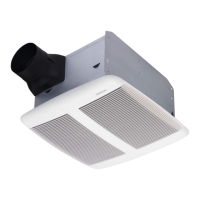
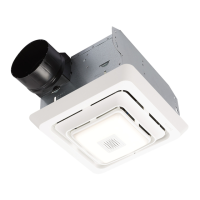
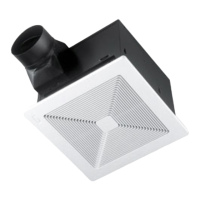
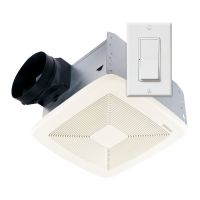
MODEL SPK110
Page 2
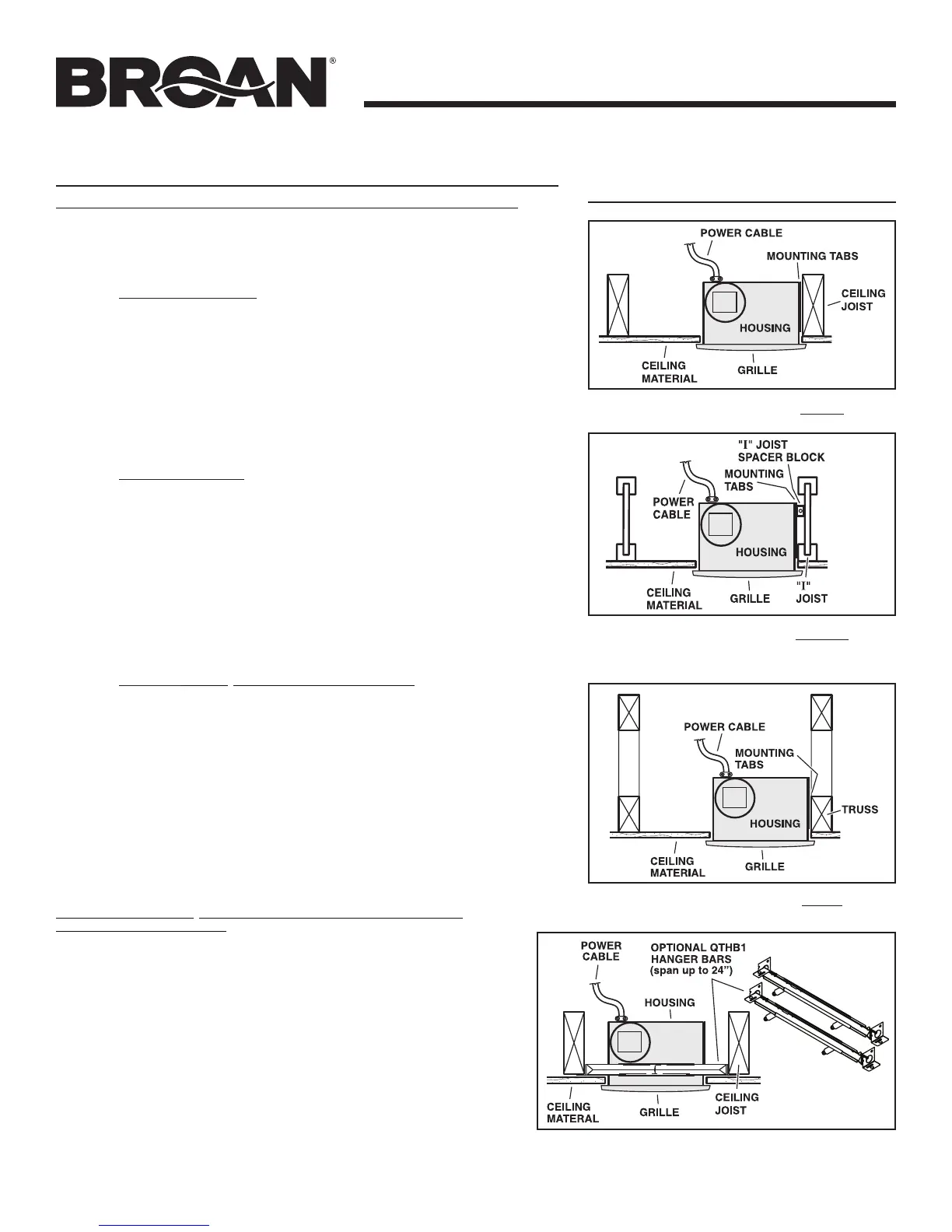
TYPICAL INSTALLATIONS
Housing mounted to I-joists.
Use I-joist spacer block (provided).
Housing mounted to joists.
Housing mounted to truss.
To mount housing anywhere between joists, i-joists or
trusses, use optional hanger bar kit QTHB1 (sold sepa-
rately). Follow mounting instructions included with kit.
To connect to the Broan-NuTone Bluetooth® wireless technology Speaker for the rst time:
1. To play your personal music or audio files, you need a Bluetooth wireless technology enabled
Smart Phone, Tablet, or any other such device.
2. Set your device to a low-to-midrange volume before connecting to the speaker.
3. Make sure Fan is ON and Bluetooth
®
wireless technology enabled device is located within 10 me-
ters (approximately 33 feet) of the Speaker/Fan.
4. Pairing your Bluetooth
®
wireless technology enabled device with the Speaker:
a. For iPad/iPhone/iPod touch:
i. From your iPad/iPhone/iPod touch home page, tap Settings.
ii. From Settings, tap General (if you have iOS 7 or greater, you can skip this step).
iii. From General, tap Bluetooth.
iv. Move the Bluetooth
®
Slider to ON/green (if it isn’t ON already). When you do this,
a list of discoverable Bluetooth
®
wireless technology devices will appear.
v. The Broan-NuTone Speaker has the Bluetooth
®
identifier “Sensonic™ Vent Fan”.
This identifier should be in the list of Discoverable Devices. If not, turn the Fan
OFF, then ON, then turn Bluetooth
®
OFF, then ON.
• If“Sensonic™VentFan”isstillnotonthelist,consultwiththeowner’smanual
for your device and follow the procedure for Pairing/Connecting a Bluetooth
®
wireless technology device.
vi. Tap on “Sensonic™ Vent Fan” to complete the pairing of the Bluetooth
®
wireless
technology Speaker with your Apple device.
b. For Android Phone/Tablet:
i. From your smart phone/tablet home page, tap Settings.
ii. From the Settings menu, go to Wireless & Controls, Wireless & Networks, or
something similar.
iii. Find Bluetooth
®
, Bluetooth
®
Settings or something similar and tap Bluetooth
®
or
move Bluetooth
®
Slider to ON (if it isn’t on already).
iv. On the Bluetooth
®
screen, tap “Scan for Devices”, “Search for Devices” or some-
thing similar.
v. The Broan-NuTone Speaker has the Bluetooth
®
identifier “Sensonic™ Vent Fan”.
This identifier should show up in the list of Available Devices. If not, turn Fan OFF,
then ON, and repeat pairing procedure.
• If“Sensonic™ Vent Fan” is still not on the list, consult with the owner’s
manual for your Android device and follow the procedure for
Pairing/Connecting a Bluetooth
®
device.
vi. Tap on “Sensonic™ Vent Fan” to complete the pairing of the Bluetooth
®
wireless
technology Speaker with your Android device.
c. For all other Bluetooth
®
wireless technology enabled devices:
i. Follow the instructions that came with your Bluetooth
®
wireless technology enabled
Phone, Tablet or Pad device to set it to search for Bluetooth
®
wireless technology
accessories.
ii. Most Bluetooth
®
wireless technology enabled devices will require you to go to the
“Paired Devices” (or similar) screen and SELECT “Search for Devices” or something
similar.
iii. The Broan-NuTone Speaker has the Bluetooth
®
identifier “Sensonic™ Vent Fan”.
This identifier should show up in the list of Available Devices, Discoverable Devices
or similar. If not, turn Fan OFF, then ON, and repeat pairing procedure.
5. Open up the audio program on your device and play your music or other audio files. The audio file
should play over the Bluetooth
®
Fan Speakers.
6. When done playing/listening to your audio files, disconnect from the Speaker by either turning OFF
the fan, disconnecting Bluetooth
®
wireless technology from your device (Smart Phone, Tablet, etc)
or simply walking away. The Bluetooth
®
wireless technology will automatically disconnect when
the device is out of range of the Speaker, which should occur when device is approximately 10
meters (33 feet) away from the Speaker.
To connect to the Bluetooth
®
wireless technology Speaker each subsequent time
(after initial connection is made):
1. TheSensonic™SpeakercanonlyplayaudiofilesfromoneBluetooth
®
wireless technol-
ogy device at a time, therefore one device must be DISCONNECTED (but not necessarily
UNPAIRED) before using the Speaker with another device.
2. If your Bluetooth
®
wireless technology device was DISCONNECTED but not UNPAIRED
from the Speaker last time it was used, then it should automatically connect next time
the device is within range of the Speaker, unless the Speaker is already CONNECTED to
another device.
a. If your device does not CONNECT automatically with the Speaker, then find your
“Paired Devices” or similar list and TAP on “Sensonic Vent Fan” to reconnect with
theSensonic™Speaker.
3. If your Bluetooth
®
wireless technology device was UNPAIRED from the Speaker after the
last time it was used, you must follow the connection procedure in the previous section for
PAIRING your device with the Speaker.
4. Open up the audio program on your device and play your music or other audio files. The
audio file should play over the Bluetooth
®
wireless technology Fan Speakers.
5. When done playing/listening to your audio files, disconnect from the Speaker by either
turning OFF the fan, disconnecting Bluetooth
®
wireless technology from your device
(Smart Phone, Tablet, etc) or simply walking away. The Bluetooth
®
wireless technology
will automatically disconnect when the device is out of range of the Speaker, which should
occur when device is approximately 10 meters (33 feet) away from the Speaker.
Bluetooth
®
wireless technology
SPEAKER OPERATION


 To Next Page
 Loading...