!
WARNING: Cancer
and Reproductive Harm
www.P65Warnings.ca.gov
20
BROCE FMJ470
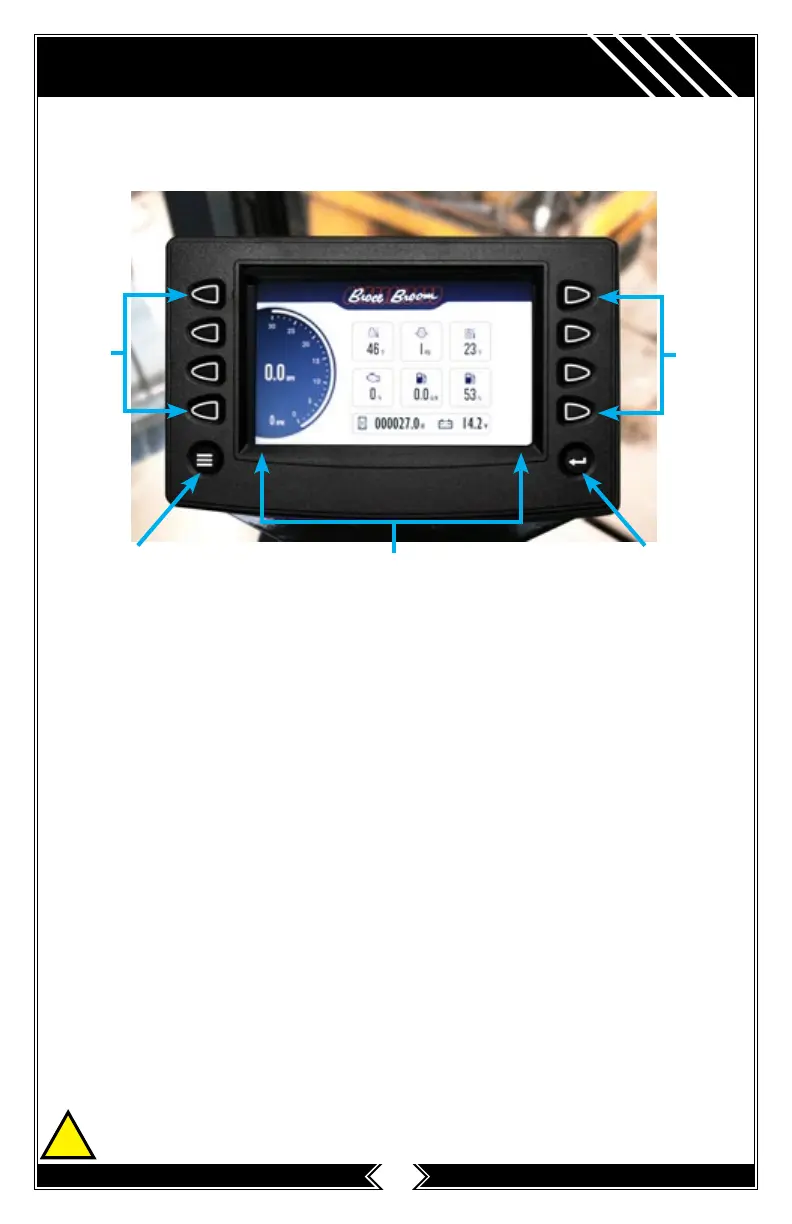
DISPLAY SCREEN
Navigation
Function
Keys
Function
Keys
MENU
Key
ENTER
Key
Soft Key Commands
Soft Key Commands
Columns of vertical commands may be located to the left and/or right of the
display. They will change according to the options available for the screen being
displayed.
Function Keys
The function keys correspond to the soft key commands and allow selections to be
made accordingly.
MENU Key
Pressing the MENU key at any time displays the list of menu options.
ENTER Key
Pressing the ENTER key will select the option displayed much like the ENTER key
on a keyboard. The ENTER key also brings up the soft keys. Press once to display
the left and right arrows. Press twice to display all the soft keys. Press three times
to hide all the soft keys.



 To Next Page