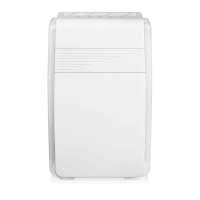
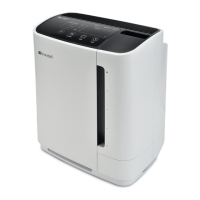
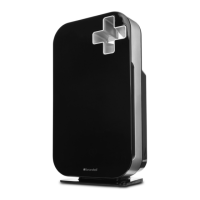
The Brondell Pro Sanitizing Air Purifier with AG+ Technology by Aurabeat is a sophisticated air purification system designed for residential and commercial use. It employs a five-stage purification process to effectively filter and sanitize the air, removing various pollutants, allergens, and microorganisms.
Function Description:
The primary function of the Brondell Pro Sanitizing Air Purifier is to clean and sanitize indoor air. It achieves this through a multi-stage filtration system that includes a Pre-Filter, a High Efficiency AG+ Air Filter, a Nanocrystalline Air Filter, UV Disinfection, and Plasma Sanitization. The device is designed to operate in various modes, including Auto Mode, Sleep Mode, and manual fan speed selection (Low, Medium, High). It features an Air Quality Indicator that visually represents the current air quality and a digital display showing PM2.5 levels, timer hours, fan speed, and filter usage. The unit also includes a Child Lock feature to prevent unintended operation.
Important Technical Specifications:
- Product Name: Brondell Pro Sanitizing Air Purifier with AG+ Technology by Aurabeat
- Models: P700BB/P7004C/APP60/CANP700BB
- Voltage: 120 V
- Frequency: 60 Hz
- Power: 95W
- Filtration Grade: H12
- Room Coverage:
- 1655 sq ft at 1 air exchange per hour
- 827 sq ft at 2 air exchanges per hour
- 538 sq ft at 3 air exchanges per hour
- 413 sq ft at 4 air exchanges per hour
- Casing Material: High Quality ABS
- Airflow: 247.2 ft³/min (CFM)
- Dimensions: 24.7 in x 15.4 in x 8.3 in
- Weight: 19.2 lbs.
- Sensor Type: PM2.5 Sensor
- Max. Noise: ≤62 dB
- Certifications: Complies with Federal Ozone Emissions Limit (ARB Certified), Intertek Listed (5018735), Intertek Verified Zero Ozone (MEETS UL 2998, DOES NOT EMIT MORE THAN 0.005 PPM AS TESTED PER UL 867).
- EPA Establishment Number: 98565-CHN-1
Usage Features:
The air purifier is controlled via a user-friendly control panel located on the top of the unit.
- Power Button: Turns the unit on or off. When first plugged in and the front panel is secured, it blinks red.
- Air Speed Selector: Allows selection between Auto Mode (PO) and three manual fan speeds: LOW (P1), MEDIUM (P2), and HIGH (P3). In Auto Mode, the unit automatically adjusts fan speed based on PM2.5 levels.
- PM2.5 Value 10-79 (Good): Green light, Airflow Level 1
- PM2.5 Value 80-199 (Fair): Blue light, Airflow Level 2
- PM2.5 Value 200-500 (Bad): Red light, Airflow Level 3
- Timer: Sets the unit to operate for a duration between 1 and 12 hours. The timer can be disengaged by setting it to 0.
- Sleep Mode: Engages a quiet operation mode where fan speed powers down, the air quality indicator light turns off, and all control panel lights except the Sleep button turn off.
- UV Function: Activates an internal UV lamp for air sanitization.
- Plasma Function: Initiates the generation of positive and negative ions to destroy microorganisms and remove smoke, dust, and odors.
- Child Lock: Locks all control panel buttons to prevent accidental changes. It is engaged and disengaged by touching and holding the lock icon for 3 seconds.
- Air Quality Indicator: A color spectrum light that visually indicates the current air quality (Green for Good, Blue for Fair, Red for Bad).
- Digital Display: Shows real-time PM2.5 levels, remaining timer hours, current fan speed, and filter usage.
- Handle: Integrated into the design for easy portability.
- Air Intake Grille: Located on the front panel, where room air enters the unit.
- Air Outlet: Located at the top, where clean, filtered air is expelled.
- Air Quality Sensor: Measures the air quality, located on the side of the unit.
Maintenance Features:
Regular maintenance is crucial for optimal performance and filter longevity.
- Filter Life and Cleaning Schedule:
- External body: Wipe with a clean damp cloth as needed.
- Air Intake: Clean with a soft brush or cloth every two months.
- Air Outlet: Clean with a soft brush or cloth every two months.
- Air Sensor: Clean every two months. First, wipe with a damp cotton swab, then dry with a dry cotton swab. The Air Sensor Cover is removable for cleaning.
- Woven Pre-Filter: Vacuum or rinse thoroughly in warm water every two to four weeks. Do not use heat to dry.
- Nanocrystalline Filter: Expose to sunlight for one to three hours every two months.
- High Efficiency AG+ Air Filter: Check filter color every two months. If light grey, it can be reused for another 2000 hours. If dark or black, it needs replacement.
- UV Light Bulbs: Check for functioning every twelve months.
- Filter Check Indicator: A red rectangular icon on the control panel illuminates after 2000 hours of use, indicating it's time to check or replace filters. Filter life typically lasts 8-12 months.
- Filter Replacement:
- Ensure the unit is powered off.
- Remove the front panel by pulling it away from the base.
- Remove existing filters.
- Remove all plastic packaging from new filters.
- Install new filters in the correct order: Nanocrystalline filter first, then High Efficiency AG+ Air Filter, with cloth tabs facing outward.
- Re-attach the front panel, ensuring it clicks securely into place.
- Reset the Filter Check Indicator by touching and holding the clock icon for 3 seconds.
- UV Light Bulb Check: While replacing filters, re-attach the front panel and power on the unit to observe the blue UV light emanating from the grille at the bottom of the front panel. If all 5 bulbs are functioning, power off and continue filter replacement. If a bulb is out, contact customer service.
- Filter Usage Monitoring: To check the total hours a filter set has been in use, touch and hold the lock icon for 3 seconds (when Child Lock is not active). The Air Quality Sensor display will show the active filter hours.
- Warranty: The product comes with a 3-year limited residential and commercial warranty covering defects in material and workmanship under normal use and service. Consumable filters are excluded. Replacement filters are available for purchase at brondell.com. Filters sealed in original packaging, unopened, have a shelf life of 5 years.



 To Next Page

 General