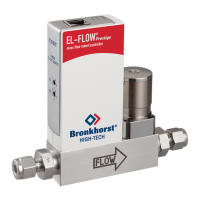
Before Installation
▶ Check the contents of the packaging box for damage.
▶ Install only undamaged products.
Label ‘Pressure Tested’
The red label ‘Pressure Tested’ indicates that the product has been
tested and approved.
▶ Check if the label is on the product.
In case the label is missing, the product should be returned:
▶ Scan the QR code (Service & Support) on the back cover to get
in contact with a Bronkhorst representative.
Product specications
▶ Verify that the specifications on the serial number label match
the application.
▶ Make sure that the product is sufficiently clean for its intended
use.
Install Bronkhorst FlowSuite
▶ Scan the QR code (Service & Support) on the back cover.
▶ Go to the Bronkhorst website and select your operating
system to download Bronkhorst FlowSuite. For download
information, see the back cover of this manual.
▶ Follow the on-screen instructions to install the application on
a Windows PC.
9
5
1
6
A
Pinout - 9 pin D-Sub
1. TX-RS232/BUS
2. Analog output
3. Analog input
4. 0 V power
5. Do not connect
6. RX-RS232/BUS
7. +Us (15 ... 24 Vdc)
8. 0 V sense
9. Shield

 To Next Page
 Loading...