6
725793_INS_Bluetooth Stereo Headphones
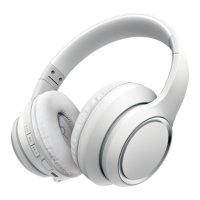
Size:5”Wx4.75”H_Output:100%_Prints:1/1,Blk
PaIRInG WITh YoUR MobIle Phone
1. Ensure the Headphones are off before entering the pairing mode.
The LED INDICATORS on both EARCUPS will not be illuminated.
2. To begin the pairing process, press and hold the POWER BUTTON at
the bottom of the RIGHT EARCUP for 5 seconds or until you see the
LED INDICATORS flashing quickly.
3. Enable the Bluetooth service on your mobile device and search or scan for the
“BT-H31” device. (Please refer to your mobile device’s instruction manual, or
contact the mobile device’s manufacturer, if you need additional information.)
4. Select the device “BT-H31” from the list and then enter the pairing key “0000”
if prompted. Your mobile device will then finish the pairing automatically.
5. When the pairing is complete, the LED INDICATORS on both EARCUPS
will stop flashing quickly and revert to a slower flash to show that it has
completed pairing.
Note: Above procedure is necessary only when using Bluetooth
®
Headphones with your mobile device for the first time. To use Bluetooth
®
Headphones with another mobile device, please repeat the procedure
above. To use Bluetooth
®
Headphones with a previously paired mobile
device, please go to the Bluetooth menu on your mobile device and
select “BT-H31” to reconnect.










 To Next Page