8
725793_INS_Bluetooth Stereo Headphones
Size:5”Wx4.75”H_Output:100%_Prints:1/1,Blk
UsInG The headPhones
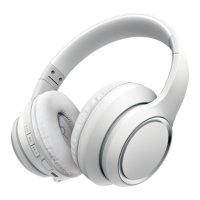
1. Place the headphones over the correct ears by seating the RIGHT EARCUP
on your right ear and the LEFT EARCUP on your left ear and adjusting the
HEADBAND so that they’re comfortable. Ensuring that they are on the
correct ears is important, as the headphones are designed to fit the shape
of your head, and the MIC is situated on the front of the RIGHT EARCUP.
2. To power the headphones on, press and hold the POWER BUTTON on the
bottom of the RIGHT EARCUP for about 2 seconds, and release the button
when the LED INDICATORS illuminate.
3. To power the headphones off, press and hold the POWER BUTTON on the
bottom of the RIGHT EARCUP until the LED INDICATORS shut off completely.










 To Next Page