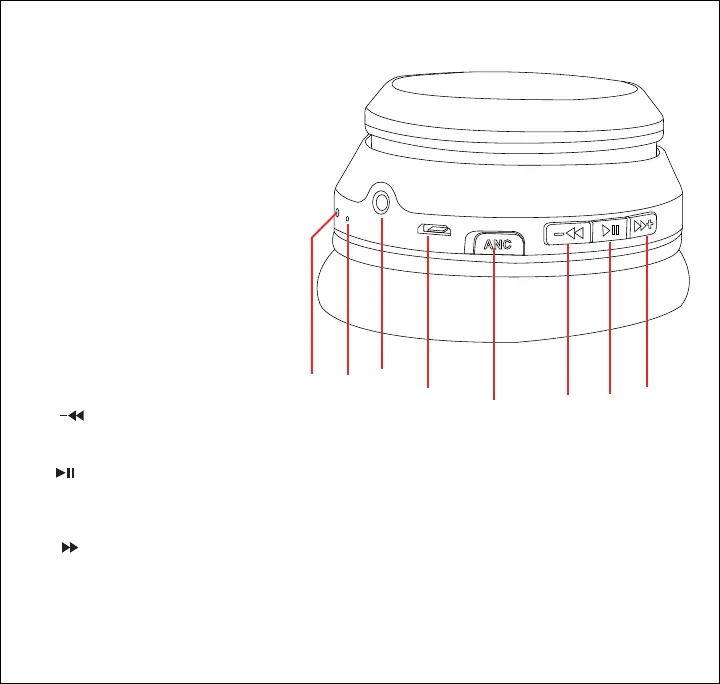
Location of Controls
1
2
3
4
5
6
7
8
1. LED Indicator
2. Microphone
3. 3.5 mm AUX Port
4. Micro-USB Charging Port
5. [ANC Power] Button:
Press: Turn Active Noise
Cancelling ON/OFF
6. [ ] Button:
Press: Decrease volume
Press + hold: Skip to previous track
7. [ ] Button:
Press: Pause and resume playback,
Answer and end phone call
Press + hold (3s): Power ON/OFF
8. [ ] Button:
Press: Increase volume
Press + hold: Skip to next track
+
4










 To Next Page