Playing Music
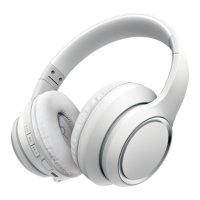
To listen to music on the headphones, you must be paired to a Bluetooth-enabled device
or connected via the 3.5 mm AUX port. Consult the Bluetooth Pairing or Connecting
with a 3.5 mm AUX Cable sections of this manual for further instruction.
Bluetooth Pairing
1. Power the headphones ON. A voice will be heard, and the LED indicator will flash
BLUE and RED.
2. Set your mobile device to search for Bluetooth devices. Select BSNCH102 from the
list of found devices.
3. After a successful pairing, a voice will be heard and the LED indicator will slowly
flash BLUE, and will flash BLUE while playing music.
In Bluetooth mode, playback and volume can be adjusted with the on-ear controls, or
with your paired device.
• Press the [ ] button to pause and resume playback.
• Press the [ ] and [ ] buttons to adjust volume.
• Press and hold the [ ] and [ ] buttons to skip tracks.
Phone Calls
To use the phone functions on the headphones, you must be connected to a
Bluetooth-enabled device.
• Press the [ ] button to answer and end phone calls. Playback will automatically
pause and resume.
• 2x press the [ ] button to dial the last outgoing phone number.
• Press and hold the [ ] button for 2 seconds to reject an incoming call.
+
+
6










 To Next Page