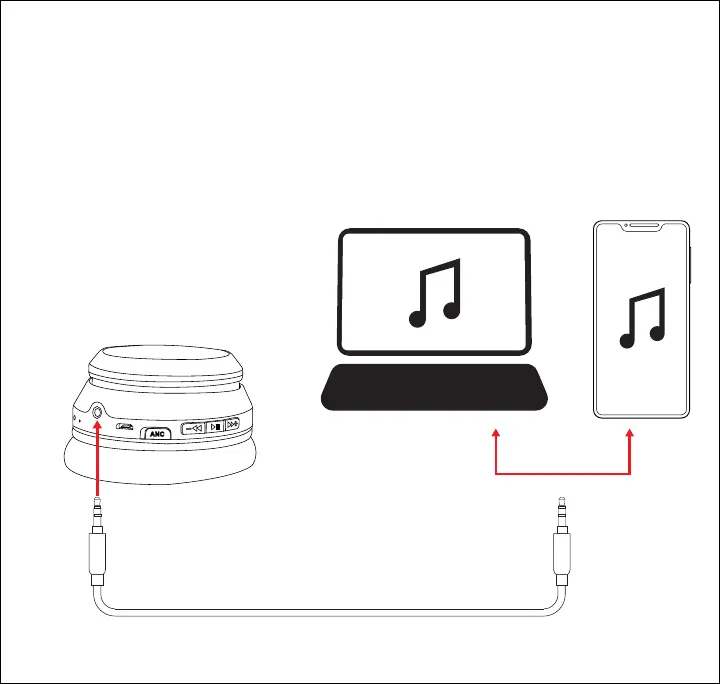
Connecting with the 3.5 mm AUX Cable
Plug one connector of the included 3.5 mm auxiliary cable into the 3.5 mm aux
input port on the bottom of the right earcup. Plug the other connector into the
audio output port on your media-playing device.
• In auxiliary mode, all playback and volume will be adjusted with the controls on
your connected device.
• The headphones will automatically power OFF when a 3.5 mm AUX cable is
inserted.
7










 To Next Page