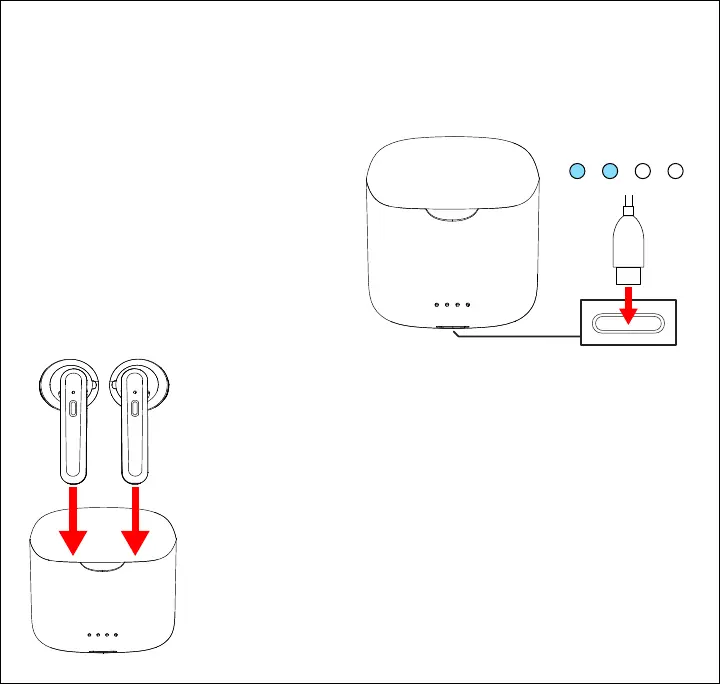
Charging the Case
Plug the small connector of the included charging cable into the charging port on the charging
case. Plug the larger connector into a USB power source such as the USB port on a
computer, or a 5V/1A USB wall adapter (not included).
The LED indicators on the front of the case
will indicate the battery level of the case as
it charges.
Please recharge the case when it is low on
battery.
Charging the Earbuds
Use the included charging case to protect and charge your
earbuds.
To charge the earbuds, open the case. Place the earbuds into the
correct earbud charging ports. The earbuds will automatically
power OFF and begin charging.
The earbuds’ LED indicators will turn RED while they are charging
and turn OFF when they are fully charged.
Bottom of Case
25% 50% 75% 100%
LED Indicator
5











 To Next Page