12
KNOWING YOUR SEWING MACHINE —————————————————————————————————————————————————————————————————————————————————
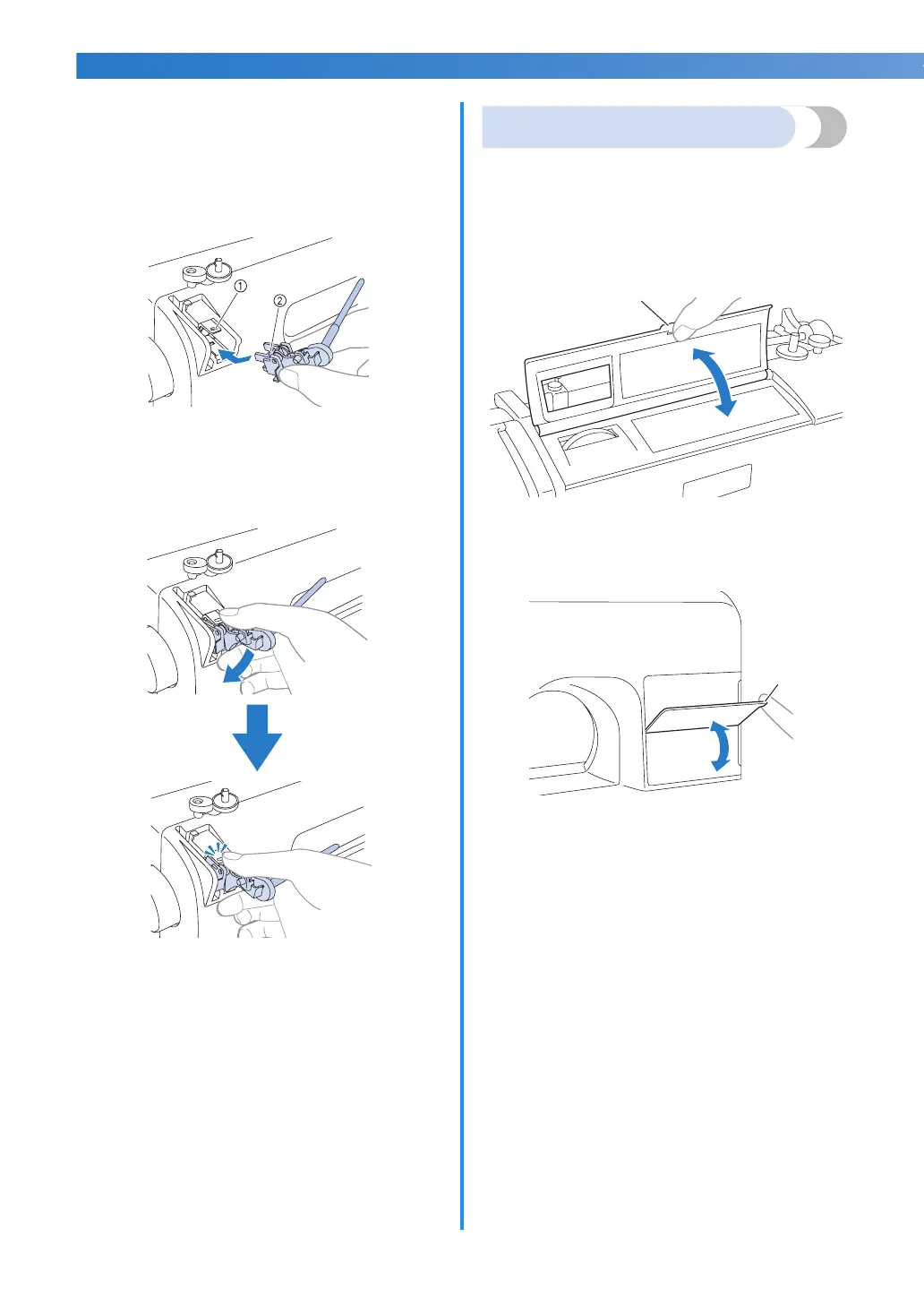
■ Installing the spool pin
a
If the spool pin has been removed from the
machine, insert the tab on the spool pin into
the hole on the back of the machine, as
shown.
a Hole
b Tab
b
Push the spool pin down until it locks into
place.
Flip chart
You can check the pattern numbers of the stitches
using the flip chart on the machine.
Hold the notch with your finger to flip the chart.
For models equipped with a flip chart on the top
panel
For models equipped with a flip chart on the front
panel
a Notch
1



 To Next Page