76
UTILITY STITCHES ———————————————————————————————————————————————————————————————————————————————————————————————————
Selecting characters
■ Selecting a character
[Example] Selecting stitch “C” (No. 03).
a
Turn on the sewing machine.
b
<For models equipped with 1 font type of
character stitches>
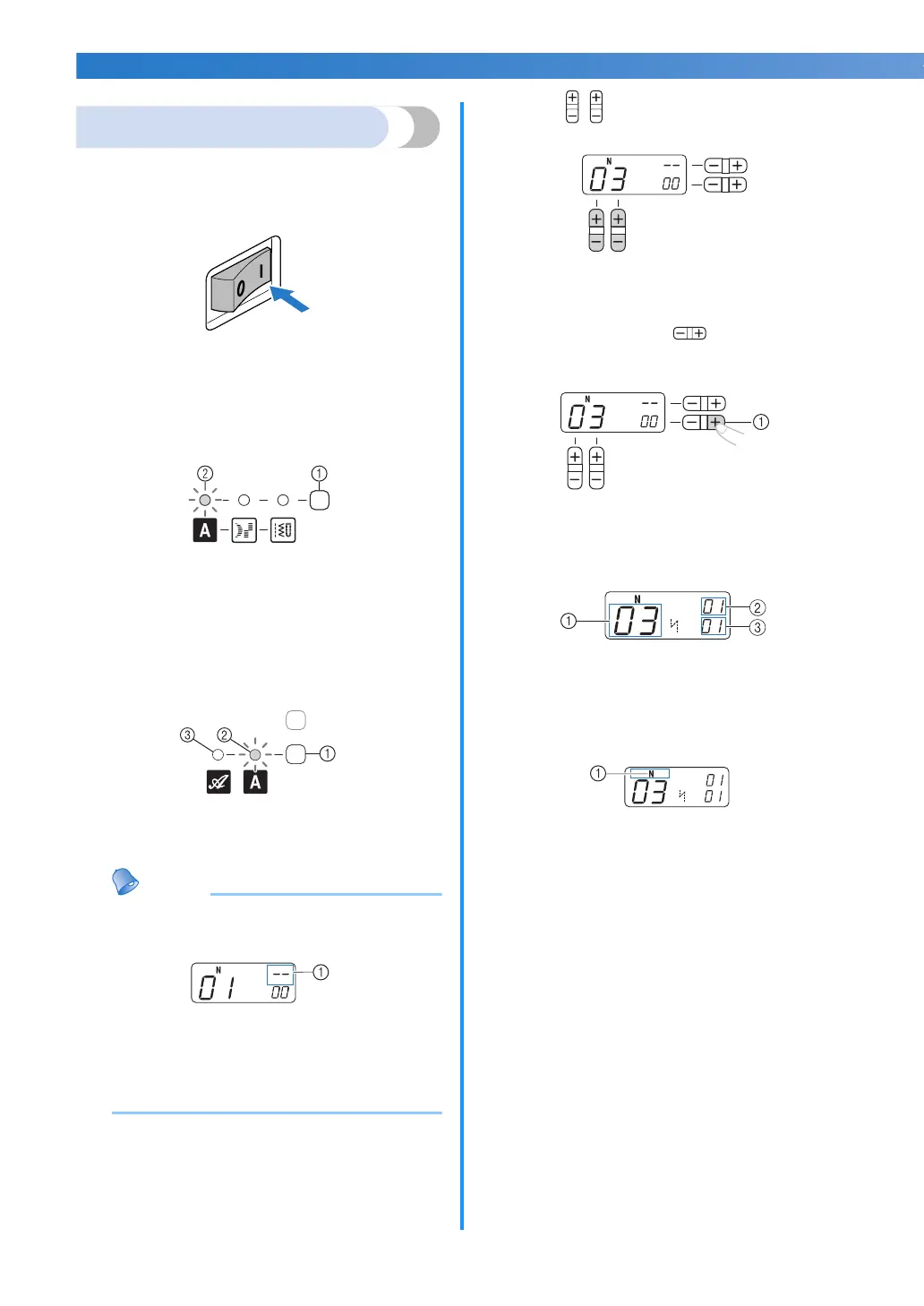
Press the stitch category selection key twice
and confirm that the character stitch indicator
lights up.
a Stitch category selection key
b Character stitch indicator
<For models equipped with 2 font types of
character stitches>
Press the character stitch key once or more
and confirm that the desired font type of
character stitch indicator is lit.
a Character stitch key
b Character stitch indicator (Gothic font)
c Character stitch indicator (Script font)
Memo
● When you select a character, check that
there are no characters in memory.
a This indicator shows that no character is stored.
If there are any characters in memory,
delete them. (For details, refer to “Deleting
characters”
(page 79)
.)
c
Press (stitch selection keys) to select
pattern No. 03.
• For details, refer to step
c of
“Selecting a
stitch” (page 39)
.
d
Press the “+” side of (stitch width
adjustment key) to enter the selected
character.
a Stitch width adjustment key
X The following display is shown on the
LCD.
a Selected pattern No.
b The position of the selected pattern No.
c The total number of entered characters
e
Attach the presser foot indicated on the LCD.
a The presser foot to use
• For details, refer to
“Replacing the presser
foot” (page 36)
.
f
If you would like to only sew this single
character, start sewing.
If you would like to sew a sequence of
characters, see the following procedure.
• For details on sewing characters, refer to
“Sewing the character stitches” (page 79).



 To Next Page