EasyManua.ls Logo

Brother BES-1240BC - User Manual

Brother BES-1240BC
276 pages
Print Icon
To Next Page IconTo Next Page
Loading...
INSTRUCTION MANUAL
Please read this manual before using the machine.
Please keep this manual within easy reach for quick reference.
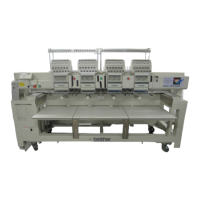
NINE NEEDLE FOUR HEAD ELECTRONIC EMBROIDERY MACHINE
TWELVE NEEDLE FOUR HEAD ELECTRONIC EMBROIDERY MACHINE
BES-940BC
BES-1240BC

Table of Contents

Other manuals for Brother BES-1240BC

Questions and Answers

  • M
    mmcfarlandJul 31, 2025
    Why is my Brother Sewing Machine thread breaking?
    • S
      Sandra BridgesJul 31, 2025
      Thread breakage in your Brother Sewing Machine can stem from several issues. Ensure the machine is threaded correctly and the thread tension isn't too high. Check for clogs in the rotary hook assembly and ensure there's thread in the bobbin. Inspect the needle for bends or flaws on the needle plate, rotary hook, or bobbin case that might cut the thread. Verify the needle is installed correctly and the presser foot is in contact with the material. Confirm the thread thickness and needle size are appropriate and that a thread with a left-hand twist is used. Also, check for adhesive on the needle, weak material tension, excessive play between the rotary hooks, smooth outer rotary hook rotation, proper rotary hook stopper clearance, and smooth thread flow from the bobbin case.
  • S
    Stephanie MorrisonAug 8, 2025
    What to do if my Brother BES-1240BC Sewing Machine needle keeps breaking?
    • J
      Jennifer GonzalezAug 8, 2025
      If the needle of your Brother Sewing Machine is breaking, check if the needle is correctly attached (direction, height, etc.) and not bent. Also, verify the rotary hook attachment and timing settings. Look for backlash in the needle bar case and ensure the rotary hook stopper is correctly attached. Confirm that the needle size is correct, the tip is sharp, and the thread passes through the hole center of the presser foot.
  • C
    claytonmeganAug 15, 2025
    How to fix embroidery issues on my Brother BES-1240BC Sewing Machine?
    • C
      Courtney TorresAug 15, 2025
      If your Brother Sewing Machine isn't embroidering properly, check if the material edge is caught in the machine and that embroidery hoop and related parts are operating correctly. Ensure the material is stretched properly, thread tension is correct, and the lower thread comes out smoothly.
  • M
    moyerlauraAug 23, 2025
    What to do if the needle interferes with the embroidery hoop on my Brother BES-1240BC Sewing Machine?
    • W
      William EvansAug 23, 2025
      If the needle or presser foot interferes with the embroidery hoop on your Brother Sewing Machine, check if the embroidery hoop is too small. Verify the size and needle start position in the sewing data.

Summary

Precautions

Safety Instructions

Safety Indications and Meanings

Explains safety indications and symbols used in the manual and on the machine.

Installation Safety

Details safety precautions related to machine installation, including electrical and weight considerations.

Chapter 2: Preparation of Embroidery Machine

Machine Installation Procedures

Guides through the safe and proper installation of the embroidery machine.

Chapter 3: Embroidering Procedures

Thread Tension Adjustment

Details how to properly adjust thread tension for optimal stitch quality.

Operation Panel Functions

Describes the functions and controls of the machine's operation panel.

Chapter 4: Selecting and Transferring Embroidery Data

Chapter 5: Editing Embroidery Data

Chapter 6: Embroidering

Machine Operation Controls

Lists functions available in the operation, view, and tool menus for machine control.

Machine Settings Configuration

Covers settings for tool bars, communication ports, and language before and after power on.

Embroidery Process Settings

Details settings for needle bar, speed ranges, pause, and thread trimming.

Starting and Controlling Embroidery

Guides on starting, pausing, canceling, and moving the embroidery process.

Chapter 7: Operation of Machine

Machine Power and Startup

Details procedures for turning on the machine and preparing for embroidery.

Chapter 9: Maintenance

Chapter 10: Standard Adjustment

Rotary Hook and Needle Timing

Details adjustments for rotary hook replacement and needle/rotary hook timing.

Chapter 11: List of Error Codes

Chapter 12: Troubleshooting

Mechanical Troubleshooting

Lists common mechanical problems and their solutions.

Electrical Troubleshooting

Lists common electrical issues and their troubleshooting measures.

Brother BES-1240BC Specifications

General IconGeneral
Stitch Width7 mm
Stitch Length5 mm
Speed850 stitches per minute
DisplayLCD
Weight6.6 kg
Dimensions44.5 x 20.3 x 36.8 cm
CategorySewing Machine

Related product manuals