EasyManua.ls Logo

Brother FAX-1820C - User Manual

Brother FAX-1820C
189 pages
Print Icon
To Next Page IconTo Next Page
Loading...
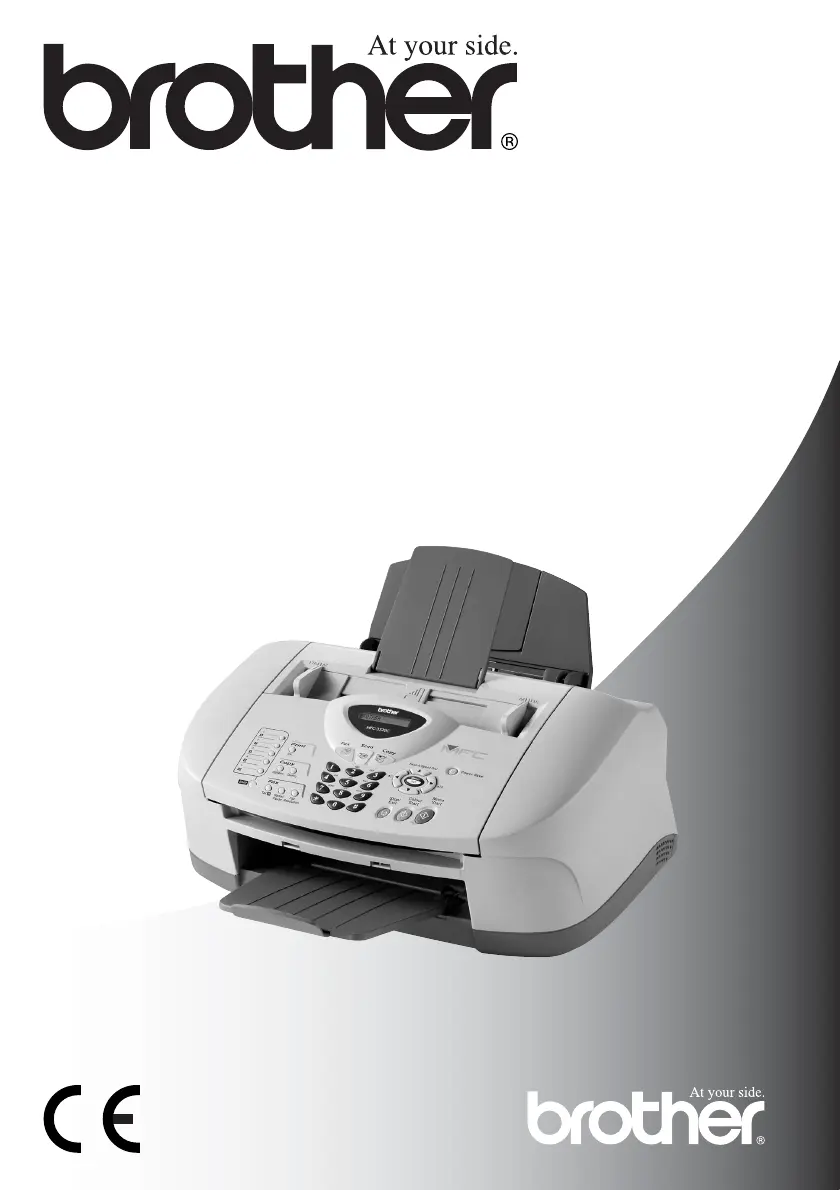
FAX-1820C
MFC-3220C
USER’S GUIDE

Table of Contents

Other manuals for Brother FAX-1820C

Questions and Answers

  • M
    Michelle KingAug 20, 2025
    What to do if my Brother FAX-1820C displays 'Check Paper'?
    • S
      Sarah HarperAug 20, 2025
      The 'Check Paper' error on your Brother Fax Machine indicates that the machine is either out of paper or the paper is jammed. Add paper to the tray. If the issue persists, the paper may be jammed in the machine.
  • N
    Nicholas MasonAug 22, 2025
    Why does my Brother FAX-1820C say 'Comm.Error'?
    • P
      Paula MooreAug 22, 2025
      The 'Comm.Error' message on your Brother Fax Machine means there was a communication error due to poor phone line quality. Try the call again. If the problem continues, contact your telephone company to check your phone line.
  • S
    stacy86Aug 25, 2025
    How to fix 'Cover Open' error on Brother FAX-1820C Fax Machine?
    • M
      Mr. Kevin Williams DVMAug 25, 2025
      The 'Cover Open' error on your Brother Fax Machine means that either the control panel cover or the top cover is not completely closed. Open, then close the covers to ensure they are properly shut.
  • J
    Jonathan ClarkeAug 26, 2025
    What to do if my Brother Fax Machine says 'Ink Empty'?
    • E
      Erika LopezAug 27, 2025
      The 'Ink Empty' error on your Brother Fax Machine indicates that one or more of the ink cartridges are empty. Replace the empty ink cartridges.
  • G
    gregorycarpenterAug 27, 2025
    Why does my Brother FAX-1820C Fax Machine show 'Check Paper Size'?
    • J
      Jennifer WashingtonAug 28, 2025
      The 'Check Paper Size' error on your Brother Fax Machine means that the paper you loaded is not the correct size. Reload the correct size of paper (A4), and then press Mono Start or Colour Start.
  • A
    April LoweryAug 29, 2025
    What to do if Brother Fax Machine displays 'Data Remains'?
    • A
      avaughnAug 30, 2025
      The 'Data Remains' message on your Brother Fax Machine means that print data is still in the machine's memory. You can try re-starting the printing from your computer. Alternatively, if the USB cable was unplugged during printing, press Stop/Exit. The machine will cancel the job and eject the page.
  • C
    christinecruzAug 31, 2025
    How to fix 'Check Cartridge' error on Brother FAX-1820C Fax Machine?
    • B
      bryan06Aug 31, 2025
      The 'Check Cartridge' message on your Brother Fax Machine means that an ink cartridge is not properly installed. Take out the ink cartridge and put it in again, seating it properly.
  • D
    Darlene WoodSep 2, 2025
    What does 'Disconnected' mean on my Brother Fax Machine?
    • M
      Martha TaylorSep 2, 2025
      The 'Disconnected' message on your Brother Fax Machine indicates that the other party or their fax machine stopped the call. Try sending or receiving again.
  • S
    Shelby SchneiderSep 4, 2025
    Why does my Brother FAX-1820C Fax Machine say 'Near Empty'?
    • M
      Madeline JonesSep 4, 2025
      The 'Near Empty' message on your Brother Fax Machine indicates that one or more of the ink cartridges are running low on ink. Order a new ink cartridge.
  • A
    alvaradolisaSep 6, 2025
    How to solve 'Out of Memory' error on Brother FAX-1820C Fax Machine?
    • N
      Natalie ClarkSep 6, 2025
      The 'Out of Memory' message on your Brother Fax Machine means that you can’t store data in the memory. If a fax sending or copy operation is in progress, press Stop/Exit and wait until it finishes, then try again. Alternatively, clear the data in the memory or reduce print resolution if printing.

Summary

Control Panel Overview

Connecting the Machine

2 Loading Documents and Paper

3 On-screen Programming

General Setup

Configuration settings for basic machine operations.

Fax Setup and Operations

Settings and operations for fax functionality.

Remote Fax Options

Features for remote fax forwarding and storage.

Copy Functions

Settings for machine copying functions.

Initial Setup

Basic configuration steps before use.

4 Getting Started

Initial Setup Procedures

Basic machine configuration steps before initial use.

General Setup Procedures

Configuration settings for general machine operations.

5 Setup Receive

6 Setup Send

8 Remote Fax Options

Fax Forwarding Configuration

Automatically forwards received faxes to another number.

Setting Fax Storage

Stores faxes in memory for later retrieval.

10 Making Copies

11 Important Information

Important Safety Instructions

General safety guidelines for product operation and maintenance.

12 Troubleshooting and Routine Maintenance

Troubleshooting Error Messages

Guidance for resolving common machine errors and problems.

Document and Paper Jams

Procedures for clearing paper jams from the machine.

Improving Print Quality

Steps to enhance the quality of printed output.

Replacing Ink Cartridges

Step-by-step guide for replacing ink cartridges.

Brother FAX-1820C Specifications

General IconGeneral
BrandBrother
ModelFAX-1820C
CategoryFax Machine
LanguageEnglish

Related product manuals