EasyManua.ls Logo

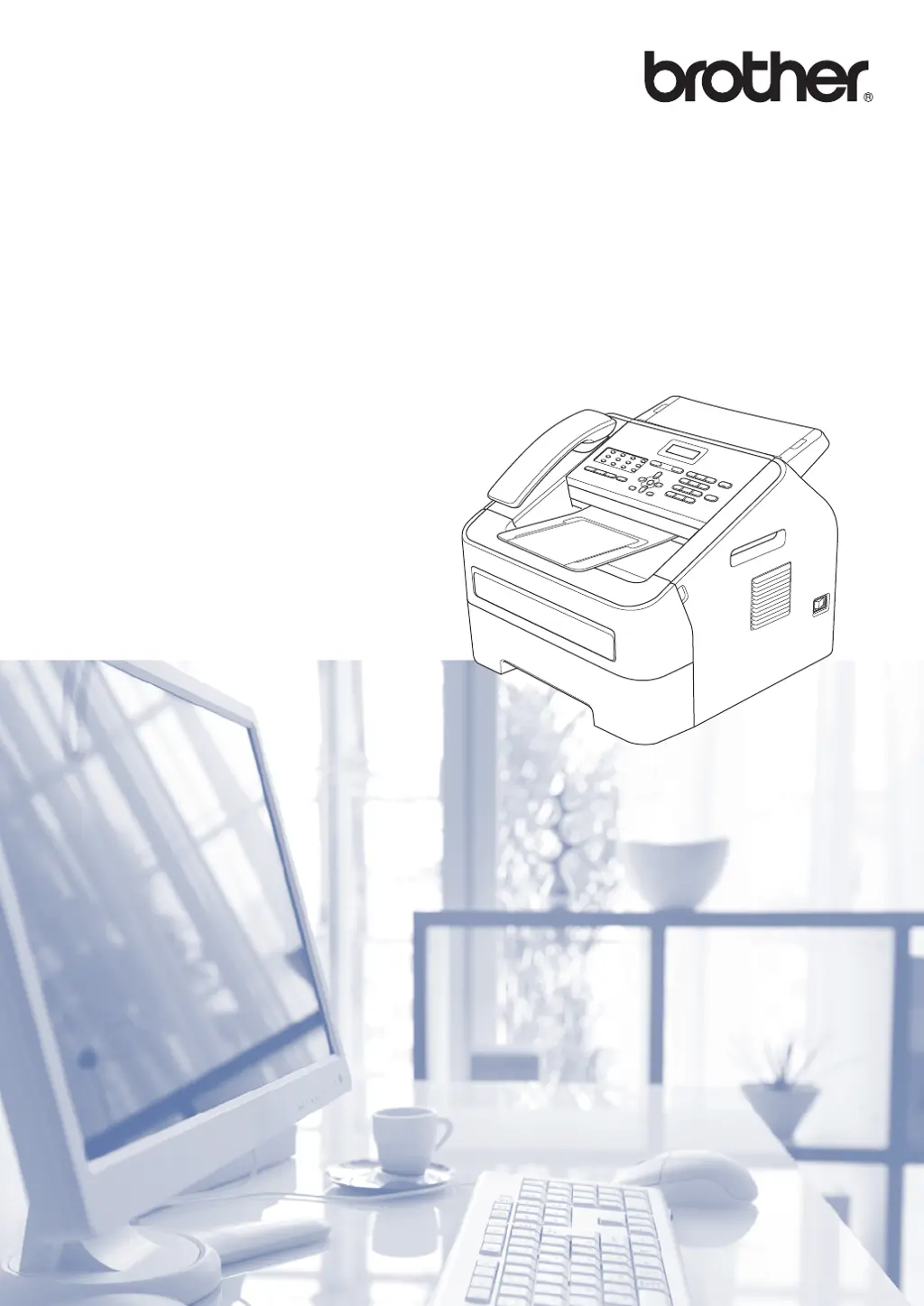
Brother FAX-2840 - User Manual

Brother FAX-2840
143 pages
Print Icon
To Next Page IconTo Next Page
Loading...
Basic User’s Guide
FAX-2840
FAX-2950
Not all models are available in all countries.
Version 0
SAF/GLF

Table of Contents

Other manuals for Brother FAX-2840

Questions and Answers

  • F
    flemingpaulSep 23, 2025
    Why can't I change the Receive Mode on my Brother FAX-2840?
    • P
      Patricia MorganSep 23, 2025
      When the BT Call Sign is set to On, you cannot change the Receive Mode from Manual to another mode. To solve this, set the BT Call Sign to Off.
  • S
    Shannon JohnsonAug 25, 2025
    How to fix 'Cartridge Error' on Brother FAX-2840 Fax Machine?
    • V
      Victor KeithAug 25, 2025
      The toner cartridge might not be installed properly in your Brother Fax Machine. Pull out the drum unit, remove the toner cartridge, and then re-install it into the drum unit.
  • S
    Samantha DunlapAug 25, 2025
    What to do if my Brother FAX-2840 says 'Cover is Open'?
    • M
      michael64Aug 26, 2025
      The front cover or the control panel cover of your Brother Fax Machine is not completely closed. Make sure to close the front cover or the control panel cover of the machine.
  • C
    Christian SalinasAug 26, 2025
    Why does my Brother Fax Machine say 'No Toner'?
    • J
      Jesse JimenezAug 27, 2025
      The toner cartridge in your Brother Fax Machine is not installed correctly. Pull out the drum unit, remove the toner cartridge, and then put it back into the drum unit.
  • R
    Robert PittmanAug 27, 2025
    What does 'Toner Ended' mean on my Brother FAX-2840?
    • B
      Bethany HowardAug 27, 2025
      It is time to replace the toner cartridge in your Brother Fax Machine with a new one.
  • B
    Brianna AndersonSep 14, 2025
    How to fix 'Fuser Error' on Brother FAX-2840?
    • D
      Donna HarrisSep 14, 2025
      The temperature of the fuser unit does not rise to a specified temperature within the specified time. Turn the power switch off, wait a few seconds, and then turn it on again. Leave the Brother Fax Machine for 15 minutes with the power on.
  • D
    Dana SandersSep 12, 2025
    What does 'Drum Stop' mean on Brother Fax Machine?
    • K
      kimberly80Sep 12, 2025
      It is time to replace the drum unit in your Brother Fax Machine. Replace the drum unit.
  • K
    Kimberly NewmanSep 13, 2025
    What does 'EL Error' mean on Brother FAX-2840 Fax Machine?
    • O
      osbornejasonSep 13, 2025
      The Brother Fax Machine has a mechanical problem. Open the front cover and close it again.
  • A
    Aaron JonesSep 5, 2025
    Why does my Brother Fax Machine say 'Manual Feed'?
    • A
      Andrew HayesSep 5, 2025
      Manual was selected as the paper source on your Brother Fax Machine when there was no paper in the manual feed slot. Place a sheet of paper in the manual feed slot.
  • A
    Alvin NewmanSep 2, 2025
    What does 'No Response/Busy' mean on Brother FAX-2840 Fax Machine?
    • F
      Frank MeltonSep 2, 2025
      The number you dialed with your Brother Fax Machine does not answer or is busy. Verify the number and try again.

Summary

Loading Paper

Loading Paper and Print Media

Details on how to load paper and print media into the machine.

Sending a Fax

How to Send a Fax

Step-by-step guide on how to send a fax document.

Receiving a Fax

Receive Modes

Explanation of different modes for receiving faxes automatically or manually.

Dialling and Storing Numbers

Storing Numbers (One Touch, Speed Dial)

Procedures for storing phone numbers for quick access.

Routine Maintenance

Replacing Toner Cartridge and Drum Unit

Instructions for replacing toner cartridges and drum units.

Cleaning Machine Parts

Procedures for cleaning the machine's exterior, scanner glass, and internal parts.

Troubleshooting

Identifying and Resolving Common Problems

Initial checks and steps to solve common operational problems.

Troubleshooting Specific Issues (Jams, Connections, Print Quality)

Solutions for paper jams, connection issues, print quality, and scanning problems.

Specifications

Brother FAX-2840 Specifications

General IconGeneral
Group dial8
Modem speed33.6 Kbit/s
Color faxingNo
One-touch dials22
Print technologyLaser
Fax compatibilityITU-T G3
Fax coding methodsJBIG, MH, MMR (Fax coding method), MR
Fax resolution modesFine, Photo, Standard, Super Fine
Fax transmission speed2.5 sec/page
Out-of-paper reception400 pages
Error Correction Mode (ECM)Yes
Fax speed dialing (max numbers)200
Copier resize25 - 400 %
Grayscale levels256
Maximum copy resolution300 x 600 DPI
Maximum number of copies99 copies
N-in-1 copy function (N=)2, 4
Copy speed (black, normal quality, A4)20 cpm
Standard input capacity250 sheets
Standard output capacity100 sheets
Auto document feeder (ADF) input capacity20 sheets
Supported media weight(s)60 - 105 g/m²
Maximum standard media sizeA4
ISO A-series sizes (A0...A9)A4, A5, A6
Display number of lines2 lines
Display number of characters16
Processor familyARM9
Processor frequency200 MHz
Maximum internal memory16 MB
Product colorBlack, Grey
Sustainability certificatesENERGY STAR
Noise level53 dB
Noise level (idle)30 dB
AC input voltage220-240 V
AC input frequency50 - 60 Hz
Power consumption (standby)55 W
Power consumption (typical)365 W
Power consumption (PowerSave)1.5 W
Package weight12900 g
Weight and Dimensions IconWeight and Dimensions
Weight9000 g
Dimensions (WxDxH)368 x 360 x 311 mm

Videos

How to reset Drum unit Error in Brother Fax 2840

How to change a toner in Brother Fax 2840

Related product manuals