EasyManua.ls Logo

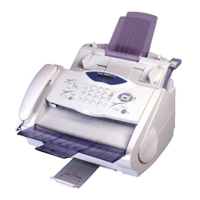
Brother FAX-2800 - User Manual

Brother FAX-2800
228 pages
Print Icon
To Next Page IconTo Next Page
Loading...
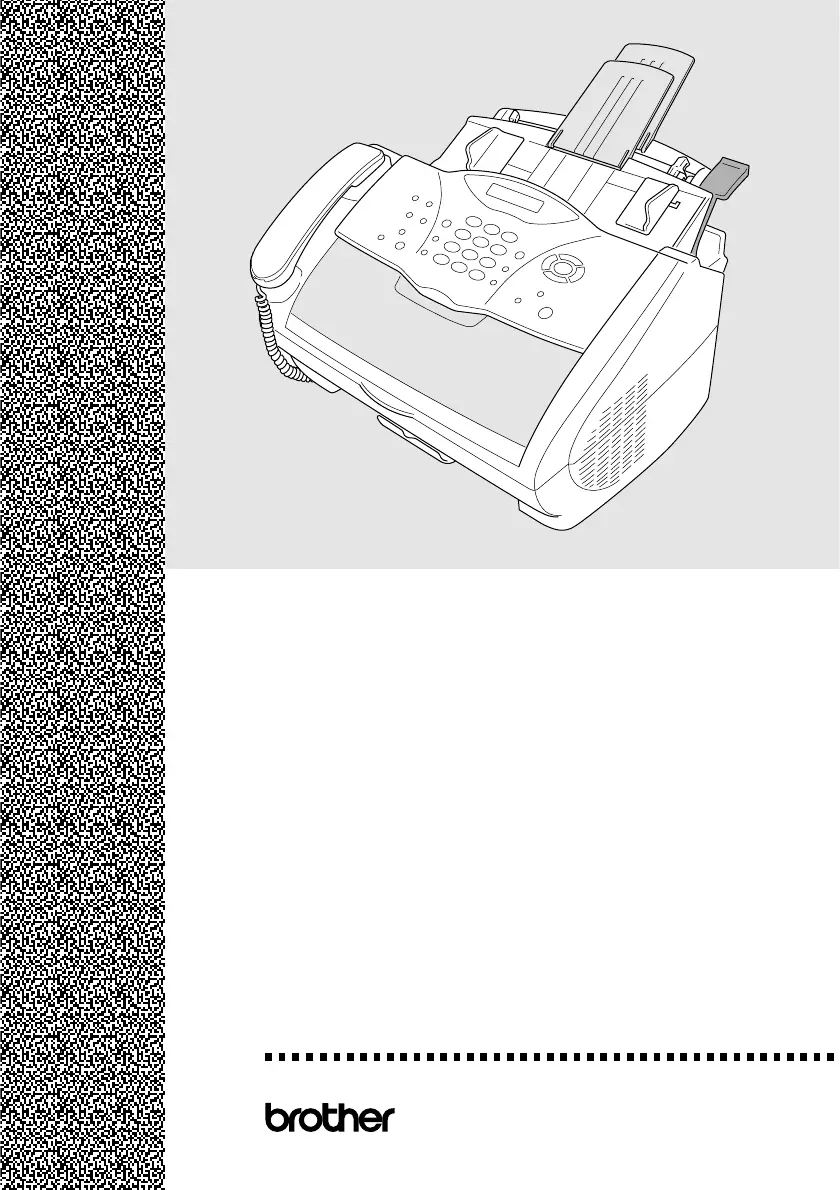
FAX-2800
MFC-4800
®
OWNER’S MANUAL
version B

Table of Contents

Other manuals for Brother FAX-2800

Questions and Answers

  • M
    Maria AllenAug 20, 2025
    What to do if my Brother FAX-2800 Fax Machine says 'CHECK PAPER'?
    • N
      Nichole BatesAug 20, 2025
      If your Brother Fax Machine displays 'CHECK PAPER', it means the machine is out of paper or the paper isn't loaded correctly in the multi-purpose sheet feeder. To fix this, refill the paper or remove it and load it again. Then, press Fax Start.
  • C
    Christopher NelsonAug 22, 2025
    What to do if Brother Fax Machine says 'COVER OPEN PLS CLOSE COVER'?
    • N
      nelsonkelseyAug 22, 2025
      If your Brother Fax Machine displays 'COVER OPEN PLS CLOSE COVER', it means the top cover isn't completely closed. Simply open the top cover and then close it properly to resolve this.
  • W
    williamvillanuevaAug 25, 2025
    What does 'TONER LOW' mean on my Brother FAX-2800 Fax Machine?
    • P
      Paul ByrdAug 25, 2025
      If your Brother Fax Machine shows 'TONER LOW', it means the toner is running low, but you can still print. It's a reminder to order a new toner cartridge soon.
  • S
    Sarah SmithAug 26, 2025
    What does 'CHANGE DRUM SOON' mean on my Brother FAX-2800?
    • M
      michael31Aug 26, 2025
      If your Brother Fax Machine displays 'CHANGE DRUM SOON', it means the drum unit is nearing the end of its life. Continue using it until print quality declines, then replace it with a new drum unit.
  • E
    Ebony TaylorAug 27, 2025
    What to do if Brother FAX-2800 says 'TONER EMPTY'?
    • J
      James LoweAug 27, 2025
      If your Brother Fax Machine displays 'TONER EMPTY', it means the toner is depleted, and printing is impossible, or the toner cartridge isn't installed in the drum unit. Replace the empty toner cartridge with a new one or install the cartridge into the drum unit.
  • R
    Robert RobinsonAug 29, 2025
    What to do if Brother FAX-2800 Fax Machine says 'PLS OPEN COVER'?
    • P
      pstewartAug 29, 2025
      If your Brother Fax Machine displays 'PLS OPEN COVER', it indicates that paper or a foreign object is stuck inside. Open the top cover and gently remove any jammed paper or objects. Close the top cover. If the message persists, repeat opening and closing the cover. If the error continues, contact Brother Customer Service.
  • A
    Anthony ChavezAug 31, 2025
    What to do if my Brother FAX-2800 Fax Machine says 'NO RESPONSE/ BUSY'?
    • L
      Lisa BaileyAug 31, 2025
      If your Brother Fax Machine shows 'NO RESPONSE/ BUSY', the number you dialed isn't answering, is busy, or isn't connected to a fax machine. Verify the number and try again.
  • D
    Dr. Rebecca GarciaSep 2, 2025
    How to fix 'CHECK DRUM UNIT' error on Brother FAX-2800 Fax Machine?
    • D
      Daniel KennedySep 2, 2025
      If your Brother Fax Machine displays 'CHECK DRUM UNIT', it means the drum unit isn't installed. Reinstall the drum unit to resolve this.
  • L
    Lisa SandersSep 4, 2025
    How to fix 'COMM. ERROR' on Brother FAX-2800?
    • C
      Crystal MillerSep 4, 2025
      If your Brother Fax Machine displays 'COMM. ERROR', it means a poor phone line caused a communication error. Try the call again to see if the issue resolves.
  • L
    luisnelsonSep 6, 2025
    What does 'DISCONNECTED' mean on my Brother FAX-2800 Fax Machine?
    • J
      Jake ArnoldSep 6, 2025
      If your Brother Fax Machine displays 'DISCONNECTED', the other party ended the call. Try faxing or receiving again, or contact the other party to investigate.

Summary

Introduction and Device Overview

Using This Manual

Guidance on how to use the manual for effective operation.

Conventions Used in this Manual

Explanation of symbols and formatting used for clarity.

FAX-2800 Control Panel Overview

Detailed explanation of the buttons and display on the FAX-2800 control panel.

MFC-4800 Control Panel Overview

Detailed explanation of the buttons and display on the MFC-4800 control panel.

Initial Setup and Connections

Assembly and Connections

Steps for unpacking and connecting the FAX/MFC hardware components.

On-Screen Programming

Instructions for navigating and changing settings via the LCD screen.

Initial Setup Procedures

Procedures for basic configuration like paper size, date, and time.

Core Operations: Faxing, Copying, and Printing

Setup Receive Modes

Configuration options for how the FAX/MFC receives incoming calls and faxes.

Setup Send Procedures

Procedures for sending faxes, including manual and automatic transmission.

Making Copies

Instructions on how to use the FAX/MFC as a copier for single or multiple copies.

Using Brother Machine as a Printer

Guide on utilizing the FAX/MFC as a printer from a computer.

Maintenance and Troubleshooting

Troubleshooting Error Messages

Guidance on resolving common issues and interpreting error messages.

Routine Maintenance Procedures

Steps for regular cleaning to ensure optimal performance and longevity.

Replacing Consumables

Instructions for replacing toner cartridges and drum units.

Brother FAX-2800 Specifications

General IconGeneral
Automatic Document Feeder (ADF)Yes
Modem Speed33.6 Kbps
ADF Capacity20 sheets
Paper Tray Capacity250 sheets
Memory TransmissionYes
Copier FunctionYes
Printing TechnologyLaser
Transmission Speed33.6 Kbps
TypePlain Paper Fax
Resolution600 x 600 dpi
Memory512 KB
Fax Transmission Speed6 seconds per page
Out-of-Paper ReceptionYes
Speed Dials100
Paper HandlingLetter, Legal, A4

Related product manuals