EasyManua.ls Logo

Brother HL-L9200CDW - User Manual

Brother HL-L9200CDW
391 pages
Print Icon
To Next Page IconTo Next Page
Loading...
Confidential
January 2014
SM-PRN094
84E5*
(10)
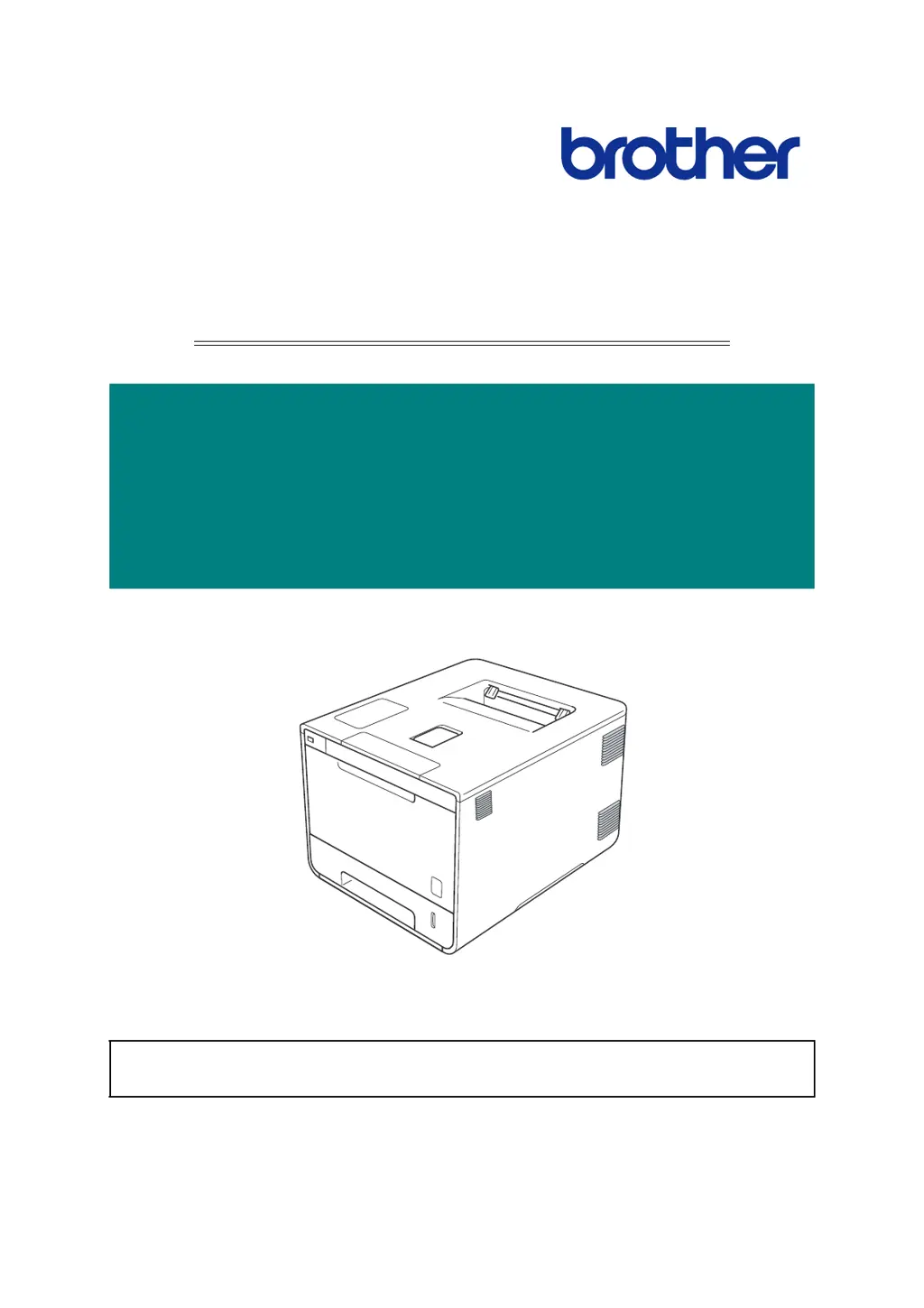
Brother Color Laser Printer
SERVICE MANUAL
MODEL: HL-L8250CDN/
L8350CDW/L8350CDWT/
L9200CDW/L9200CDWT/
L9300CDW/L9300CDWT
Read this manual thoroughly before maintenance work.
Keep this manual in a convenient place for quick and easy reference at all times.

Table of Contents

Other manuals for Brother HL-L9200CDW

Questions and Answers

  • S
    Samantha WadeAug 19, 2025
    What to do if my Brother HL-L9200CDW Printer shows error code 6A00?
    • V
      Valerie FranklinAug 19, 2025
      If your Brother Printer displays error code 6A00, it means the front cover sensor detected that the front cover was open. First, ensure the front cover is completely closed. If the error persists, the issue might be a connection failure with the front cover sensor harness, requiring you to reconnect it. Other potential causes include a faulty front cover, a malfunctioning front cover sensor (both needing replacement), or a failure of the main PCB ASSY, which would also require replacement.
  • M
    Michele HarringtonAug 21, 2025
    What to do if Brother HL-L9200CDW displays error code 0100?
    • C
      Cody RobinsonAug 21, 2025
      If your Brother printer is showing error code 0100, it indicates an ASIC error or motor driver error, or possibly a Main PCB failure. Try turning the power off and then back on again. If the problem continues, consider that the main PCB ASSY may need replacement.
  • C
    Christopher MyersAug 23, 2025
    What does error code 0900 mean on a Brother HL-L9200CDW?
    • J
      Joseph YoderAug 25, 2025
      If your Brother printer displays error code 0900, it means the machine detected unstable power supply more than 100 times. Start by turning the power switch off and then on. If the issue continues, it could be due to a low-voltage power supply PCB failure or a main PCB failure, both requiring replacement.
  • R
    Randy EwingAug 26, 2025
    What to do if Brother HL-L9200CDW Printer displays error code 0A01?
    • W
      wcoleAug 26, 2025
      If your Brother printer is showing error code 0A01, it indicates a blower failure. First, turn the power off and then back on again. If the error persists, check the blower harness and the high-voltage power supply PCB harness, reconnecting them if necessary. If the problem still occurs, the blower, the low-voltage power supply PCB, the high-voltage power supply PCB ASSY, or the main PCB might need replacement.
  • A
    April RobinsonAug 28, 2025
    What does error code 0201 mean on a Brother HL-L9200CDW and how to fix it?
    • P
      petercontrerasAug 28, 2025
      If you see error code 0201 on your Brother printer, it means the synchronization signal from the main motor cannot be detected, or the main motor speed is unstable. Try turning the power off and then back on again. If that doesn't work, check the main motor harness and the low-voltage power supply PCB harness, reconnecting them if needed. The process drive unit, the fuser unit, the low-voltage power supply PCB unit, or the main PCB ASSY might need replacement.
  • R
    Rachel RobertsAug 30, 2025
    How to fix error code 0E00 on a Brother HL-L9200CDW?
    • E
      Elizabeth SharpAug 30, 2025
      If your Brother printer shows error code 0E00, it indicates a communication error with the high-voltage power supply PCB ASSY. First, turn the power off and then back on again. If the error continues, check the high-voltage power supply PCB harness and reconnect it if necessary. If the problem persists, the high-voltage power supply PCB ASSY or the main PCB might need replacement.
  • M
    Mark EdwardsSep 1, 2025
    What to do if Brother HL-L9200CDW Printer displays error code 0202?
    • G
      gibsonrachelSep 1, 2025
      If your Brother printer is displaying error code 0202, it means the synchronization signal from the process motor cannot be detected, or the process motor speed is unstable. Try turning the power off and then back on again. If the issue persists, check the process motor harness and the low-voltage power supply PCB harness, reconnecting them if necessary. The process drive unit, the low-voltage power supply PCB unit, or the main PCB ASSY might need replacement.
  • J
    Johnny SmithSep 3, 2025
    How to troubleshoot error code 0800 on a Brother Printer?
    • J
      Juan SantiagoSep 3, 2025
      If your Brother Printer displays error code 0800, it indicates an error with the internal temperature sensor. First, turn the power off and then back on again. If the error persists, check the connection of the internal temperature sensor harness and reconnect it if necessary. If the problem continues, the main PCB ASSY may need to be replaced.
  • B
    Bianca JacksonSep 5, 2025
    What does error code 0501 mean on a Brother HL-L9200CDW Printer?
    • E
      Eileen NavarroSep 5, 2025
      If your Brother printer displays error code 0501, it means the center thermistor of the fuser unit isn't reaching the specified temperature within the specified time. A simple first step is to turn the power off and then back on again.
  • K
    Karla ShepherdSep 7, 2025
    What does error 020F mean on my Brother Printer?
    • D
      Daniel WilsonSep 8, 2025
      If your Brother printer is showing error code 020F, it indicates that a main motor other than the official specifications is being used. Replace the process drive unit with a correct one. If the issue persists, the main PCB ASSY might need replacement.

Brother HL-L9200CDW Specifications

General IconGeneral
BrandBrother
ModelHL-L9200CDW
CategoryPrinter
LanguageEnglish

Related product manuals