Useful Functions 61
2
— — — — — — — — — — — — — — — — — — —
— — — — — — — — — — — — — — — — — — — — — — — — — — — — — — — —
c
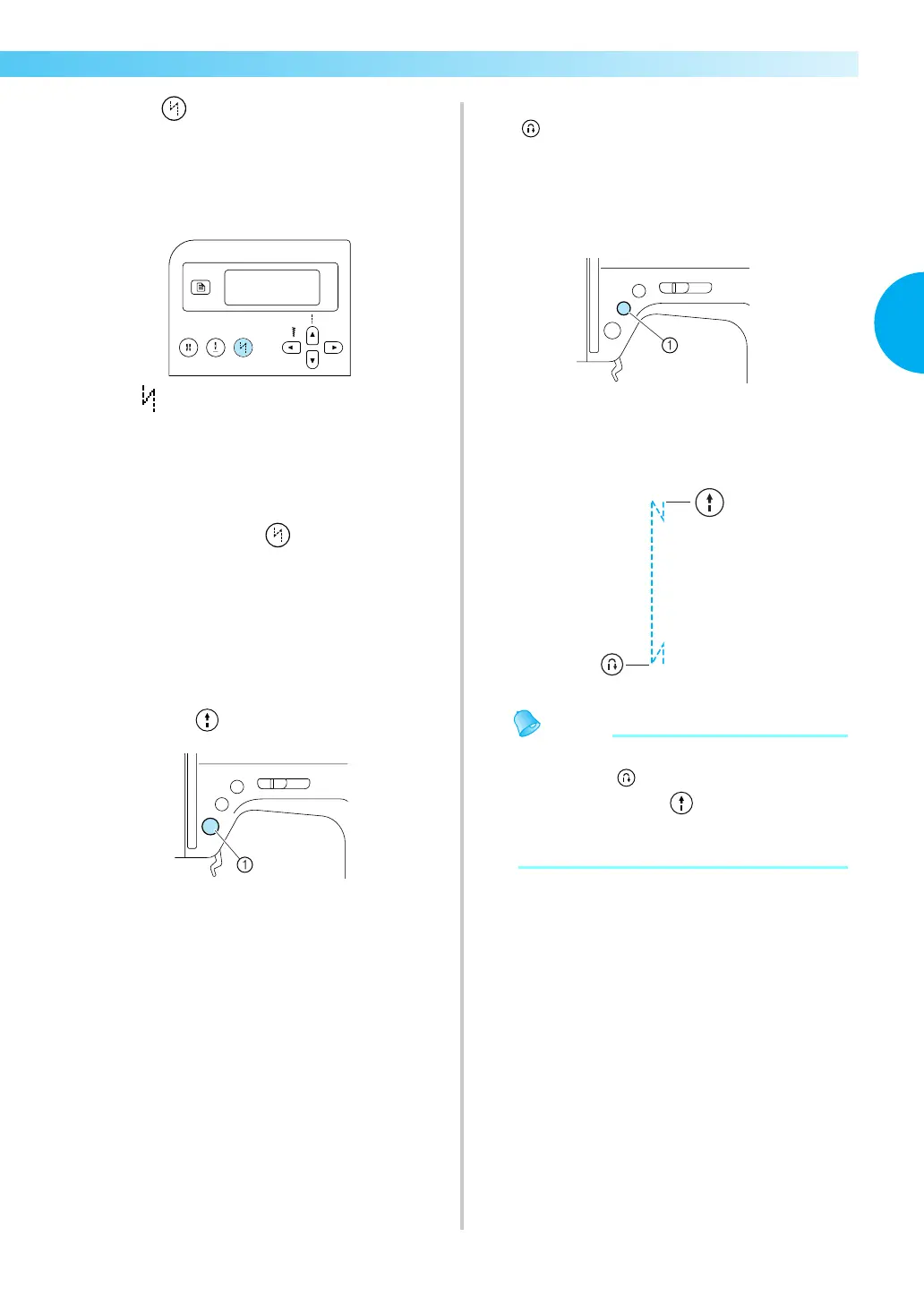
Press (Automatic reverse/reinforcement
stitch key).
This step is not necessary if a stitch such as
those for sewing buttonholes and bar tacks is
selected where reinforcement stitches are
automatically sewn.
X (Automatic reverse/reinforcement stitch
icon) appears in the screen, and the sewing
machine is set for automatic reverse/
reinforcement stitching.
• To turn automatic reverse/reinforcement
stitching off, press (Automatic reverse/
reinforcement stitch key) until the icon
disappears.
• When the sewing machine is turned off, the
automatic reverse/reinforcement stitching
setting is cancelled.
d
Position the fabric under the presser foot, and
then press (start/stop button) once.
a Start/stop button
X After reverse/reinforcement stitches are
sewn, the machine starts sewing.
e
After reaching the end of the stitching, press
(reverse/reinforcement stitch button)
once.
This step is not necessary if a stitch such as
those for sewing buttonholes and bar tacks is
selected where reinforcement stitches are
automatically sewn.
a Reverse/reinforcement stitch button
X After reverse/reinforcement stitches are
sewn, the sewing machine stops.
z Reverse/reinforcement stitches WILL NOT be
sewn until (reverse/reinforcement stitch
button) is pressed. (start/stop button)
may be pressed to stop stitching when
needed such as for pivoting corners.


 To Next Page
 Loading...