EasyManua.ls Logo

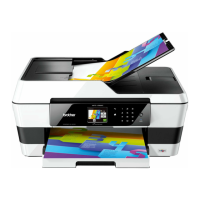
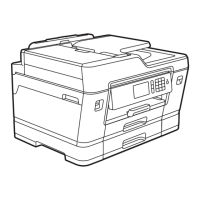
Brother MFC-J3720 - User Manual

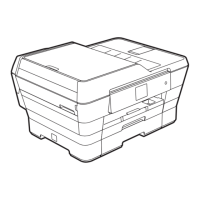
Brother MFC-J3720
220 pages
Print Icon
To Next Page IconTo Next Page
Loading...
Basic User’s Guide
MFC-J3520
MFC-J3720
MFC-J6520DW
MFC-J6720DW
Version 0
ARL/ASA/NZ/SAF

Table of Contents

Other manuals for Brother MFC-J3720

Questions and Answers

  • H
    Heather Byrd DVMSep 23, 2025
    What does 'Media Error' mean on my Brother MFC-J3720 All in One Printer?
    • E
      Emily HallSep 23, 2025
      If your Brother All in One Printer displays 'Media Error', it means the memory card is either corrupted, incorrectly formatted, or there is a problem with the memory card. Remove the memory card from the media drive (slot) of the machine and format it correctly.
  • T
    Thomas FisherAug 25, 2025
    Why is my Brother All in One Printer only printing B&W and asking to replace ink?
    • C
      Clayton MayAug 25, 2025
      If your Brother All in One Printer is only printing in B&W 1-sided and prompts you to replace ink, it indicates that one or more of the color ink cartridges have reached the end of their life. Replace the ink cartridges, as the machine will stop all print operations until a new ink cartridge is installed.
  • P
    perezamberAug 25, 2025
    How do I fix a 'Paper Jam [Front]' error on my Brother All in One Printer?
    • C
      Cassandra MaddenAug 26, 2025
      If your Brother All in One Printer displays a 'Paper Jam [Front]' error, it means the paper is jammed inside the machine. Remove the jammed paper. Also, make sure the paper length guide is set to the correct paper size.
  • M
    Michael SchneiderAug 26, 2025
    How do I clear a paper jam from the front and rear of my Brother MFC-J3720 All in One Printer?
    • M
      Mary TuckerAug 27, 2025
      If your Brother All in One Printer displays a 'Paper Jam [Front,Rear]' error, it means the paper is jammed inside the machine. Remove the jammed paper. Make sure the paper length guide is set to the correct paper size.
  • T
    Timothy WilliamsSep 23, 2025
    What does 'No Response/Busy' mean on my Brother MFC-J3720?
    • B
      Brenda VanceSep 23, 2025
      If your Brother All in One Printer displays 'No Response/Busy', it means the number you dialled has not answered or is busy. Verify the number and try again.
  • S
    Stacy SandersSep 13, 2025
    What to do if my Brother All in One Printer says 'High Temperature'?
    • H
      Heidi CookeSep 13, 2025
      If your Brother All in One Printer displays 'High Temperature', it means the room temperature is too high. After lowering the room temperature, allow the machine to cool down to room temperature. Try again later.
  • R
    rwilsonSep 12, 2025
    What does 'Ink Absorber NearFull' mean on my Brother MFC-J3720?
    • J
      Jocelyn StanleySep 12, 2025
      If your Brother All in One Printer displays 'Ink Absorber NearFull', it means the ink absorber box or flushing box is nearly full. Contact Brother customer service or your local Brother dealer.
  • A
    Alicia CruzSep 12, 2025
    Why my Brother All in One Printer 'Cannot Detect Ink Volume'?
    • C
      chapmanmichaelSep 12, 2025
      If your Brother All in One Printer displays 'Cannot Detect Ink Volume', it may be because you are using non Brother Original ink. Replace the cartridge with a Brother Original ink cartridge. If the error message remains, contact Brother customer service or your local Brother dealer.
  • E
    Emily HodgesSep 4, 2025
    What to do if my Brother All in One Printer shows 'Unable to Clean', 'Unable to Initialize' or 'Unable to Print'?
    • J
      Justin ButlerSep 4, 2025
      If your Brother All in One Printer displays 'Unable to Clean XX', 'Unable to Initialize XX', or 'Unable to Print XX', it could be due to a mechanical problem or a foreign object inside the machine. Open the scanner cover and remove any foreign objects and paper scraps from inside the machine. If the error message continues, disconnect the machine from the power for several minutes, and then reconnect it.
  • J
    Joseph CamachoSep 2, 2025
    Why does my Brother MFC-J3720 All in One Printer say 'Cover is Open'?
    • N
      Nicole RamseySep 2, 2025
      If your Brother All in One Printer shows 'Cover is Open', it means either: * The scanner cover is not locked in the closed position. Lift the scanner cover, and then close it again. * The ink cartridge cover is not locked in the closed position. Firmly close the ink cartridge cover until it locks into place.

Brother MFC-J3720 Specifications

General IconGeneral
Print TechnologyInkjet
Maximum Paper SizeA3
Automatic Document FeederYes
Duplex PrintingYes
FunctionsPrint, Copy, Scan, Fax
Scanner TypeFlatbed, ADF
Mobile PrintingYes
Fax Speed33.6 kbps
ConnectivityUSB, Ethernet, Wi-Fi
Maximum Printing Resolution1200 x 6000 dpi
Scan ResolutionUp to 2400 x 2400 dpi
Fax Transmission Speed3 seconds per page
Display2.7" Touchscreen LCD

Related product manuals