EasyManua.ls Logo

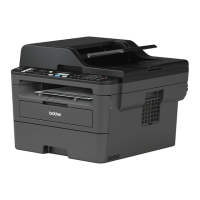
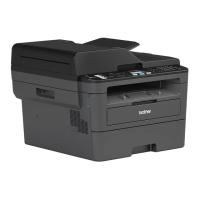
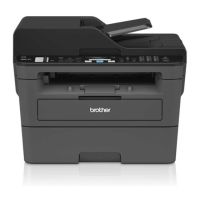
Brother MFC-L2685DW - User Manual

Brother MFC-L2685DW
83 pages
Print Icon
To Next Page IconTo Next Page
Loading...
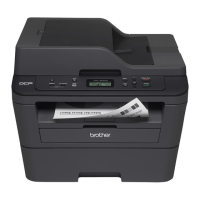
Basic User's Guide
DCP-L2520DW
DCP-L2540DW
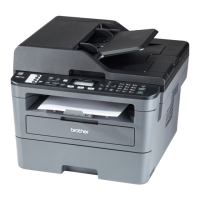
MFC-L2680W
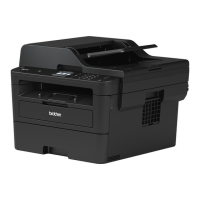
MFC-L2685DW
MFC-L2700DW
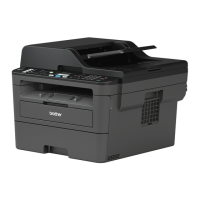
MFC-L2705DW
MFC-L2707DW
Brother recommends keeping this guide next to your Brother machine for quick reference.
Online User's Guide
This Basic User's Guide contains basic
instructions and information for your Brother
machine.
For more advanced instructions and information,
see the Online User's Guide at
solutions.brother.com/manuals

Table of Contents

Questions and Answers

  • A
    Annette Cruz MDAug 23, 2025
    How to fix 'Cartridge Error Put the Toner Cartridge back in' on Brother All in One Printer?
    • B
      Brian FoxAug 25, 2025
      To resolve the 'Cartridge Error Put the Toner Cartridge back in' message on your Brother All in One Printer, remove the toner cartridge and drum unit assembly. Take out the toner cartridge, and put it back in the drum unit again. Reinstall the toner cartridge and drum unit assembly in the machine.
  • N
    normanmarilynAug 25, 2025
    How do I fix a 'Jam Tray' error on my Brother All in One Printer?
    • J
      Julie BenjaminAug 26, 2025
      To fix a 'Jam Tray' error on your Brother All in One Printer, pull the paper tray out completely and remove the jammed paper. Then, put the paper tray firmly back in the machine.
  • K
    kimberlysimmonsAug 27, 2025
    What to do if my Brother All in One Printer has a 'Document Jam' error?
    • D
      Donald FloresAug 27, 2025
      If your Brother All in One Printer displays a 'Document Jam' error, it means the document was not inserted or fed correctly, or the document scanned from the ADF was too long. Remove the jammed paper from the ADF unit.
  • D
    david12Aug 27, 2025
    How to clear a 'Jam Rear' error on Brother All in One Printer?
    • A
      Anthony BowersAug 27, 2025
      To clear a 'Jam Rear' error on your Brother All in One Printer, open the fuser cover and remove the jammed paper. Close the fuser cover. If the error message remains, press Start.
  • D
    dtannerSep 15, 2025
    How to improve sending quality on Brother All in One Printer?
    • C
      cynthia80Sep 15, 2025
      To improve sending quality on your Brother All in One Printer, try changing your resolution to Fine or S.Fine. Make a copy to check your machine’s scanner operation.
  • A
    asheaSep 12, 2025
    How to fix split pages on received faxes with Brother All in One Printer?
    • L
      Leslie PorterSep 12, 2025
      Turn on Auto Reduction on your Brother All in One Printer.
  • J
    Joshua SmithSep 14, 2025
    What to do if Brother All in One Printer cannot receive a fax?
    • R
      raymond57Sep 14, 2025
      To troubleshoot why your Brother All in One Printer cannot receive a fax: Make sure your machine has a dial tone by pressing Hook. If you hear static or interference on your fax line, contact your local telephone company. If you are using a telephone answering machine (External TAD mode) on the same line as the Brother machine, make sure your answering machine is set up correctly. Also, make sure your Brother machine’s Easy Receive feature is turned On.
  • T
    Tiffany BurkeSep 5, 2025
    Why does my Brother All in One Printer show a 'Size mismatch' error?
    • L
      Laura ShortSep 5, 2025
      A 'Size mismatch' error on your Brother All in One Printer indicates that the paper in the tray is not the correct size. Load the correct size of paper in the tray and set the size of paper to the tray.
  • A
    Angela WatkinsSep 2, 2025
    Why does my Brother All in One Printer say 'Manual Feed'?
    • T
      Tyler RamirezSep 2, 2025
      The 'Manual Feed' message on your Brother All in One Printer indicates that Manual was selected as the paper source in the printer driver when there was no paper in the manual feed slot. Place paper in the manual feed slot.
  • R
    Richard TorresSep 4, 2025
    What does 'Toner Low' mean on my Brother All in One Printer?
    • K
      Kristen WrightSep 4, 2025
      If your Brother All in One Printer's LCD displays 'Toner Low', you can still print. Order a new toner cartridge now so you have it ready when the LCD displays 'Replace Toner'.

Summary

Initial Setup

Setting Date, Time, and Volume

Instructions for configuring the machine's date, time, ring volume, and beeper volume for optimal operation.

Paper Handling

Loading and Managing Paper

Covers loading paper into the tray, setting paper size and type, and guidelines for using special paper types.

Print Operations

Copy Operations

Troubleshooting

Error and Maintenance Messages

Explains common error messages like 'No Paper', 'Toner Low', 'Drum !', and their corresponding causes and actions.

Document and Paper Jams

Detailed instructions on how to find and clear paper jams from various locations within the machine.

Brother MFC-L2685DW Specifications

General IconGeneral
Print TechnologyLaser
FunctionsPrint, Copy, Scan, Fax
Print ResolutionUp to 2400 x 600 dpi
Duplex PrintingYes
Memory64 MB
Processor600 MHz
Fax Modem Speed33.6 Kbps
Toner Yield (Black)Approx. 1, 200 pages
Print Speed (Black)30 ppm
Paper Capacity250 sheets
ADF Capacity35 sheets
ConnectivityHi-Speed USB 2.0, Ethernet, Wi-Fi
Mobile PrintingBrother iPrint&Scan, AirPrint, Google Cloud Print
Dimensions16.1 x 15.7 x 12.5 inches
Display2-Line LCD
Scan ResolutionUp to 1200 x 1200 dpi

Related product manuals