Unpack the machine and check the components
Read the Product Safety Guide first, then read this Quick Setup Guide for the correct
installation procedure.
NOTE:
•The components included in the box and the AC power plug may differ depending on your
country.
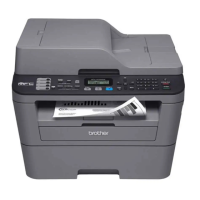
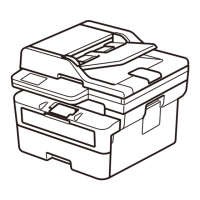
•The illustrations in this Quick Setup Guide are based on the MFC‑L2700DW.
•You must purchase the correct interface cable for the interface you want to use.
USB cable
We recommend using a USB 2.0 cable (Type A/B) that is no more than 2 metres long.
Network cable
Use a straight‑through Category 5 (or greater) twisted‑pair cable for 10BASE‑T or
100BASE‑TX Fast Ethernet Network.
Remove the packing materials and install the toner cartridge
Load paper in the paper tray
Connect the machine to your computer/mobile device
Connect the power cord and turn on the machine
Select your language (If needed)
(Only for certain models)
A
Drum Unit
(Pre‑installed)
AC Power Cord
(only for certain
models)
Quick Setup Guide CD‑ROM
B
Inbox Toner
Cartridge
Telephone Line Cord
(For MFC models)
Product Safety Guide
Basic User's Guide
(only for certain
models)
1. (DCP model)
a. Press Menu.
b.Press▲or▼todisplayGeneral Setup, and then press OK.
c.Press▲or▼todisplayLocal Language, and then press OK.
(MFC model) Press Menu, 0, 0.
2. Press▲or▼toselectyourlanguage,andthenpressOK.
3. Press Stop/Exit.
A
B
B
A
A
B
3
5
2
6
1
• Windows
®
PC with a CD‑ROM drive, go to step 6A
• Windows
®
PC without a CD‑ROM drive, go to step 6B
• Macintosh, go to step 6B
• Mobile device users with a WPS/AOSS™‑supported access point/router, go to step 6C
Back Front
Select your country/language
(Initial setup only)
After turning on the machine, you may be required to set your
country or language (depending on your machine).
If required, follow the on‑screen instructions.
4
Remove the orange part. Remove the orange part.
Adjust the paper guides.
Quick Setup Guide
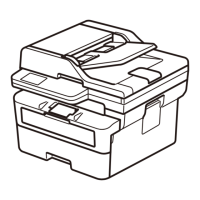
DCP‑L2500D / DCP‑L2520D / DCP‑L2520DW / DCP‑L2540DN /
DCP‑L2540DW / DCP‑L2541DW / MFC‑L2700D / MFC‑L2700DW /
MFC‑L2701D / MFC‑L2701DW / MFC‑L2703DW
Not all models are available in all countries.
The latest manuals are available at the Brother
Solutions Center: solutions.brother.com/manuals.
Watch our FAQ Videos for help with setting up your
Brother machine: solutions.brother.com/videos.
Version A
UK



 To Next Page

