Introduction
6
1
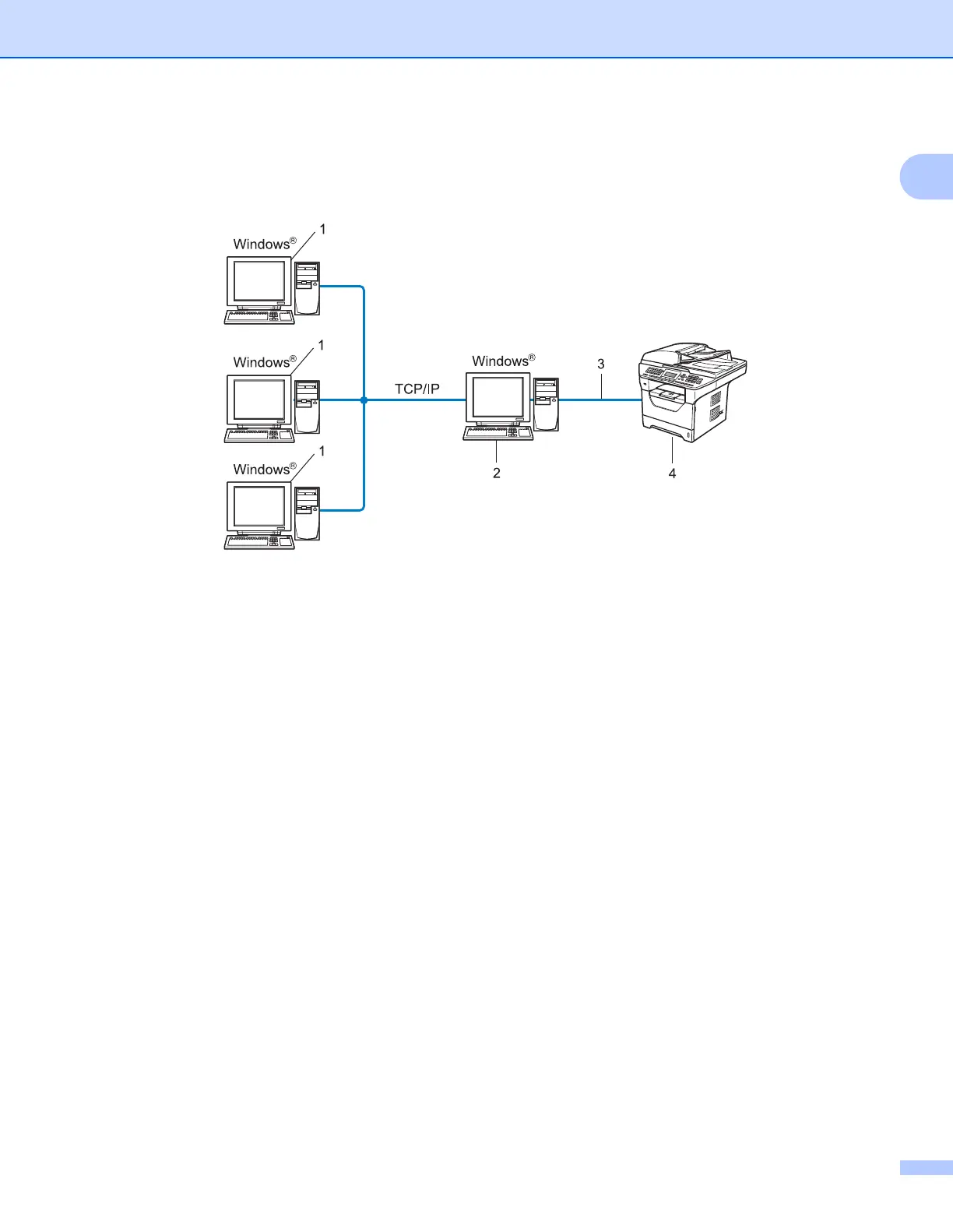
Network Shared printing 1
In a Network Shared environment, each computer sends data via a centrally controlled computer. This type
of computer is often called a “Server” or a “Print Server”. Its job is to control the printing of all print jobs.
1 Client computer
2 Also known as “Server” or “Print server”
3 TCP/IP, USB or parallel
1
(where available)
4 Printer (your machine)
In a larger network, we recommend a Network Shared printing environment.
The “server” or the “print server” must use the TCP/IP print protocol.
The Brother machine needs to have an appropriate IP address configuration unless the machine is
connected via the USB or the parallel interface at the server.
1
Available for DCP-8085DN and MFC-8880DN










 To Next Page