EasyManua.ls Logo

Brother P'9981 - User Manual

Brother P'9981
218 pages
Print Icon
To Next Page IconTo Next Page
Loading...
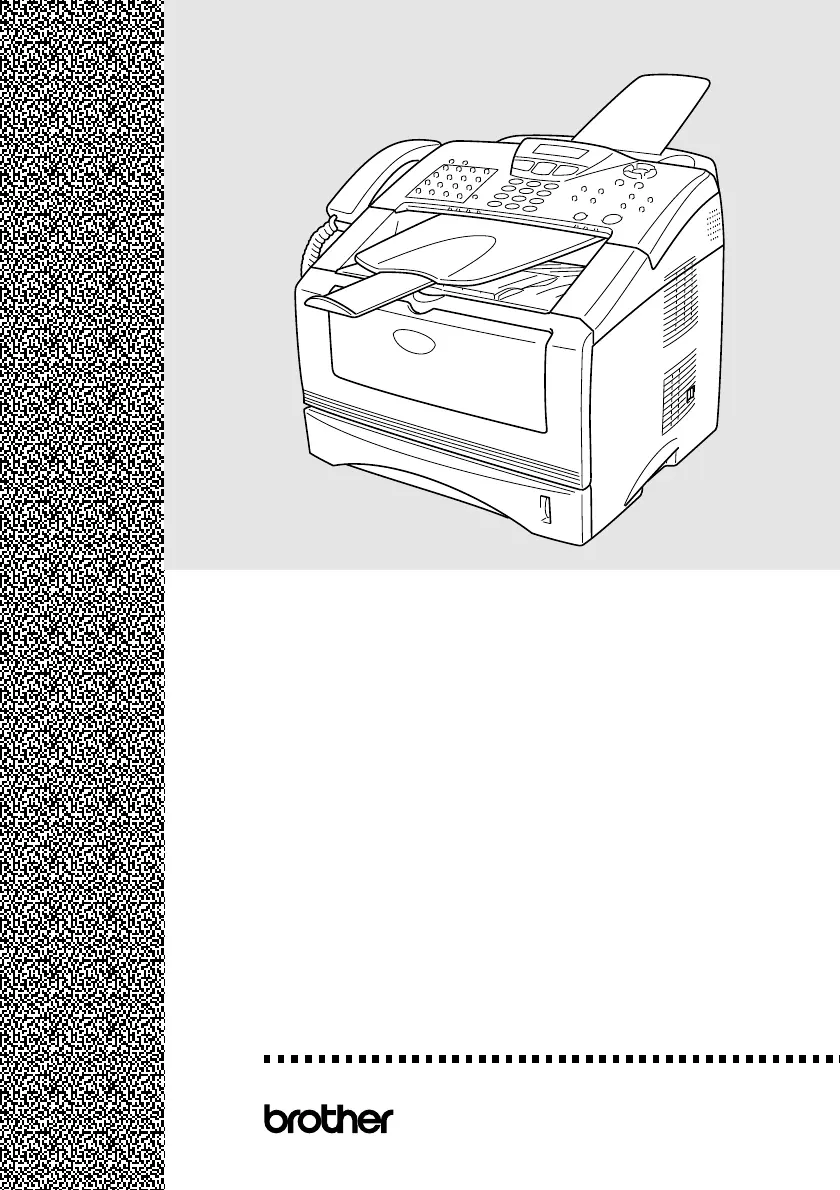
USER’S GUIDE
®
USER’S GUIDE
®
MFC-
8220
Version E

Table of Contents

Questions and Answers

  • B
    Brittany PowellSep 9, 2025
    What does 'Disconnected' mean on my Brother P'9981 Printer and how can I solve it?
    • J
      Joseph JacksonSep 9, 2025
      If your Brother Printer displays 'Disconnected', the other party or other party’s fax machine terminated the call. Try to transmit or receive again.
  • K
    Katie MorrisAug 22, 2025
    How to fix 'Change Drum Soon' message on Brother Printer?
    • J
      John AndersonAug 23, 2025
      If your Brother Printer displays 'Change Drum Soon', it indicates that the drum unit is nearing the end of its life. You can continue using the drum unit until there is a decline in print quality, at which point you should replace it with a new one. If the message persists after replacing the drum unit, open the front cover, press Clear/Back, and then press 1 to reset the counter.
  • D
    Daniel RomanAug 25, 2025
    What does 'Toner Empty' mean on my Brother P'9981 and how to fix it?
    • J
      Jennifer MitchellAug 25, 2025
      If your Brother Printer displays 'Toner Empty', this means either the toner cartridge is not installed properly or the toner is completely used up, preventing further printing. Reinstall the toner cartridge to ensure it is correctly seated. If the problem persists, replace the empty toner cartridge with a new one.
  • X
    xstevensAug 26, 2025
    What does 'Out of Memory' mean on Brother Printer and how can I solve it?
    • M
      Meagan PetersonAug 26, 2025
      If your Brother Printer displays 'Out of Memory', it means you can’t store data in the memory. If you were faxing, press Stop/Exit and wait until the other operations in progress finish and then try again, or clear the data in the memory. If you were copying, press Stop/Exit and wait until the other operations in progress finish and then try again, or clear the data in the memory, or add an optional memory board. If you were printing, reduce print resolution, or clear the data in the memory, or add an optional memory.
  • P
    Paul AlexanderAug 27, 2025
    Why does my Brother P'9981 Printer say 'No Response/Busy'?
    • M
      Michael JenkinsAug 27, 2025
      If your Brother Printer displays 'No Response/Busy', the number you dialed does not answer or is busy. Verify the number and try again.
  • S
    Sylvia MooreAug 29, 2025
    What to do if my Brother P'9981 displays 'Error Scanning'?
    • M
      Michelle NielsenAug 29, 2025
      If your Brother Printer shows 'Error Scanning Turn off and on the machine, then try again', the MFC cannot scan the original document correctly. Remove the original document from the ADF. Turn the MFC power off and on, and then try again.
  • L
    loripattonSep 18, 2025
    What to do if my Brother P'9981 cannot print full pages of an original document?
    • B
      brandilynnSep 18, 2025
      Reduce the printing resolution. Reduce the complexity of your original documents and try again. Reduce the graphic quality, the number of font sizes within your application software or add an optional memory.
  • L
    Lauren SmithSep 18, 2025
    Why does my Brother P'9981 Printer ‘Hears’ Voice as CNG Tone?
    • L
      Leslie JimenezSep 22, 2025
      If your MFC is set to Fax Detect On, it is more sensitive to sounds. Your MFC may mistakenly interpret certain voices or music on the line as a calling fax machine and respond with fax receiving tones. Deactivate the fax by pressing Stop/Exit. Try avoiding this problem by turning Fax Detect to Off.
  • S
    Stacey CampbellSep 7, 2025
    What does 'Comm.Error' mean on my Brother P'9981 Printer?
    • R
      Rachel LopezSep 8, 2025
      If your Brother Printer displays 'Comm.Error', poor phone line quality caused communication error. Try the call again. If problem continues, call Telephone Company to check your phone line.
  • L
    Larry ScottSep 4, 2025
    Why does my Brother P'9981 Printer say 'Cooling Down Wait for a while'?
    • J
      jguzmanSep 4, 2025
      If your Brother Printer displays 'Cooling Down Wait for a while', the temperature of the drum unit or toner cartridge is too hot. Wait a while for the MFC to cool.

Summary

Safety Precautions

Important Safety Instructions

Key safety guidelines for operating the MFC.

Quick Reference Guide

Receiving Faxes

Procedures for selecting and configuring fax reception modes.

Storing Numbers

Methods for storing One-Touch and Speed-Dial numbers for easy access.

Dialing Operations

One-Touch Dialing and Speed-Dialing

How to use One-Touch and Speed-Dial for dialing.

Using Search

How to search for stored numbers.

Making Copies

Single Copy

Steps for making a single copy of a document.

Sorting Multiple Copies

Procedures for sorting multiple copies of a document.

Chapter 4: Getting Started

Initial Setup

Essential initial configuration steps for the MFC.

General Setup

Configuration of general MFC settings like timers and volumes.

Chapter 5: Setup Receive

Basic Receiving Operations

Fundamental settings for receiving faxes and calls.

Advanced Receiving Operations

Advanced features for receiving faxes and managing calls.

Chapter 6: Setup Send

How to Enter Fax Mode and Dial

Steps to enter fax mode and methods for dialing numbers.

Sending Faxes

Procedures for manual, automatic, and delayed fax transmission.

Chapter 7: Auto Dial Numbers and Dialing Options

Chapter 8: Remote Fax Options

Chapter 9: Printing Reports

Chapter 10: Making Copies

Chapter 12: Troubleshooting and Routine Maintenance

Troubleshooting Error Messages and Issues

Diagnosing and resolving common MFC errors and operational problems.

Brother P'9981 Specifications

General IconGeneral
BrandBrother
ModelP'9981
CategoryPrinter
LanguageEnglish

Related product manuals