EasyManua.ls Logo

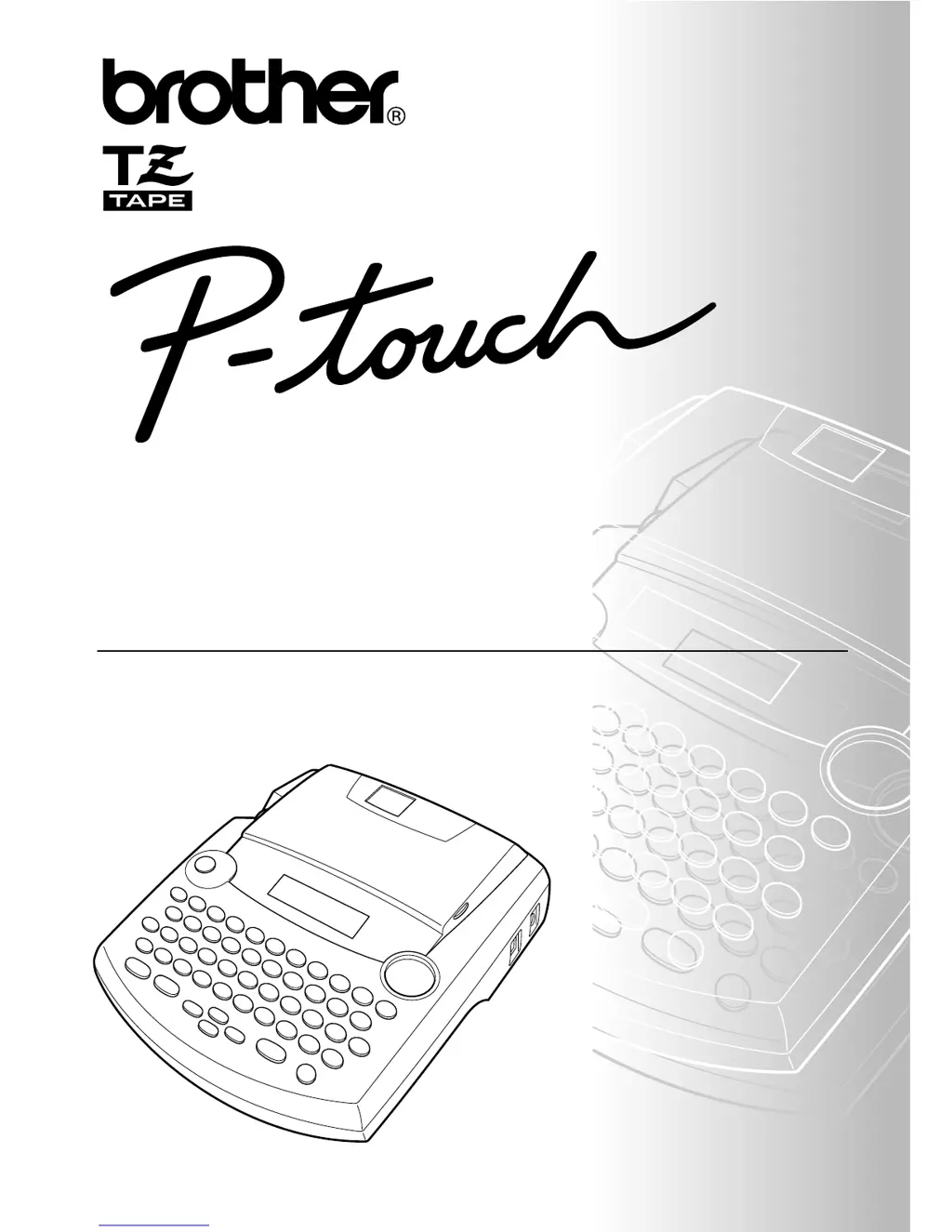
Brother P-Touch 2300 - User Manual

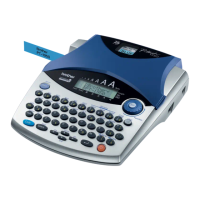
Brother P-Touch 2300
77 pages
Print Icon
To Next Page IconTo Next Page
Loading...
2300
• Read this User’s Guide before you start using your P-touch.
• Keep this User’s Guide in a handy place for future reference.
USER’S GUIDE

Questions and Answers

  • M
    Michael DavisAug 16, 2025
    Why is my Brother P-Touch 2300 Printer not printing clearly?
    • B
      bakerrobertAug 16, 2025
      If your Brother Printer isn't printing or the printed characters are blurred, check that the tape cassette has been inserted properly. Also, if the tape cassette is empty, replace it with a new one. Finally, make sure that the tape compartment cover has been closed.
  • K
    Kimberly WyattAug 22, 2025
    Why does my Brother P-Touch 2300 Printer produce striped tape?
    • L
      Laura LeeAug 22, 2025
      If you find striped tape appearing from your Brother Printer, it means you've reached the end of the tape. Replace the tape cassette with a new one.
  • V
    vanessa72Aug 26, 2025
    Why are the printed characters on my Brother P-Touch 2300 Printer not formed properly?
    • C
      christopher14Aug 26, 2025
      If the printed characters from your Brother Printer are not formed properly, it could be due to low alkaline batteries. Try using the AC adapter or replace the batteries with new ones.
  • V
    Victor MillerAug 28, 2025
    How to fix a Brother P-Touch 2300 with a blank display?
    • A
      Abigail JohnsonAug 28, 2025
      If your Brother Printer's display remains blank after you turn it on, first ensure the AC adapter is correctly connected. If you're using alkaline batteries, check that they're properly inserted. If the batteries are low, replace them with new ones.
  • M
    Morgan WhiteAug 31, 2025
    What to do if my Brother Printer has locked up?
    • J
      Jessica SmithSep 1, 2025
      If your Brother Printer has 'locked up,' meaning nothing happens when you press a key, turn off the machine. Then, hold down the 'c' and 'R' keys while turning the machine back on. Note that this will erase the text and formats in the display, as well as all text files stored in the memory.
  • A
    Andrew HorneSep 3, 2025
    Why did my Brother P-Touch 2300 lose stored text files?
    • E
      Ebony FullerSep 3, 2025
      If the text files stored in your Brother Printer's memory are no longer there, it may be due to low batteries. Replace them with new ones.
  • L
    Lori TaylorSep 6, 2025
    What to do if my Brother P-Touch 2300 display stays blank?
    • T
      tyler63Sep 6, 2025
      If the display remains blank after turning on your Brother Printer, ensure the AC adapter is correctly connected. If using alkaline batteries, verify their proper insertion. If the batteries are low, replace them with new ones.
  • T
    tylerweeksSep 9, 2025
    What to do if text files are missing from my Brother P-Touch 2300 Printer?
    • K
      Katie JohnsSep 9, 2025
      If the text files stored in your Brother Printer's memory are no longer there, it might be because the batteries are low. Replace them with new ones.
  • Y
    younghenrySep 10, 2025
    What causes Brother P-Touch 2300 Printer characters to print incorrectly?
    • A
      ayalamarkSep 12, 2025
      If the printed characters from your Brother Printer are not formed properly, and you are using alkaline batteries, they may be low. Try using the AC adapter, or replace the batteries with new ones.
  • J
    James Taylor DVMSep 12, 2025
    Why does my Brother Printer print striped tape?
    • A
      Amy PenningtonSep 12, 2025
      Striped tape appears because you have reached the end of the tape. Replace the tape cassette with a new one.

Summary

INTRODUCTION

Canadian Department of Communications Compliance Statement

Statement regarding radio noise emissions compliance.

Switching the language of the messages between English and French

Instructions for changing the display language from English to French or vice versa.

Getting Started

GENERAL DESCRIPTION

Provides an overview of the P-touch 2300, including top and bottom views.

KEYBOARD & LCD DISPLAY

GENERAL PRECAUTIONS

Important safety guidelines for using the P-touch machine and tapes.

BATTERIES

OPTIONAL AC ADAPTOR

TAPE CASSETTE

CONNECTING THE P-TOUCH TO A COMPUTER

INSTALLING P-TOUCH EDITOR

Macintosh Software Installation

Install P-touch Editor Software on Mac

Instructions for installing P-touch Editor software on a Macintosh computer.

STARTING P-TOUCH EDITOR

Starting on IBM PC-Compatible Computer

Steps to launch P-touch Editor on a Windows PC.

Starting on Macintosh Computer

Steps to launch P-touch Editor on a Macintosh.

Notes on Usage

Barcodes Usage Notes

Guidelines for printing barcodes, including tape color and testing.

Database Function Notes

Notes on using database functions with P-touch Editor.

ATTACHING LABELS

LAMINATED TAPE Application

Method for removing backing from laminated tape labels using a stick.

NON-LAMINATED TAPE Application

Method for peeling backing from non-laminated tape labels.

INSTANT-LETTERING TAPE Application

How to transfer instant-lettering tape text to paper.

IRON-ON TRANSFER TAPE

FABRIC TAPE

PRINT HEAD & ROLLERS

POWER KEY

CURSOR KEYS

CODE, ALT & SHIFT KEYS

ALT KEY Usage

How to use the Alt key to type characters in color.

SHIFT KEY Usage

How to use the Shift key for capital letters and symbols.

SPACE KEY

RETURN KEY

Adding a New Line

Method to add a new line of text.

Selecting Items from a List

How to select items from a list using the return key.

TAB FUNCTION

Setting Tab Length

Steps to adjust the length of tabs for alignment.

Adding a Tab

How to insert a tab mark into the text.

DELETE KEY

LINE OUT FUNCTION

CLEAR FUNCTION

Deleting Only Text

How to erase only the text, leaving formats unchanged.

ACCENT FUNCTION

Accent Function Example

Example of adding an accented character 'É'.

SYMBOL FUNCTION

Typing a Symbol

Steps to select and insert a symbol.

Symbol Function Example

Example of adding the symbol '&'.

AUTO FORMAT FUNCTION

STAMP FUNCTION

Cutting a Stamp

Steps to engrave and cut stamp stencil film.

Affixing a Stamp

How to attach the stencil film to the stamp holder.

FONT FUNCTION

Changing Font Setting

Steps to select a different font.

SIZE & WIDTH FUNCTIONS

Changing Size Setting

How to adjust the point size of the text.

STYLE FUNCTION

Changing Style Setting

Steps to select a specific character style.

UNDERLINE FUNCTION

FRAME FUNCTION

TAPE MARGIN FUNCTION

HORIZONTAL ALIGNMENT FUNCTION

MIRROR PRINTING FUNCTION

LENGTH FUNCTION

Adjusting Label Length

Steps to enable or disable the label length setting.

AUTO CUT FUNCTION

PRINT KEY

FEED & CUT FUNCTION

NUMBERING FUNCTION

REPEAT PRINTING FUNCTION

MEMORY FUNCTIONS

STORING TEXT

Procedures for saving text files to the machine's memory.

RECALLING TEXT

How to retrieve stored text files from memory.

DELETING A FILE

Steps to remove text files from memory.

Memory Functions Example

Examples of storing and recalling text files.

Deleting Stored Text Example

Specific example of deleting a stored text file.

TROUBLESHOOTING

ERROR MESSAGE LIST

Cutter Error Troubleshooting

Troubleshooting for cutter-related errors.

EEPROM Error Troubleshooting

Troubleshooting for EEPROM errors.

Interface Error Troubleshooting

Troubleshooting for interface errors.

Invalid Characters Error

Troubleshooting for invalid character errors.

Length Limit Error

Troubleshooting for exceeding label length limits.

Line Limit Error

Troubleshooting for exceeding line limits.

Memory Full Error

Troubleshooting for memory full errors.

No Files Error

Troubleshooting for when no files are found in memory.

No Tape Error

Troubleshooting for when no tape is installed.

Replace Batteries Error

Troubleshooting for low battery issues.

ROM Problem Troubleshooting

Troubleshooting for ROM problems.

Software Issue Troubleshooting

Troubleshooting for software/soldering issues.

Tab Limit Error

Troubleshooting for exceeding tab limits.

Text Too High Error

Troubleshooting for text size exceeding tape width.

Text Too Long Error

Troubleshooting for text exceeding label length.

SPECIFICATIONS

ACCESSORIES

ACCESSORY ORDER FORM

Brother P-Touch 2300 Specifications

General IconGeneral
Print TechnologyThermal Transfer
Maximum Resolution180 dpi
Display15 character x 1 line LCD
Battery OperatedYes
KeyboardQWERTY
Power Source6 "AA" Batteries (Not Included) or AD-30 AC Adapter (Optional)
Dimensions6.2 x 5.1 x 2.8 inches
Weight1.1 lbs.
Maximum Print Width12 mm
Print Speed10 mm/s
Tape Width0.35 inches to 0.75 inches
Label Width0.35 inches to 0.75 inches

Related product manuals