Available Manuals
Product Safety Guide
This guide provides safety information; read it before you use the machine.
Quick Setup Guide (this guide)
This guide provides basic information about using the machine along with
detailed troubleshooting tips.
User’s Guide
When downloading the installer from above install.brother and installing it, the
folder “Brother Manual” is created on your PC desktop and this manual is
stored in this folder.
This guide provides additional information about the machine settings and
operations, troubleshooting tips, and maintenance instructions.
In addition, you can download individual manuals that you need from the
Brother support website.
Visit the Brother support website at support.brother.com
and click Manuals on
your model page to download the other manuals.
Before using your machine, check that the package contains the following:
To download and install printer drivers and software, visit our website.
install.brother
For more information on installing the driver and software, see Installing the
Software and Printer Driver to a Computer.
Unpacking Your Machine
P-touch labelling
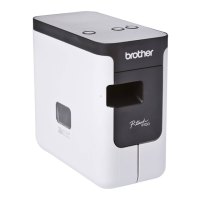
machine
Product Safety Guide Quick Setup Guide
AC adapter Power supply cord USB cable
Tape cassette
English
Thank you for purchasing the P-touch labelling machine (hereafter, referred to
as “machine”) model P900W/P950NW.
Your new P900W/P950NW is an intuitive, easy to operate and feature-rich
labeller that produces professionally looking, high-quality labels.
This manual contains basic procedures for using the machine. Read the whole
guide before using your product and keep it for later reference.
The available options and supplies may vary depending on the country.
P900W/P950NW
Quick Setup Guide
LAJ239001A
General Description
Front
P900W/P950NW
Back
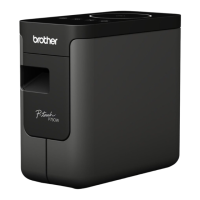
P900W
P950NW
1 Tape compartment cover
2 Tape exit slot
3 Cover open button
4 (Status) indicator
5 (Battery) indicator
6 (Power) button
7 (Feed&Cut) button
8 (Wi-Fi) button
9 AC adapter socket
10 Serial port
11 USB port
(for Computer)
12 USB host
(for Barcode Scanner)
13 LAN port
Before using the P-touch labelling machine, make sure you remove the
protective material according to the following procedure.
1 Press the cover open button to
open the tape compartment
cover.
2 Pull the tape to remove the
tape together with the
protective material.

 Need help?
 General









 To Next Page