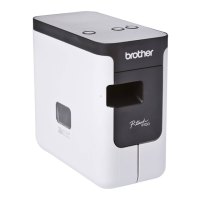
The indicators light and flash to indicate the machine status. The symbols
used in this section explain the meaning of the different indicator colours and
patterns:
Example: G = Indicator is flashing in green
LED Indicators
= Indicator is lit
G = Green
O = Orange
R = Red
= Indicator is flashing
= Indicator can be off, lit or flashing in any colour
(Off) = Indicator is off
(Status) (Power)
(Wi-Fi)
Condition
(Off)
O
(Off)
During the processing of
the power-off
(Off)
G
Idle mode
Initializing mode
Mode can be used only
when the Touch Panel
Display Unit (TDU) is
installed (includes the
error mode)
(P950NW Only)
(Off)
G
Tape feed and cutting
mode
GG
Printing mode
R
(2 times in 1.8
seconds)
G
(Off)
No media error
Tape end error
(Off)
O
Cover open mode
O
G
(Off)
Cover open error when
printing
G
G
Receiving data
(Off)
G
Transferring data
(Off)
O
Now cooling
RRR
System error 1
System error 2
System error 3
RRR
In boot mode
G
O
(Off)
Reset mode (when the
mode is starting)
(Off)
O
(Off)
Reset mode (when the
button is pressed 1/3/5
times)
GO
(Off)
Reset mode (when the
button is pressed 2/4/6
times)
G
(Three times)
O
(Three times)
(Off)
Reset mode (when reset
is confirmed)
(Off)
GOR
(Repeat four
times)
(Off)
IP address fixed
notification (USB ID fixed
notification)
OG
(Off) Mass storage mode
G
(One time)
G
(Off)
Mass storage processing
mode
(Status) (Power)
(Wi-Fi)
Condition
O
(2 times in 1.8
seconds)
R
P950NW Only:
USB host unsupported
device connection error
USB host HUB
connection error
R
(1 time in 1
second)
R
USB host power supply
excessive voltage error
(P950NW Only)
Mass storage error
R
(1 time in 2
seconds)
R
Roller holder error
R
(2 times in 1.8
seconds)
R
Adapter error
OR
Option connection error
(P950NW Only)
(Off)
O
(Off) Adapter connection error
OO
(Off)
When blinking alternately:
Cutter error
When blinking
simultaneously:
High temperature error
R
(2 times in 1.8
seconds)
O
(Off) Non-compliant tape error
RO
(Off) Wrong media error
R
(2 times in 1.8
seconds)
O
(2 times in 1.8
seconds)
(Off)
Communication error
Memory full error
Number of lines/character
size error
R
(1 time in 1
second)
O
(1 time in 1
second)
(Off)
When blinking alternately:
Database search error
When blinking
simultaneously:
No template error
O
(2 times in 1.8
seconds)
O
(2 times in 1.8
seconds)
(Off)
High-resolution/draft
printing error
OO
(Off)
Black mark not detected
error



 To Next Page
 Loading...