EasyManua.ls Logo

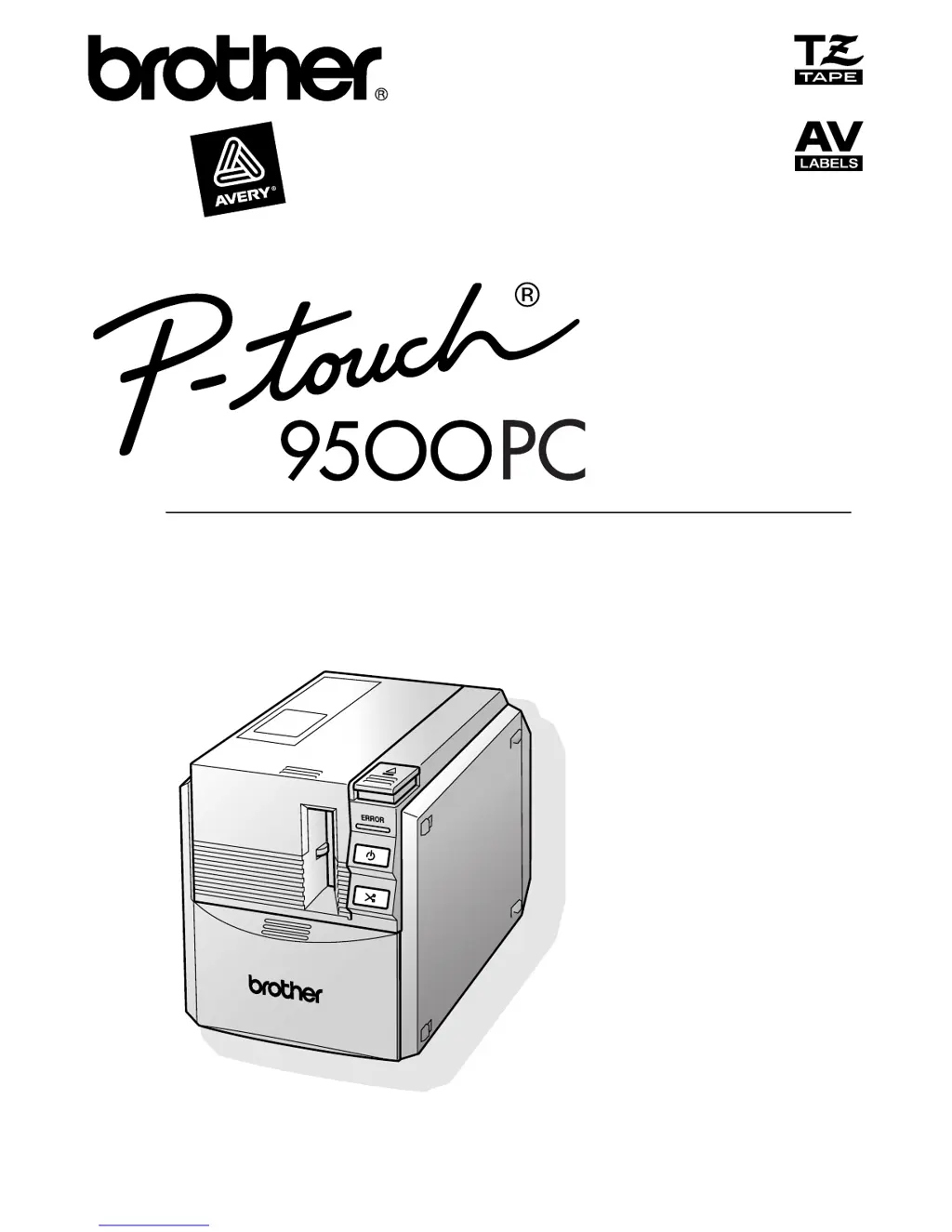
Brother PT-9500PC - User Manual

Brother PT-9500PC
254 pages
Print Icon
To Next Page IconTo Next Page
Loading...
Quick Reference
Referencia rápida

Table of Contents

Other manuals for Brother PT-9500PC

Questions and Answers

  • A
    Angel HarrisAug 1, 2025
    Why does my Brother Label Maker PT-9500PC not print and shows a printing error?
    • J
      Judy KingAug 1, 2025
      The Brother PT-9500PC may not print due to a loose interface cable, an incorrectly installed tape cassette, or an open tape compartment cover. Ensure the interface cable is correctly connected, the tape cassette is properly installed, and the tape compartment cover is closed. Also, check that the USB interface cable is not connected during a serial connection.
  • A
    Amber WolfeAug 6, 2025
    What to do if the power button does not light up or flash on my Brother PT-9500PC?
    • C
      Christopher HornAug 6, 2025
      If the power button on your Brother Label Maker does not light up or flash, ensure that the power supply cord is connected correctly. If the power button still does not light up or flash, contact the retail outlet where the PT-9500PC was purchased or your local authorized service center.
  • R
    Renee YoungAug 11, 2025
    What to do if the baud rate cannot be set using the Change Baud Rate Wizard or the Brother PT-9500PC utilities?
    • M
      Mary BaileyAug 11, 2025
      If you cannot set the baud rate, ensure that the PT-9500PC is turned on and that the interface cable is correctly connected. Also, verify that the COM port where the PT-9500PC is connected is the same COM port selected in the Change Baud Rate Wizard, and that the USB interface cable is not connected to the PT-9500PC during a serial connection. If you see Error 1 or Error 5, change the COM port for the serial connection device or connect the PT-9500PC to a COM port that is not being used. If the personal computer does not support the initial baud rate setting, 115,200 bps, of the PT-9500PC, refer to “Changing the baud rate” (? P.109). After changing the baud rate, refer to “Setting the personal computer and PT-9500PC baud rate” (? P.45) and change the baud rate to 57,600 bps or 9,600 bps.
  • D
    Daniel FuentesAug 16, 2025
    What to do if after the labels are cut, they are not ejected from the Brother PT-9500PC correctly?
    • A
      Anna WheelerAug 16, 2025
      If labels are not ejected correctly after being cut, it may be because the cutter blade is dirty. Refer to “Cleaning the cutter” (? P.112) and clean the cutter.
  • J
    Jeremy PetersonAug 21, 2025
    What to do if a data transmission error appears on my personal computer when using the Brother PT-9500PC?
    • E
      Eric NewmanAug 21, 2025
      If you encounter a data transmission error, it might be due to selecting the wrong port. For Windows, select the correct port from the “Print to the following port” list in the printer Properties dialog box. For a USB connection, choose PTUSB for Windows® 98/98 SE/Me or USB00n for Windows® 2000 Pro/XP. For a serial connection, select COM1 if the PT-9500PC is connected to COM1 or COM2 if it's connected to COM2. Also, the baud rates for the personal computer and the PT-9500PC might not be the same. Refer to “Setting the personal computer and PT-9500PC baud rate” (? P.45) and change the baud rate.
  • C
    Caroline JonesAug 27, 2025
    Why is striped tape appearing while printing with my Brother PT-9500PC Label Maker?
    • D
      dalejonesAug 27, 2025
      Striped tape may appear while printing because the tape cassette is empty. Install a new tape cassette, and then either press the feed/cut button or turn the PT-9500PC off and on.

Summary

Introduction

FCC Declaration of Conformity

Product compliance with FCC rules and interference measures.

Patent Information

Lists patent numbers related to the product.

Limited Warranty (USA Only)

Warranty Coverage and Length

Details what is covered, not covered, and warranty duration.

Warranty Service Procedure

Steps for obtaining warranty service and Brother's actions.

Warranty Limitations

States liability limits and disclaims other warranties.

Important Information & Support

Customer Service and Resources

Lists customer service, website, and ordering information.

Using This Manual

Manual Structure Overview

Explains the organization of the manual and related resources.

General Precautions

PT-9500 PC Handling Precautions

Safety guidelines for operating the PT-9500PC.

Tape and CD-ROM Handling

Precautions for using tape cassettes and handling the CD-ROM.

Before Use

Confirming Included Accessories

Lists items included in the PT-9500PC package.

PT-9500 PC Identification and Lamps

Identifies parts and explains lamp status indicators.

Preparations for Label Creation

Outlines software installation and connection setup.

Connecting the PT-9500 PC

Step-by-step instructions for connecting to power and computers.

Installing Tape Cassette and Collection Tray

Procedures for installing tape and the collection tray.

Installing the Software

Software Overview and OS Compatibility

Lists software types and OS compatibility for PT-9500PC.

Installing Software on Windows

Procedures for installing software on various Windows versions.

Setting Baud Rate

Steps to change the personal computer and PT-9500PC baud rate.

Installing Software on Macintosh

Procedures for installing software on Mac OS.

Creating Labels: Windows Version

Creating Labels with P-touch Editor

Details on designing labels using P-touch Editor.

Creating Labels with P-touch Quick Editor

Steps for creating labels using P-touch Quick Editor.

Creating Labels with P-touch AV Editor

Instructions for creating AV labels with P-touch AV Editor.

After Printing: Removing Label Backing

Procedures for removing label backing after printing.

Creating Labels: Macintosh Version

Creating Labels with P-touch Editor

Details on designing labels using P-touch Editor on Macintosh.

Creating Labels with P-touch Quick Editor

Steps for creating labels using P-touch Quick Editor on Macintosh.

After Printing

Refers to Windows instructions for post-printing tasks.

Appendix

Creating Bar Code Labels

Information and summary of bar code label creation.

Maintenance Procedures

Procedures for cleaning and maintaining the PT-9500PC.

Troubleshooting Common Problems

Common problems and their solutions.

Product Specifications and Operating Environment

Technical details and system requirements of the PT-9500PC.

Accessories and Ordering

Available Accessories (USA Only)

Lists various tape types, labels, and options.

Accessory Order Form

A form for ordering Brother accessories and supplies.

Contact Information

Service and Support Contacts

Lists service centers, customer service, and online support.

Brother PT-9500PC Specifications

General IconGeneral
ModelPT-9500PC
CategoryLabel Maker
Print TechnologyThermal Transfer
Maximum Print Width24 mm
ConnectivityUSB
DisplayLCD
CutterAutomatic
Display with backlightYes
Weight1.1 kg
Tape CompatibilityTZe tape
Tape Width3.5 mm, 6 mm, 9 mm, 12 mm, 18 mm, 24 mm
Label Width3.5 mm, 6 mm, 9 mm, 12 mm, 18 mm, 24 mm
Power SupplyAC adapter

Related product manuals