4 - 5
Test Mode
Adjustment
Touch panel
[Adjustment standard]
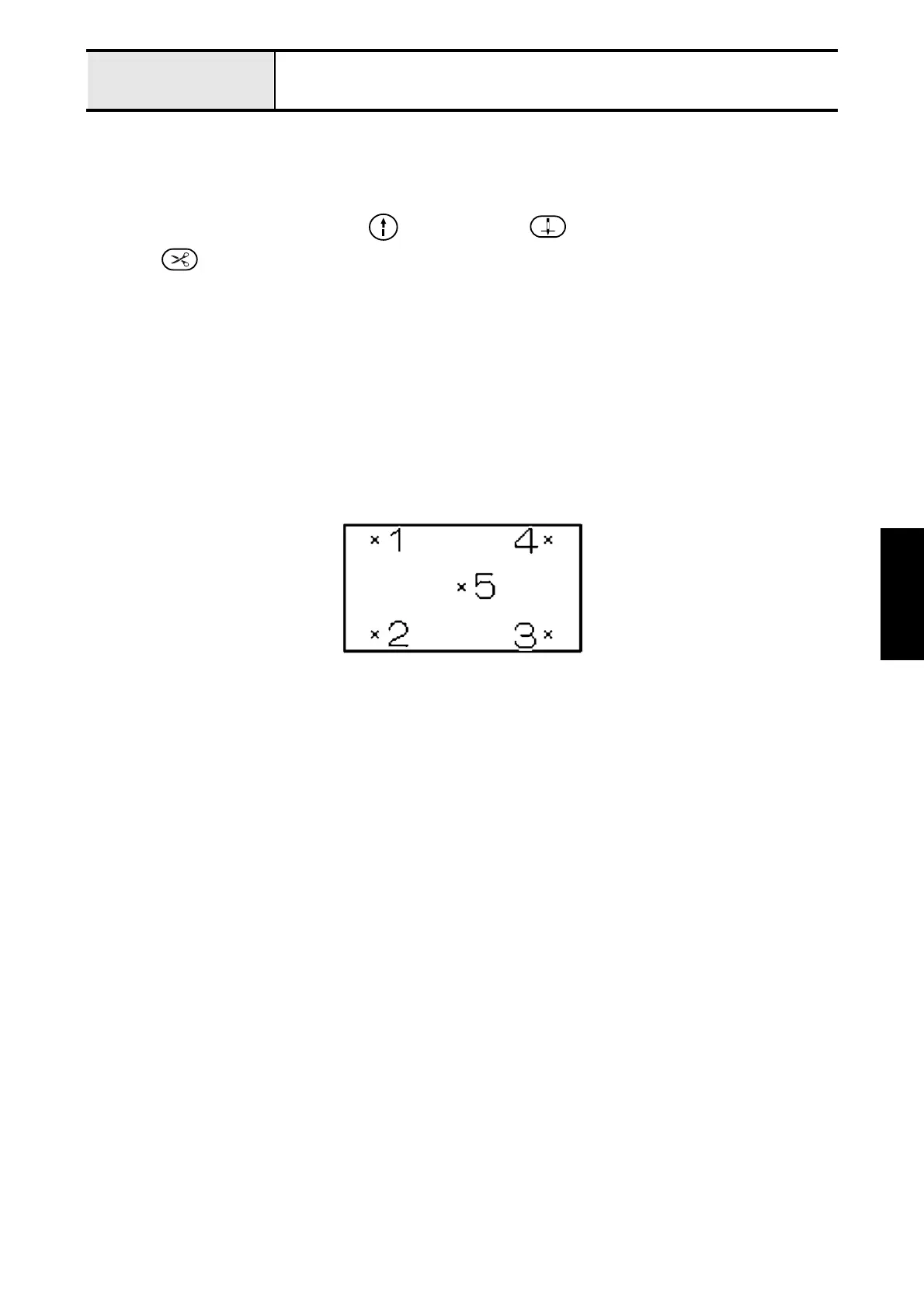
Touch the 5 point in order from 1 to 5, and then “SUCCESS” is displayed.
[Adjustment procedure]
1. Turn the power on while pressing the (Start/Stop button), (Needle position button),
and (Thread cutter button).
2. Touch the point “x” in order from 1 to 5.
*Key point
• Adjustment finishes when “SUCCESS” is displayed after pressing “5”.
• Adjust again when “ERROR” is displayed after pressing “5”.
*Note
• Use included touch pen.
Do not use acute hard tip one, otherwise touch panel will be damaged.
3. Turn the power off and on again. Check touch panel work correctly.
Touch panel position adjustment screen





 To Next Page