5 - 7
Electronic Parts
Failure Investigation for Electronic Parts
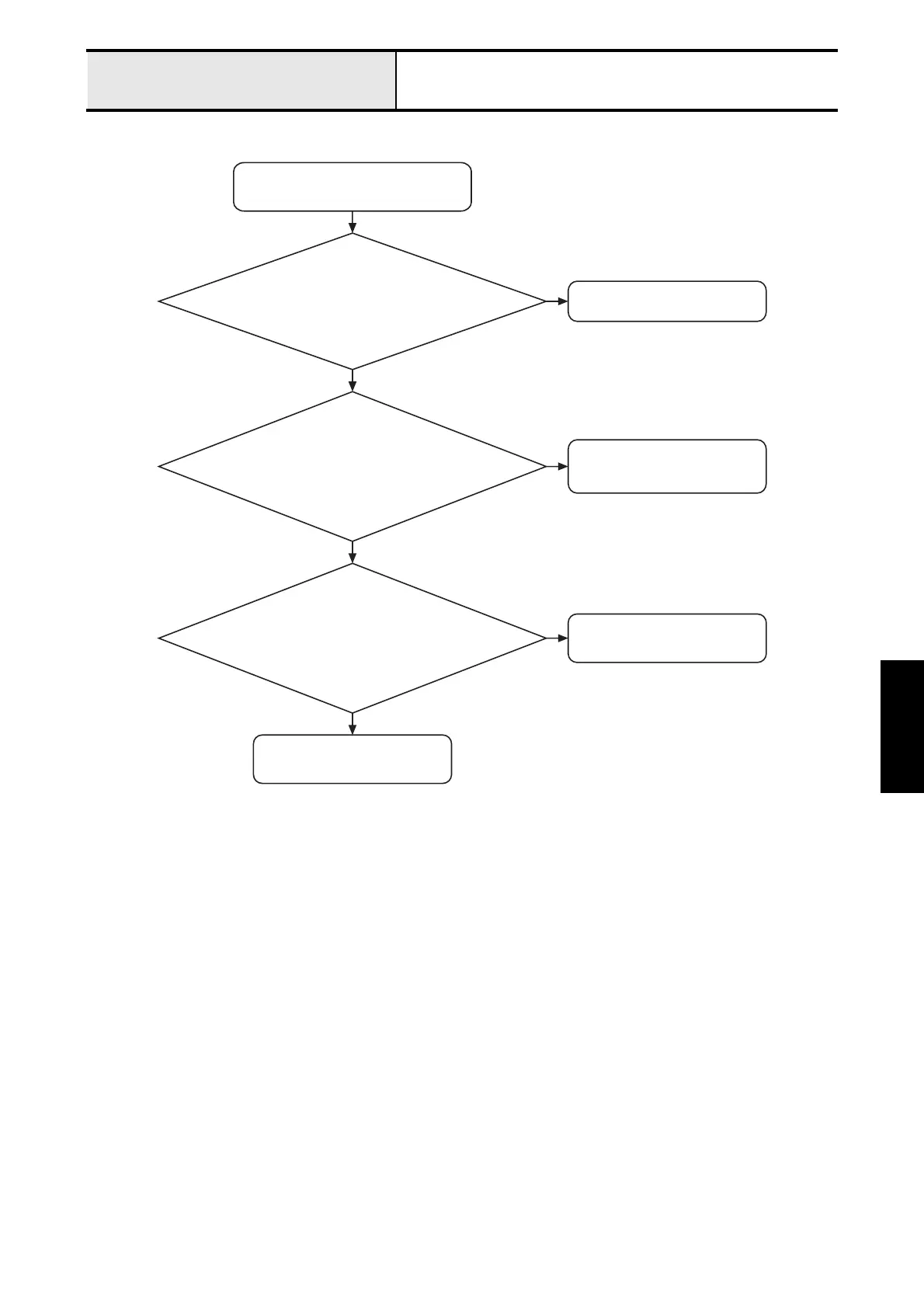
LCD backlight does not come on
LCD backlight does not come on.
Reconnect it correctly.
Is the lead wire of the LCD assy. and the
main PCB assy. properly connected?
N
Replace the LCD assy.
Is the voltage between pins 2 & 1 on
the main PCB assy connector (CN8)
approximately 6 - 7 V?
N
Y
Connect the lead wire assy.
(power) correctly or replace it.
Is the lead wire assy. (power) free from
breakage and connected correctly between
the main PCB and the motor PCB?
N
Y
Y
Replace the main PCB assy.






 To Next Page