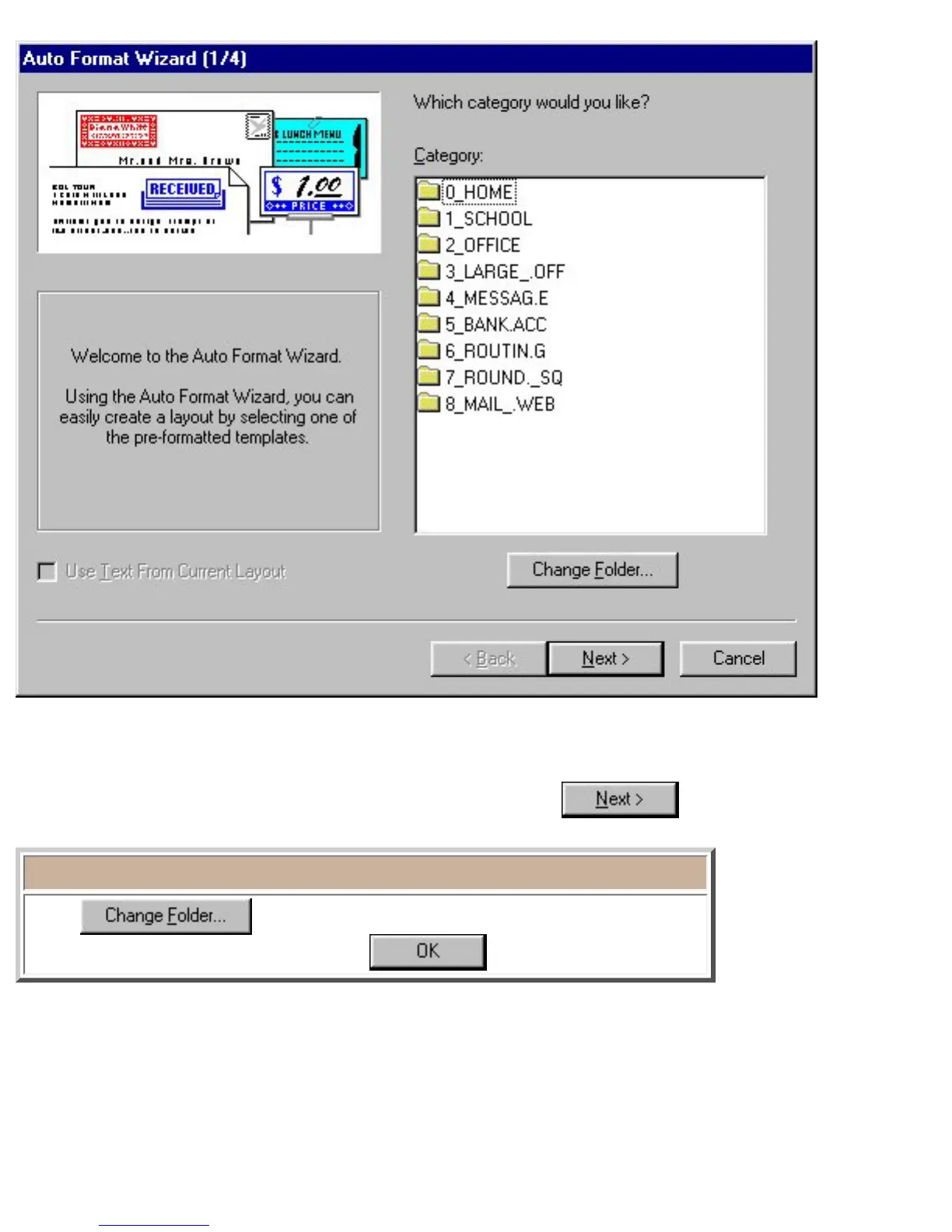
2. In the "Category:" list view, select the category containing the template that you wish to use.
● For this example, first select "OFFICE", and then click .
Note:
Click
to display the Browse for Folder dialog box.
Then, select "OFFICE", and then click
.








 To Next Page