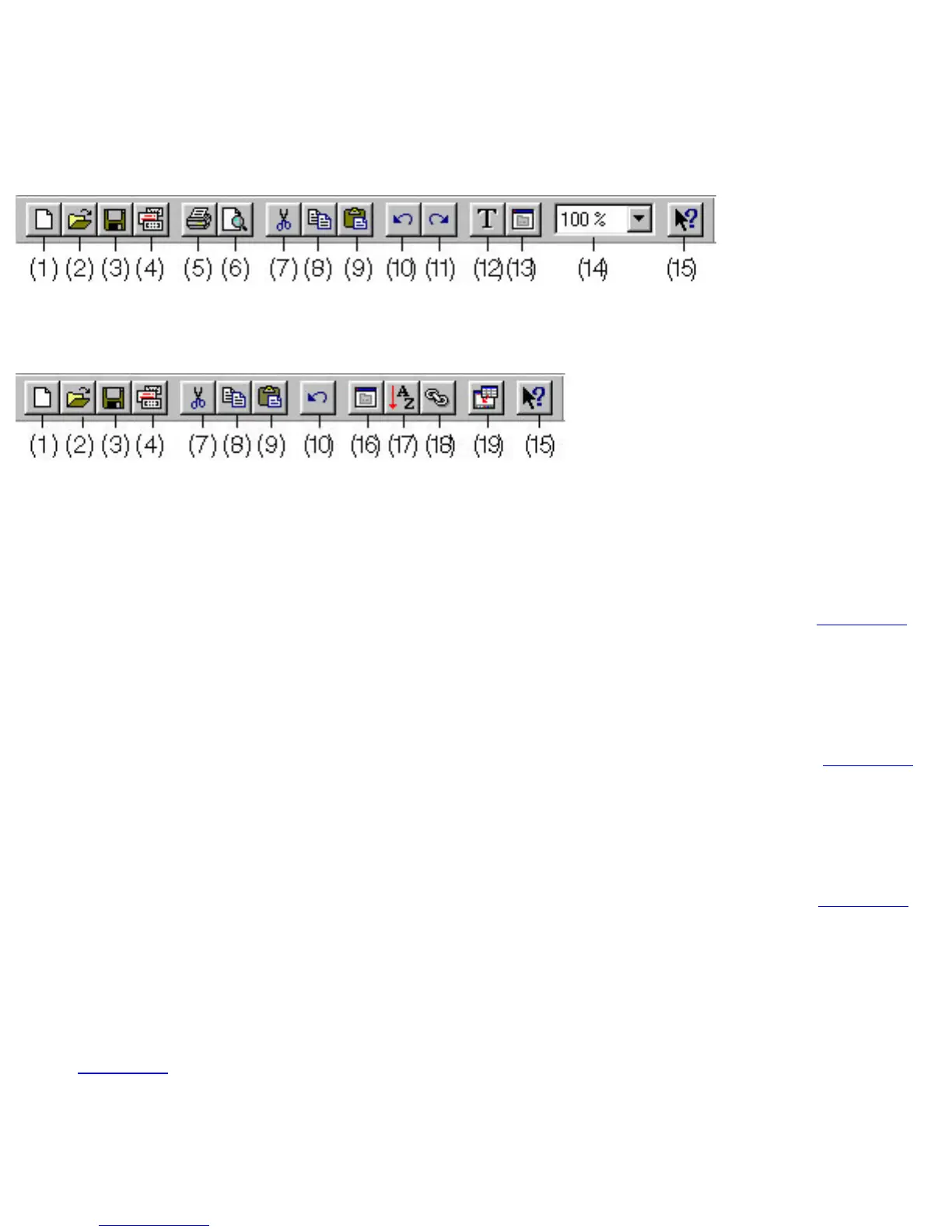
Standard toolbar
When a layout document is displayed:
When a database document is displayed:
The buttons on the standard toolbar provide you with quick access to commands that are often used.
(1) [New] button
● Clicking this button is the same as selecting the [New] command in the [File] menu. Click here
for more details.
(2) [Open] button
● Clicking this button is the same as selecting the [Open] command in the [File] menu. Click here
for more details.
(3) [Save] button
● Clicking this button is the same as selecting the [Save] command in the [File] menu. Click here
for more details.
(4) [Auto Format] button
● Clicking this button is the same as selecting the [Auto Format] command in the [File] menu.
Click here for more details.
(5) [Print] button










 To Next Page