EasyManua.ls Logo

Brother T-8422B - User Manual

Brother T-8422B
61 pages
Print Icon
To Next Page IconTo Next Page
Loading...
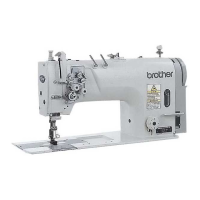
T-8421B
TWIN NEEDLE DIRECT DRIVE LOCK STITCHER
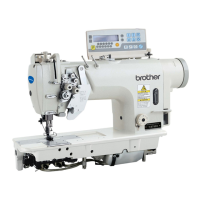
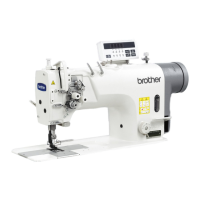
T-8422B
TWIN NEEDLE DIRECT DRIVE LOCK STITCHER
WITH THREAD TRIMMER
T-8452B
TWIN NEEDLE DIRECT DRIVE SPLIT NEEDLE BAR
LOCK STITCHER WITH THREAD TRIMMER
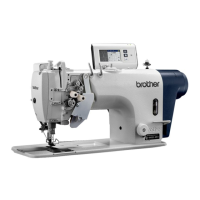
T-8722B
TWIN NEEDLE DIRECT DRIVE LOCK STITCHER
WITH LARGE HOOK AND THREAD TRIMMER
T-8752B
TWIN NEEDLE DIRECT DRIVE SPLIT NEEDLE BAR
LOCK STITCHER WITH LARGE HOOK
AND THREAD TRIMMER

Table of Contents

Questions and Answers

  • S
    ssmithAug 16, 2025
    Why does my Brother T-8422B skip stitches and unravel thread at the start?
    • M
      Michael RiggsAug 17, 2025
      To address skipped stitches or thread unravelling at the start of sewing with your Brother Sewing Machine, reduce the tension of the thread take-up spring and raise the position of the stopper. Adjust the pretension if the trailing lengths of the upper threads are too short after thread trimming. Sharpen the fixed knives, or replace them along with the movable knives if the threads aren't being trimmed cleanly. Try using a needle with a count that is one lower if the needle is too wide. Use the slow start feature if the sewing speed is too fast at the start. Adjust the needle up stop position if it's too high. If sewing light or medium-weight materials, use a presser foot without slots and a feed dog without grooves.
  • T
    tonya22Aug 19, 2025
    Why are the upper and lower threads breaking on my Brother Sewing Machine?
    • A
      Amy LiuAug 19, 2025
      If the upper and lower threads are breaking, several factors could be at play. First, check the needle: if it's bent or broken, replace it. Ensure the needle is correctly installed and the machine is properly threaded. Verify that the oil tank is adequately filled with lubricating oil. Adjust the upper or lower thread tension if it's too weak or strong. Clean the rotary hook if it's blocked with dust or thread scraps. Adjust the stopper position if the thread take-up spring operating range is too small. If the rotary hook, feed dog, or other parts are damaged, smooth them or replace them. Smooth any damage to the thread path or replace the damaged part. Finally, ensure the thread take-up amount is correct by adjusting it.
  • P
    patricia10Aug 22, 2025
    How to fix skipped stitches on my Brother Sewing Machine?
    • A
      Allison DaviesAug 22, 2025
      If your Brother Sewing Machine is skipping stitches, start by checking the needle. Replace it if the tip is bent or broken, and make sure it's correctly installed. Ensure the machine is properly threaded. Adjust the presser foot pressure if it's too weak. If the needle is too thin, replace it with a slightly thicker one. Also, adjust the height of the presser foot if it's too high. Adjust the tension of the thread take-up spring if it is too weak and adjust the thread take-up amount if it is too large.
  • M
    Michael TownsendAug 26, 2025
    What to do if the upper and lower thread is not tight on my Brother T-8422B Sewing Machine?
    • R
      Randy TownsendAug 26, 2025
      If the upper or lower thread on your Brother Sewing Machine isn't tight enough, first ensure the thread is correctly threaded. Adjust the upper or lower thread tension if it's too weak. If the thread take-up spring operating range is too small, lower the position of the stopper. If using a sewing machine with medium-weight material specifications, and poor thread tightening occurs, replace the presser foot with one that has slots on the underside, or replace the feed dog with a grooved feed dog.
  • S
    Sarah WellsAug 28, 2025
    Why is the lower thread tangled when starting to sew with my Brother T-8422B?
    • M
      Mitchell MorrisAug 28, 2025
      If the lower thread is tangling at the start or the bobbin is spinning during thread trimming on your Brother Sewing Machine, ensure the bobbin spins in the opposite direction to the rotary hook when the lower thread is pulled. Make sure the bobbin winding amount is not more than 80%. Attach the anti-spin spring. If the bobbin isn't turning smoothly, replace it. Use only bobbins specified by Brother.
  • J
    jamesclarkAug 31, 2025
    Why are loops appearing in the seam of my Brother T-8422B Sewing Machine?
    • T
      travis51Aug 31, 2025
      If loops are appearing in the seam of your Brother Sewing Machine, first ensure the thread path is smooth by polishing it with a fine grain file or sandpaper. Check that the bobbin is turning smoothly; pull out the lower thread to check for slackness in the thread tension, or replace the bobbin or bobbin case. Finally, adjust the thread take-up amount if it's too large.
  • R
    Raymond PowersSep 3, 2025
    How to fix uneven seams on my Brother Sewing Machine?
    • J
      James JamesSep 3, 2025
      If you're experiencing an uneven seam with your Brother Sewing Machine, adjust the presser foot pressure and the feed dog height. If the bobbin is scratched, smooth it with an oiled grindstone or replace it.
  • E
    Elizabeth MillerSep 6, 2025
    Why is my Brother T-8422B not operating at high speed?
    • T
      tristangraySep 7, 2025
      If your Brother Sewing Machine isn't operating at high speed, use the sewing speed control keys to set the desired high speed. The sewing speed setting or backtack speed setting might be incorrect.
  • K
    Kevin MoonSep 9, 2025
    Why is nothing appearing on the operation panel display of my Brother T-8422B Sewing Machine?
    • D
      Dean LongSep 9, 2025
      If nothing appears on the operation panel display of your Brother Sewing Machine, ensure the power supply connector is securely connected to the control box. Also, check that the operation panel connector inside the control box is securely connected.
  • L
    Lori HuffmanSep 12, 2025
    What does “GREASEUP” flashing on my Brother T-8422B Sewing Machine mean?
    • K
      Kimberly FrankSep 12, 2025
      Apply grease.

Summary

Safety Instructions

Safety Indications and Meanings

Explains the meaning of safety indications and symbols used in the manual for hazard identification.

Notes on Safety

Environmental Requirements

Details environmental conditions required for safe and proper machine operation.

Installation Precautions

Guidelines and precautions for safely installing the sewing machine.

Machine Specifications

Model T-8421 B Specifications

Technical specifications for the T-8421B sewing machine model.

Model T-8422 B Specifications

Technical specifications for the T-8422B sewing machine model.

Model T-8452 B Specifications

Technical specifications for the T-8452B sewing machine model.

Models T-8722 B & T-8752 B Specifications

Technical specifications for the T-8722B and T-8752B sewing machine models.

Names of Major Parts

Identification of Key Components

Identification of key components of the sewing machine with numbered labels.

Installation

Machine Setup Location

Advice on choosing a suitable location for the sewing machine setup.

Carrying and Tilting Machine Head

Proper methods for carrying and tilting the sewing machine head safely.

Table Processing Diagram

Diagram showing table specifications for mounting the machine correctly.

Control Box and Cord Connections

Steps and parts for installing the control box and connecting rod assembly.

Electrical Connections

Instructions for connecting electrical cords and the ground wire for safety.

Test Operation

Procedures for testing the machine's operation using the treadle.

Preparation Before Sewing

Installing the Needle

Instructions for properly installing the sewing needle.

Bobbin Handling

Steps for removing and installing the bobbin into the machine.

Threading the Upper Thread

Step-by-step guide for threading the upper thread through the machine.

Adjusting Stitch Length and Using Knee Lifter

How to adjust stitch length and operate the knee lifter for sewing.

Using the Operation Panel (Basic Operations)

Panel Names and Functions

Identification and explanation of operation panel keys and displays.

Backtack Stitch Operations

How to perform start and end backtack stitches using the panel.

Fixed Stitch and Counter Operations

Instructions for sewing fixed stitches and using the thread counter.

Using the Operation Panel (Advanced Operations)

Advanced Panel Functions

Identification of advanced operation panel keys typically for technicians.

Needle Stop Position and Settings Reset

How to set needle stop position and reset all settings to defaults.

Sewing

Basic Sewing Procedures

Basic steps for starting and performing sewing operations.

Specialized Stitching Techniques

How to perform backtacking and condensed stitches.

Thread Tension

Adjusting Thread Tension

How to adjust upper and lower thread tensions for optimal stitches.

Presser Foot Pressure and Floating Amount

How to adjust presser foot pressure and floating amount for material handling.

Cleaning

Daily Cleaning Procedures

Routine cleaning steps for daily maintenance to ensure performance.

Lubrication and Grease Application

Procedures for machine lubrication and grease application when indicated.

Adjusting the Rotary Hook Lubrication Amount

Checking and Adjusting Oil Supply

How to check and adjust the amount of oil supplied to the rotary hook.

Troubleshooting

Sewing Problems

Troubleshooting common issues related to sewing performance and thread.

Error Code Displays

Explains error codes displayed on the operation panel and their possible causes.

Brother T-8422B Specifications

General IconGeneral
BrandBrother
ModelT-8422B
CategorySewing Machine
LanguageEnglish

Related product manuals