EasyManua.ls Logo

Brother T-8421D - User Manual

Brother T-8421D
112 pages
Print Icon
To Next Page IconTo Next Page
Loading...
Instruction Manual
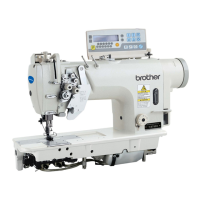
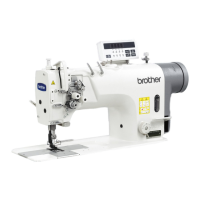
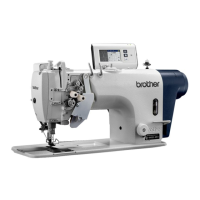
TWIN NEEDLE DIRECT DRIVE LOCK STITCHER
T-8421D
T-8422D
T-8452D
T-8722D
T-8752D
Please read this manual before using the machine.
Please keep this manual within easy reach for quick reference.

Table of Contents

Questions and Answers

  • L
    Leslie ClarkAug 19, 2025
    Why does my Brother Sewing Machine skip stitches?
    • L
      Luis EdwardsSep 12, 2025
      If the needle tip is bent or blunt, you should replace the needle. Ensure the needle is correctly installed and the machine is properly threaded. Adjust the presser foot pressure if it's too weak. If the needle is too thin, replace it with a thicker one. Adjust the height of the presser foot if it's too high. Also, adjust the tension of the thread take-up spring if it's too weak and adjust the thread take-up amount if it is too large.
  • R
    Rebecca SmithAug 21, 2025
    What to do if Brother Sewing Machine won't start?
    • K
      Karen GreeneAug 21, 2025
      If the sewing machine does not operate when the power is turned on and the treadle is pressed, ensure that the 3-pin power supply connector is securely connected to the control box. Also, make sure the operation panel is set to a screen where sewing is possible, such as the home screen.
  • K
    Kenneth WestAug 23, 2025
    How to fix loose upper thread on Brother Sewing Machine?
    • A
      Angela RasmussenAug 23, 2025
      The upper thread may not be tight because the machine is not properly threaded; in this case, thread the thread correctly. The upper thread tension might be too weak, or the lower thread tension might be too strong, so adjust the thread tension accordingly. If the thread take-up spring operating range is too small, lower the position of the stopper. If you are using a sewing machine with medium-weight material specifications, poor thread tightening may occur depending on the type of material being sewn. In such cases, replace the presser foot with one that has slots on the underside, or replace the feed dog with a grooved feed dog.
  • J
    Jenna ButlerAug 26, 2025
    How to loosen tight thread on Brother T-8421D?
    • P
      pmendezAug 26, 2025
      A large degree of puckering, where the thread is too tight, can be resolved by weakening the upper and lower thread tension as much as possible, and also weakening the thread take-up spring tension. Move the stopper to as high a position as possible. Adjust the presser foot pressure. Use the sewing speed key to gradually reduce the sewing speed. Adjust the thread take-up amount.
  • K
    Kelsey McneilAug 28, 2025
    What to do if Brother T-8421D Sewing Machine makes uneven seams?
    • J
      John HarmonAug 28, 2025
      Uneven seams can occur if the presser foot pressure is too weak, so adjust the presser foot pressure. If the feed dog is too low, adjust the feed dog height. If the bobbin is damaged, smooth it with an oiled grindstone or replace it.
  • K
    Kristina HallAug 30, 2025
    Why is the lower thread tangled in my Brother T-8421D Sewing Machine?
    • E
      Ellen MedinaAug 30, 2025
      If the lower thread is tangled at the sewing start or the bobbin is spinning during thread trimming, make sure the bobbin spins in the opposite direction to the rotary hook when the lower thread is being pulled. Ensure the bobbin winding amount is not more than 80%. If using models T-8422D/T-8452D/T-8722D/T-8752D, attach the anti-spin spring. Replace the bobbin if it is not turning smoothly. Use only bobbins specified by Brother.
  • J
    Janet SmithSep 2, 2025
    Why are there loops in the seam of my Brother T-8421D?
    • R
      ramirezbrianSep 2, 2025
      Loops in the seam can be caused by a thread path that is not smooth enough; in this case, use a file with a fine grain or sandpaper to polish the thread path smooth. Pull out the lower thread to check that there is no slackness in the thread tension, or replace the bobbin or bobbin case. If the thread take-up amount is too large, adjust the thread take-up amount.
  • D
    Danielle LongSep 4, 2025
    How to increase speed on Brother T-8421D Sewing Machine?
    • M
      Michael BarrettSep 4, 2025
      If the machine does not operate at high speed, use the sewing speed key to set the high speed if the sewing speed setting or backtack stitch speed setting is too slow.
  • L
    lynnmarksSep 6, 2025
    Why are the upper and lower threads breaking on my Brother Sewing Machine?
    • E
      ellisvictorSep 6, 2025
      Upper and lower threads may be breaking because the needle tip is bent or blunt; if this is the case, replace the needle. Ensure the needle is properly installed and the machine is correctly threaded. If the level of lubricating oil is below the bottom reference line in the oil tank, add more oil. Adjust the upper or lower thread tension if it is too strong or weak. Clean the rotary hook if it is blocked with dust or thread scraps. Adjust the position of the stopper if the upper thread is loose because the thread take-up spring stroke is too small. If the rotary hook, feed dog, or thread path is damaged, smooth it with sandpaper or replace the damaged part. Finally, adjust the thread take-up amount to ensure it is correct.
  • A
    Amber TorresSep 8, 2025
    How to prevent skipped stitches at start on Brother Sewing Machine?
    • D
      Daniel CurrySep 9, 2025
      Skipped stitches and thread unraveling at the sewing start can occur if the thread take-up spring tension is too strong, so reduce the tension of the thread take-up spring. If the thread take-up spring operating range is too large, lower the position of the stopper. If the needle is too thick, replace it with a needle that is one rank thinner. For models T-8422D/T-8452D/T-8722D/T-8752D, adjust the pretension if the trailing length of the upper thread is too short after thread trimming. Also for these models, sharpen the fixed knives, or replace the fixed and movable knives if the threads are not being trimmed cleanly.

Brother T-8421D Specifications

General IconGeneral
Stitch Length5 mm
LubricationAutomatic
Motor Power550 W
TypeIndustrial Sewing Machine
NeedleDB x 1

Related product manuals