EasyManua.ls Logo

Brother T-8421B - User Manual

Brother T-8421B
61 pages
Print Icon
To Next Page IconTo Next Page
Loading...
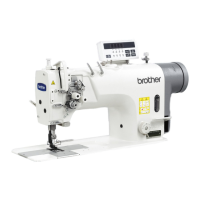
T-8421B
TWIN NEEDLE DIRECT DRIVE LOCK STITCHER
T-8422B
TWIN NEEDLE DIRECT DRIVE LOCK STITCHER
WITH THREAD TRIMMER
T-8452B
TWIN NEEDLE DIRECT DRIVE SPLIT NEEDLE BAR
LOCK STITCHER WITH THREAD TRIMMER
T-8722B
TWIN NEEDLE DIRECT DRIVE LOCK STITCHER
WITH LARGE HOOK AND THREAD TRIMMER
T-8752B
TWIN NEEDLE DIRECT DRIVE SPLIT NEEDLE BAR
LOCK STITCHER WITH LARGE HOOK
AND THREAD TRIMMER

Table of Contents

Other manuals for Brother T-8421B

Questions and Answers

  • C
    Cheryl MunozAug 16, 2025
    Why does my Brother Sewing Machine skip stitches and unravel thread at the start?
    • K
      Kayla BergAug 16, 2025
      To address skipped stitches or thread unravelling at the start of sewing with your Brother Sewing Machine, reduce the tension of the thread take-up spring and raise the position of the stopper. Adjust the pretension if the trailing lengths of the upper threads are too short after thread trimming. Sharpen the fixed knives, or replace them along with the movable knives if the threads aren't being trimmed cleanly. Try using a needle with a count that is one lower if the needle is too wide. Use the slow start feature if the sewing speed is too fast at the start. Adjust the needle up stop position if it's too high. If sewing light or medium-weight materials, use a presser foot without slots and a feed dog without grooves.
  • J
    Jaime MurilloAug 19, 2025
    Why are the upper and lower threads breaking on my Brother T-8421B Sewing Machine?
    • R
      Richard ElliottAug 19, 2025
      If the upper and lower threads are breaking, several factors could be at play. First, check the needle: if it's bent or broken, replace it. Ensure the needle is correctly installed and the machine is properly threaded. Verify that the oil tank is adequately filled with lubricating oil. Adjust the upper or lower thread tension if it's too weak or strong. Clean the rotary hook if it's blocked with dust or thread scraps. Adjust the stopper position if the thread take-up spring operating range is too small. If the rotary hook, feed dog, or other parts are damaged, smooth them or replace them. Smooth any damage to the thread path or replace the damaged part. Finally, ensure the thread take-up amount is correct by adjusting it.
  • D
    Danielle HopkinsAug 22, 2025
    How to fix skipped stitches on my Brother T-8421B?
    • T
      ttrevinoAug 22, 2025
      If your Brother Sewing Machine is skipping stitches, start by checking the needle. Replace it if the tip is bent or broken, and make sure it's correctly installed. Ensure the machine is properly threaded. Adjust the presser foot pressure if it's too weak. If the needle is too thin, replace it with a slightly thicker one. Also, adjust the height of the presser foot if it's too high. Adjust the tension of the thread take-up spring if it is too weak and adjust the thread take-up amount if it is too large.
  • I
    Isaac WilliamsAug 25, 2025
    What to do if the upper and lower thread is not tight on my Brother T-8421B?
    • W
      Wanda GreerAug 26, 2025
      If the upper or lower thread on your Brother Sewing Machine isn't tight enough, first ensure the thread is correctly threaded. Adjust the upper or lower thread tension if it's too weak. If the thread take-up spring operating range is too small, lower the position of the stopper. If using a sewing machine with medium-weight material specifications, and poor thread tightening occurs, replace the presser foot with one that has slots on the underside, or replace the feed dog with a grooved feed dog.
  • W
    williamheathAug 28, 2025
    Why is the lower thread tangled when starting to sew with my Brother T-8421B?
    • M
      Micheal MillerAug 28, 2025
      If the lower thread is tangling at the start or the bobbin is spinning during thread trimming on your Brother Sewing Machine, ensure the bobbin spins in the opposite direction to the rotary hook when the lower thread is pulled. Make sure the bobbin winding amount is not more than 80%. Attach the anti-spin spring. If the bobbin isn't turning smoothly, replace it. Use only bobbins specified by Brother.
  • A
    Ashley HallAug 31, 2025
    Why are loops appearing in the seam of my Brother T-8421B?
    • W
      William MccannAug 31, 2025
      If loops are appearing in the seam of your Brother Sewing Machine, first ensure the thread path is smooth by polishing it with a fine grain file or sandpaper. Check that the bobbin is turning smoothly; pull out the lower thread to check for slackness in the thread tension, or replace the bobbin or bobbin case. Finally, adjust the thread take-up amount if it's too large.
  • C
    Christopher NelsonSep 3, 2025
    How to fix uneven seams on my Brother Sewing Machine?
    • J
      John GrantSep 3, 2025
      If you're experiencing an uneven seam with your Brother Sewing Machine, adjust the presser foot pressure and the feed dog height. If the bobbin is scratched, smooth it with an oiled grindstone or replace it.
  • A
    amberlongSep 6, 2025
    Why is my Brother T-8421B Sewing Machine not operating at high speed?
    • Z
      Zachary LeeSep 6, 2025
      If your Brother Sewing Machine isn't operating at high speed, use the sewing speed control keys to set the desired high speed. The sewing speed setting or backtack speed setting might be incorrect.
  • M
    Mary PrattSep 9, 2025
    Why is nothing appearing on the operation panel display of my Brother T-8421B Sewing Machine?
    • M
      Mary StoneSep 9, 2025
      If nothing appears on the operation panel display of your Brother Sewing Machine, ensure the power supply connector is securely connected to the control box. Also, check that the operation panel connector inside the control box is securely connected.
  • M
    Mark BoydSep 12, 2025
    What does “GREASEUP” flashing on my Brother Sewing Machine mean?
    • B
      Brett HarrisSep 12, 2025
      Apply grease.

Summary

Safety Instructions

Safety Indications and Meanings

Explains safety indications and their meanings for safe operation and accident prevention.

Installation

General Installation Safety and Setup

General safety precautions and guidance for setting up the sewing machine in its location.

Lubrication Procedures

Instructions for lubricating the machine via the oil cover and oil tank methods.

Connecting Cords and Ground Wire

Steps for opening the control box, connecting cords, and securing the ground wire.

Test Operation

Procedure for turning on the power and testing the machine's operation.

Preparation Before Sewing

Needle and Bobbin Handling

Instructions for installing the needle correctly and removing/installing the bobbin.

Thread Tension

Adjusting Thread Tension

Guide to adjusting upper and lower thread tension for even stitches.

Cleaning

Grease Application and Temporary Sewing

Instructions for applying grease and continuing sewing temporarily without it.

Adjusting the Rotary Hook Lubrication Amount

Lubrication Adjustment and Checking

Guide for adjusting and checking the rotary hook lubrication amount.

Adjusting Lubrication Amount

Steps to adjust the lubrication amount for the rotary hook.

Troubleshooting

Common Sewing Problems

Troubleshooting common sewing problems like thread tension and loops.

Error Code Displays (Err 1-4)

Lists and explains error codes 1-4: Overvoltage, Overcurrent, Encoder, Motor lock.

Brother T-8421B Specifications

General IconGeneral
LCD screenYes
Maximum stitch width7 mm
Maximum stitch length5 mm
Free armYes
Speed controlYes
TypeElectronic
Needle threaderAutomatic
Warranty25-year limited warranty

Related product manuals