EasyManua.ls Logo

Brother T-8722C - User Manual

Brother T-8722C
94 pages
Print Icon
To Next Page IconTo Next Page
Loading...
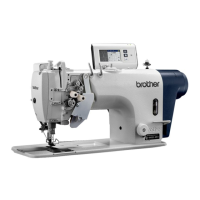
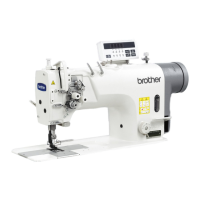
T-8421C, 8422C
T-8452C, 8722C
T-8752C
Please read this manual before using the machine.
Please keep this manual within easy reach for quick reference.
TWIN NEEDLE DIRECT DRIVE LOCK STITCHER
INSTRUCTION MANUAL

Table of Contents

Questions and Answers

  • J
    jkiddAug 19, 2025
    What to do if my Brother T-8722C is skipping stitches?
    • L
      lisafosterAug 19, 2025
      If your Brother Sewing Machine is skipping stitches, check the following: Replace the needle if the needle tip is bent or broken. Make sure the needle is properly installed and the machine is correctly threaded. Adjust the presser foot pressure if it is too weak. If the needle is too thin, replace it with a slightly thicker one. Adjust the height of the presser foot if it is too high. Adjust the tension of the thread take-up spring if it is too weak, and adjust the thread take-up amount if it is too large.
  • K
    kmcguireAug 21, 2025
    How to fix upper and lower thread not tight on Brother T-8722C Sewing Machine?
    • A
      Amanda WhitakerAug 21, 2025
      If the upper or lower thread is not tight on your Brother Sewing Machine, take these steps: First, ensure the thread is threaded correctly. If not, re-thread it properly. Next, adjust the upper and lower thread tension if they are too weak. If the thread take-up spring operating range is too small, lower the position of the stopper. If you're using a sewing machine with medium-weight material specifications, try replacing the presser foot with one that has slots on the underside, or replace the feed dog with a grooved feed dog.
  • E
    eileen25Aug 25, 2025
    Why is there excessive tension (puckering) in my Brother T-8722C Sewing Machine seams?
    • P
      Paul CunninghamAug 25, 2025
      Excessive tension or puckering in your Brother Sewing Machine seams can occur for several reasons. Ensure the upper and lower thread tensions are as weak as possible. Also, make the thread take-up spring tensions as weak as possible, and move the stopper to as high a position as possible to address the thread take-up spring operating range. Adjust the presser foot pressure if it's too strong. Reduce the sewing speed using the sewing speed control keys, and adjust the thread take-up amount if it's too small.
  • D
    Dustin CarterAug 26, 2025
    Why are loops appearing in the seam of my Brother T-8722C?
    • A
      andrea14Aug 26, 2025
      Loops appearing in the seam of your Brother Sewing Machine could be due to a few reasons. Ensure the thread path is smooth by polishing it with a fine grain file or sandpaper. Check that the bobbin is turning smoothly; pull out the lower thread to check for slackness, or replace the bobbin or bobbin case. Finally, adjust the thread take-up amount if it is too large.
  • J
    Jasmine GomezAug 28, 2025
    What causes an uneven seam on my Brother T-8722C Sewing Machine and how to fix it?
    • C
      charles91Aug 28, 2025
      An uneven seam on your Brother Sewing Machine can be caused by a few factors. Check if the presser foot pressure is too weak and adjust it accordingly. Also, ensure the feed dog height is properly adjusted. If the bobbin is scratched, smooth it with an oiled grindstone or replace it.
  • J
    John ClementsAug 30, 2025
    Why is the material slipping when I sew with my Brother T-8722C Sewing Machine?
    • G
      Garrett MitchellAug 30, 2025
      Material slippage during sewing with your Brother Sewing Machine can occur if the presser foot pressure is too strong. Adjust the presser foot pressure to resolve this issue.
  • R
    Robert GraySep 1, 2025
    Why does my Brother T-8722C Sewing Machine stop while sewing?
    • S
      Sherri HillSep 1, 2025
      Your Brother Sewing Machine might stop during sewing if the fixed stitch key is turned on. Press the fixed stitch key so that the indicator turns off. Another possible reason is that the power supply voltage is too low, so check the power supply.
  • O
    odonnelljoseSep 3, 2025
    How to fix a Brother T-8722C Sewing Machine that won't operate at high speed?
    • B
      Brianna BlackSep 3, 2025
      If your Brother Sewing Machine does not operate at high speed, the sewing speed setting or backtack speed setting might be incorrect. Use the sewing speed control keys to set the high speed.
  • V
    Veronica ElliottSep 5, 2025
    What to do if nothing appears on the operation panel display of my Brother T-8722C Sewing Machine?
    • R
      Robert HillSep 5, 2025
      If nothing appears on the operation panel display of your Brother Sewing Machine, check if the power supply connector is disconnected from the control box and insert it securely. Also, check if operation panel connector P7 inside the control box is disconnected and insert it securely as well.
  • S
    simmonskarlSep 7, 2025
    What to do if my Brother Sewing Machine doesn't operate when the power is on and the treadle is pressed?
    • H
      hughesjacobSep 7, 2025
      If your Brother Sewing Machine does not operate when the power is turned on and the treadle is pressed, the power supply connector might be disconnected from the control box. Make sure to insert the connector securely.

Brother T-8722C Specifications

General IconGeneral
BrandBrother
ModelT-8722C
CategorySewing Machine
LanguageEnglish

Related product manuals