EasyManua.ls Logo

Brother T-8420C - User Manual

Brother T-8420C
58 pages
Print Icon
To Next Page IconTo Next Page
Loading...
T-8420C, 8450C
T-8720C, 8750C
Please read this manual before using the machine.
Please keep this manual within easy reach for quick reference.
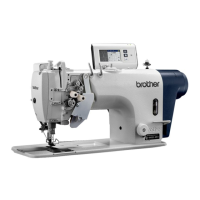
TWIN NEEDLE LOCK STITCHER
INSTRUCTION MANUAL

Table of Contents

Other manuals for Brother T-8420C

Questions and Answers

  • H
    hodgesjoseAug 20, 2025
    Why does my Brother T-8420C skip stitches?
    • G
      garrett45Aug 20, 2025
      Skipped stitches while sewing with your Brother Sewing Machine can occur due to: * A bent or blunt needle: Replace the needle. * Incorrect needle installation: Install the needle correctly. * Improper threading: Thread the machine correctly. * Insufficient presser foot pressure: Adjust the presser foot pressure. * A needle that is too thin: Replace the needle with a thicker one. * Excessively high presser foot: Adjust the height of the presser foot. * Weak thread take-up spring: Adjust the tension of the thread take-up spring. * Excessive thread take-up amount: Adjust the thread take-up amount.
  • D
    Diane OwenAug 23, 2025
    What causes broken needles on my Brother T-8420C?
    • A
      Anthony MillerAug 23, 2025
      Broken needles on your Brother Sewing Machine can be caused by: * Excessive force: Avoid pushing or pulling the material too hard during sewing. * Damaged needle: Replace the needle if it is bent, broken, or if the needle hole is blocked. * Incorrect needle drop position: Check the needle drop position and reinstall the feed dog if necessary.
  • G
    Gregory HendersonAug 26, 2025
    Why is the upper or lower thread not tight on my Brother T-8420C Sewing Machine?
    • J
      Jordan NewmanAug 26, 2025
      If the upper or lower thread is not tight on your Brother Sewing Machine, consider the following: * Incorrect threading: Thread the machine correctly. * Weak thread tension: Adjust the upper or lower thread tension. * Small thread take-up spring operating range: Lower the position of the stopper. * Inappropriate parts for material weight: If using a sewing machine with medium-weight material specifications, replace the presser foot with one that has slots on the underside, or replace the feed dog with a grooved feed dog.
  • S
    Scott WadeAug 27, 2025
    What causes loops to appear in the seam of my Brother T-8420C?
    • K
      Kimberly BrownAug 27, 2025
      Loops appearing in the seam of your Brother Sewing Machine can be caused by: * A rough thread path: Use a fine grain file or sandpaper to polish the thread path smooth. * A bobbin that isn't turning smoothly: Pull out the lower thread to check that there is no slackness in the thread tension, or replace the bobbin or bobbin case. * Excessive thread take-up amount: Adjust the thread take-up amount.
  • D
    Dr. Shannon WilliamsAug 30, 2025
    How to troubleshoot a Brother Sewing Machine that doesn't operate when powered on?
    • J
      Jonathan YoungAug 30, 2025
      If your Brother Sewing Machine does not operate when the power is on and the treadle is pressed: * Check the breaker or fuse. * Ensure the power cord is connected. * Verify the V-belt is installed.
  • C
    Crystal BeckSep 2, 2025
    What causes an uneven seam on my Brother T-8420C?
    • O
      obergSep 2, 2025
      An uneven seam on your Brother Sewing Machine may be due to: * Insufficient presser foot pressure: Adjust the presser foot pressure. * Low feed dog: Adjust the feed dog height. * Scratched bobbin: Smooth the bobbin with an oiled grindstone or replace it. * Low V-belt tension: Adjust the V-belt tension so there is 10-14 mm of deflection when pushed.
  • M
    Michelle ThompsonSep 4, 2025
    Why is there a large degree of puckering (excess tension) when sewing with my Brother T-8420C Sewing Machine?
    • M
      Michael MackSep 4, 2025
      Excessive puckering (excess tension) when using your Brother Sewing Machine can be attributed to: * Excessive upper thread tension: Make the upper thread tension as weak as possible. * Excessive lower thread tension: Make the lower thread tension as weak as possible. * Excessive thread take-up spring tensions: Make the thread take-up spring tension as weak as possible. * Large thread take-up spring operating range: Move the stopper to as high a position as possible. * Excessive presser foot pressure: Adjust the presser foot pressure. * Small thread take-up amount: Adjust the thread take-up amount.
  • J
    Juan WangSep 7, 2025
    What to do if my Brother Sewing Machine skips stitches or thread unravels at the sewing start?
    • R
      rebeccafitzgeraldSep 7, 2025
      Skipped stitches or thread unravelling at the start of sewing with your Brother Sewing Machine can occur due to: * Excessive thread take-up spring tension: Reduce the tension of the thread take-up spring. * Large thread take-up spring operating range: Raise the position of the stopper. * Incorrect thread take-up position: Set the thread take-up to its highest position at the sewing start. * Short upper thread length: Pull about 50 mm of thread through the needle hole at the sewing start. * Needle too wide: Try using a needle with a count that is one lower than the current needle. * Inappropriate parts for material weight: If sewing light or medium-weight materials, use a presser foot without slots and a feed dog without grooves.
  • L
    leelindaSep 9, 2025
    Why is the lower thread tangled at the sewing start on my Brother T-8420C?
    • R
      Regina FosterSep 9, 2025
      If the lower thread is tangling at the start of sewing with your Brother Sewing Machine: * Check bobbin spinning direction: Ensure the bobbin turns in the opposite direction to the rotary hook when the lower thread is pulled. * Reduce bobbin winding amount: The bobbin winding amount should not be more than 80%. * Replace the bobbin: Replace the bobbin if it isn't turning smoothly. * Use specified bobbins: Use only light-alloy bobbins specified by Brother.
  • S
    Stephen RamirezSep 12, 2025
    Why is there material slippage on my Brother Sewing Machine?
    • J
      jason34Sep 12, 2025
      Material slippage on your Brother Sewing Machine could be due to: * Excessive presser foot pressure: Adjust the presser foot pressure.

Summary

SAFETY INSTRUCTIONS

1. Safety indications and meanings

Explains safety indications and symbols used in the manual and on the machine.

INSTALLATION PROCEDURES

SEWING OPERATIONS

THREAD TENSION ADJUSTMENT

7-1. Adjusting thread tension

Guide on adjusting upper and lower thread tensions for optimal stitches.

7-2. Adjusting presser foot pressure

How to adjust the presser foot pressure for different materials.

7-4. Adjusting thread take-up amount

How to adjust the thread take-up amount for different sewing conditions.

MACHINE CLEANING

STANDARD ADJUSTMENTS

10-1. Thread take-up amount adjustment

Adjusting the thread take-up amount using stopper heights.

10-2. Thread take-up spring tension

Adjusting the tension of the thread take-up springs for both threads.

10-3. Rotary hook and needle plate clearance

Checking and adjusting clearance between the rotary hook and needle plate.

10-4. Rotary hook and opener clearance

Adjusting the clearance between the rotary hook and opener.

10-6. Needle and rotary hook timing

Procedure for setting the correct timing between the needle and rotary hook.

10-5. Presser foot height adjustment

Adjusting the height of the presser foot.

TROUBLESHOOTING GUIDE

1. Machine fails to operate

Checks for power, connections, and V-belt installation.

4. Skipped stitches during sewing

Checks needle, installation, pressure, and thread tension.

6. Uneven seam issues

Checks presser foot pressure, feed dog height, bobbin, and V-belt tension.

10. Thread breakage issues

Checks needle, installation, threading, oil, tension, rotary hook.

2. Upper thread not tight

Checks thread path, tension, and take-up spring range.

5. Skipped stitches at sewing start

Checks thread path, bobbin, take-up amount, and needle width.

7. Puckering due to excess tension

Checks thread tensions and take-up spring settings.

11. Broken needles troubleshooting

Checks material, needle, feed dog, needle bar rotation.

8. Material slippage problems

Checks presser foot pressure and thread take-up amount.

12. GREASE indicator alert

Indicates it's time to apply grease to the sewing machine.

9. Lower thread tangling at start

Checks bobbin direction, winding, and type.

Brother T-8420C Specifications

General IconGeneral
Stitch Width7mm
Stitch Length5mm
Built-in MemoryYes
LCD ScreenYes
Automatic Needle ThreaderYes
Drop FeedYes
Free ArmYes
CategorySewing

Related product manuals