EasyManua.ls Logo

Brother T-8422C - User Manual

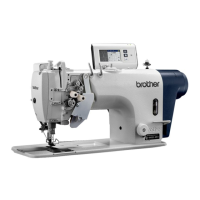
Brother T-8422C
94 pages
Print Icon
To Next Page IconTo Next Page
Loading...
T-8421C, 8422C
T-8452C, 8722C
T-8752C
Please read this manual before using the machine.
Please keep this manual within easy reach for quick reference.
TWIN NEEDLE DIRECT DRIVE LOCK STITCHER
INSTRUCTION MANUAL

Table of Contents

Other manuals for Brother T-8422C

Questions and Answers

  • S
    Shane PenaSep 23, 2025
    Why does nothing appear on the display of my Brother T-8422C Sewing Machine?
    • C
      Charles ThomasSep 23, 2025
      If nothing appears on the operation panel display of your Brother Sewing Machine, check if the power supply connector is disconnected from the control box and insert it securely. Also, check operation panel connector P7 inside the control box and insert it securely if disconnected.
  • L
    Luis MarshallAug 25, 2025
    How to fix upper and lower thread not tight on Brother Sewing Machine?
    • C
      Carly BeckerAug 25, 2025
      If the upper or lower thread is not tight on your Brother Sewing Machine, take these steps: First, ensure the thread is threaded correctly. If not, re-thread it properly. Next, adjust the upper and lower thread tension if they are too weak. If the thread take-up spring operating range is too small, lower the position of the stopper. If you're using a sewing machine with medium-weight material specifications, try replacing the presser foot with one that has slots on the underside, or replace the feed dog with a grooved feed dog.
  • C
    Cassandra DyerAug 25, 2025
    Why are the upper and lower threads breaking on my Brother T-8422C?
    • J
      Jennifer FergusonAug 26, 2025
      If the needle is bent or broken, replace it. Ensure the needle is correctly installed and the machine is properly threaded. Check the oil tank and add oil if the level is below the bottom reference line. Adjust the upper or lower thread tension if it's too weak or strong. Clean the rotary hook if it's blocked. Adjust the stopper position if the thread take-up spring operating range is too small. Smooth or replace damaged parts like the rotary hook or feed dog. Smooth damaged thread paths or replace them. Finally, adjust the thread take-up amount if needed.
  • J
    Jose TaylorAug 27, 2025
    What to do if skipped stitches occur while sewing with my Brother Sewing Machine?
    • N
      Nicholas FordAug 27, 2025
      Skipped stitches may occur on your Brother Sewing Machine because the needle tip is bent or blunt. Replace the needle if it is damaged. Make sure that the needle and the thread are correctly installed. Adjust the presser foot pressure, and if the needle is too thin, replace it with a thicker one. Also, check the height of the presser foot, the tension of the thread take-up spring and the thread take-up amount and adjust if needed.
  • M
    Mrs. Beth BaldwinAug 27, 2025
    How to fix upper and lower thread tension on a Brother T-8422C?
    • E
      Eric MooreAug 27, 2025
      If the upper or lower thread is not tight on your Brother Sewing Machine, ensure the thread is correctly threaded. Adjust the upper or lower thread tension if it is too weak. If the thread take-up spring operating range is too small, lower the position of the stopper. If you are using a sewing machine with medium-weight material specifications, poor thread tightening may occur depending on the type of material being sewn. In such cases, replace the presser foot with one that has slots on the underside, or replace the feed dog with a grooved feed dog.
  • C
    clinejosephSep 13, 2025
    What to do if the lower thread tangles at the start or the bobbin spins during trimming on my Brother Sewing Machine?
    • C
      Charles AndrewsSep 13, 2025
      If you're experiencing lower thread tangling or bobbin spinning during thread trimming with your Brother Sewing Machine, check these points: Ensure the bobbin spins in the opposite direction to the rotary hook when the lower thread is pulled. Make sure the bobbin winding amount is not more than 80%. Attach the anti-spin spring if your model has a thread trimmer. Replace the bobbin if it's not turning smoothly. Use only bobbins specified by Brother.
  • M
    Maria ColeSep 12, 2025
    Why does my Brother T-8422C Sewing Machine stop during sewing?
    • A
      Adam SanchezSep 12, 2025
      If your Brother Sewing Machine stops during sewing, check if the fixed stitch key is turned on and press it to turn the indicator off. Also, check the power supply voltage to make sure it is not too low.
  • J
    jessica22Sep 12, 2025
    How to fix incorrect thread trimming on Brother T-8422C Sewing Machine?
    • J
      Jennifer AndersonSep 12, 2025
      To address incorrect thread trimming on your Brother Sewing Machine, replace the movable knife if it is damaged or bent.
  • J
    Joel RamosSep 4, 2025
    Why is the material slipping when I sew with my Brother Sewing Machine?
    • T
      Tim SmithSep 4, 2025
      Material slippage during sewing with your Brother Sewing Machine can occur if the presser foot pressure is too strong. Adjust the presser foot pressure to resolve this issue.
  • B
    barry15Sep 2, 2025
    Why are loops appearing in the seam of my Brother T-8422C Sewing Machine?
    • B
      Bryan BanksSep 2, 2025
      Loops appearing in the seam of your Brother Sewing Machine could be due to a few reasons. Ensure the thread path is smooth by polishing it with a fine grain file or sandpaper. Check that the bobbin is turning smoothly; pull out the lower thread to check for slackness, or replace the bobbin or bobbin case. Finally, adjust the thread take-up amount if it is too large.

Summary

Safety Instructions

Safety Indications, Symbols, and Warnings

Explains DANGER/CAUTION terms, safety symbols, and general warnings for safe operation.

Installation and Environmental Safety

Covers safety during installation, setup location, environmental requirements, and safe handling of oil/grease.

Machine Warning Labels and Precautions

Details specific warning labels on the machine regarding voltage, moving parts, grounding, and operational safety.

Machine Setup and Specifications

Machine Specifications Overview

Identifies machine models and their key features using A-F codes for quick reference.

Detailed Model Specifications

Provides specific technical details for models T-8421C, T-8422C, T-8452C, T-8722C, and T-8752C.

Major Machine Parts Identification

Identifies key components of the sewing machine, including operation panels and specific parts like the presser foot.

Installation Procedures and Electrical Connections

Covers the overall installation process, safety, carrying, connecting cords, grounding, and power supply requirements.

Preparation and Operation

Needle and Bobbin Installation

Details the correct procedures for installing needles and bobbins into the sewing machine.

Thread Winding and Upper Threading

Explains how to wind the lower thread onto the bobbin and thread the upper thread path correctly.

Basic Sewing Operations with G50;G10 Panels

Covers using G50 and G10 panels for backtacking, fixed stitches, and basic sewing functions.

Thread Tension and Presser Foot Adjustment

Guides adjusting thread tension, presser foot pressure, and floating amount for optimal sewing quality.

Advanced Operations, Maintenance, and Troubleshooting

G50;G10 Panel Advanced Functions

Details advanced settings like needle stop position, slow start, correction sewing, and thread trimming lock.

Specialized Sewing Techniques

Covers corner sewing, backtacking, and condensed stitches for specific applications.

Cleaning, Lubrication, and Standard Adjustments

Includes daily cleaning, grease application, rotary hook lubrication, and various standard adjustments.

Troubleshooting Sewing Problems and Errors

Provides solutions for common sewing issues, error codes, and operational problems.

7-Segment Display Character Reference

Shows how numeric and alphabetic characters are displayed on the 7-segment operation panel.

Brother T-8422C Specifications

General IconGeneral
LCD ScreenYes
Speed ControlYes
Free ArmYes
ApplicationHome Use
Stitch TypeDecorative
Buttonhole Styles1-step
Needle ThreaderAutomatic
Presser FeetButtonhole Foot, Overcasting Foot, Zipper Foot, Blindstitch Foot

Related product manuals