6
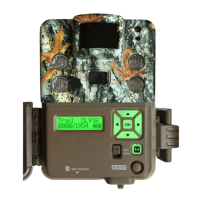
Using the RIGHT ARROW key, select the
operation mode for your camera.
CAPTURE MODE OPTIONS:
- TRAIL CAM This setting will take still
pictures of game during the day and night,
when motion is detected. This is the most
popular setting for trail camera use.
- TIMELAPSE+ This setting allows you to
take timelapse images during the day. In
activated pictures as well during the day
and night to make sure you do not miss
any game activity.
- VIDEO MODE This setting will take HD
video clips of game during the day and
night.
To continue and set the camera’s
CAPTURE DELAY, press the
DOWN arrow once.
Capture Mode




 To Next Page