QUICK START GUIDE
STEP 1
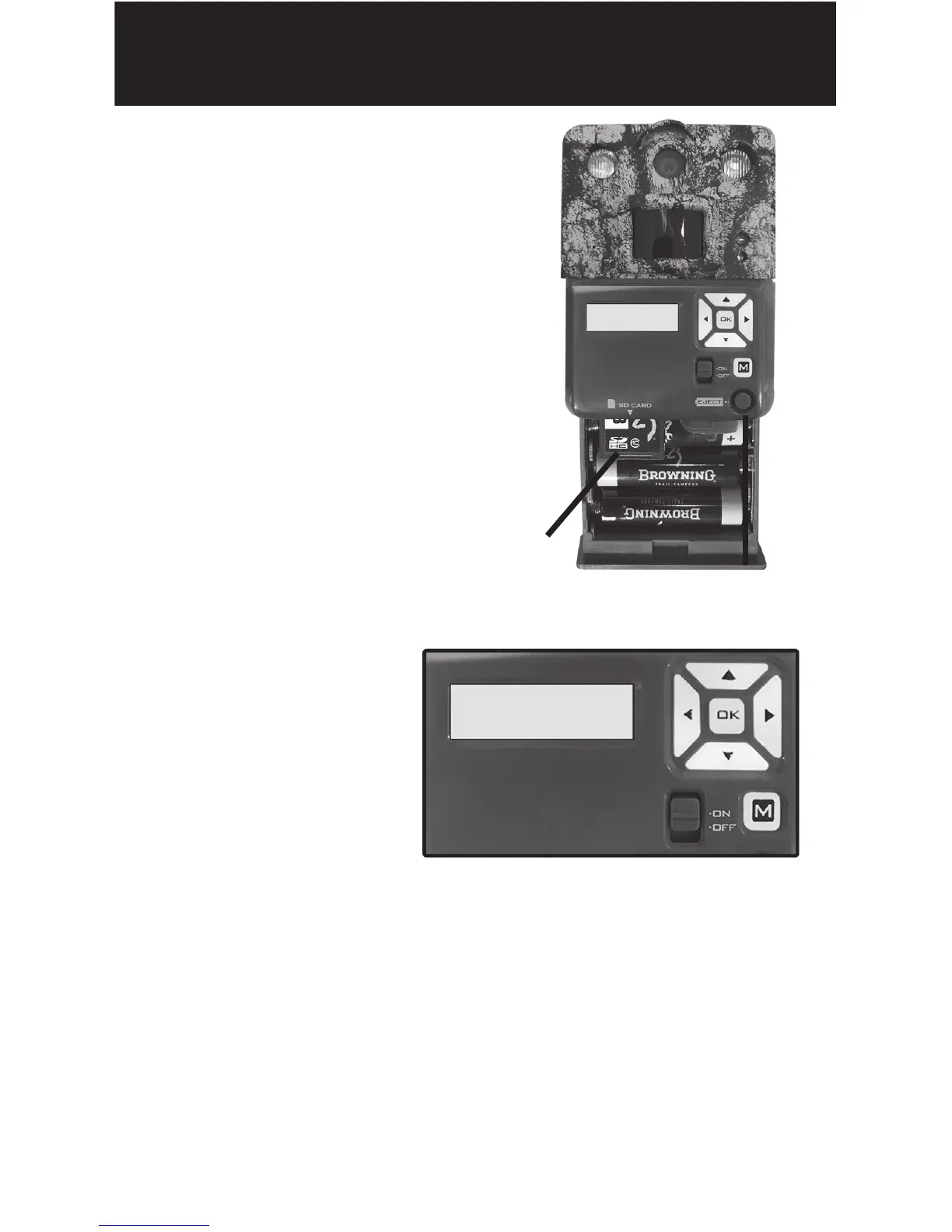
Press the battery tray
eject button to release the
battery tray. The tray will
eject about 1/2”. With a
slight pull, the tray will
completely eject. Insert
6 AA Alkaline Batteries
and an SD card into the
camera.
SD Card
Battery Eject
STEP 2
Move the power
switch to the
“ON” position.
Press the MODE
button once to
enter the camera setup mode.Using the
control pad, set the time and date.
STEP 3
Press the MODE button once.Camera will
countdown a 20 second delay and then be
ready to capture images.
Set Date
01/06/18




 To Next Page