Manufacturer reserves the right to discontinue, or change at any time, specifications or designs without notice and without incurring obligations.
Catalog No. 04-53500252-01 Printed in U.S.A. Form IIK-CRECOMZR67-05 Pg 1 12-21 Replaces: IIK-CRECOMZR67-04
Installation Instructions
Part No. CRECOMZR067A01, CRECOMZR069A01, and CRECOMZR071A01
CONTENTS
Page
SAFETY CONSIDERATIONS . . . . . . . . . . . . . . . . . . . 1
. . . . . . . . . . . . . . . . . . . . . . . . . . . . . . . . . . . . . . . . . . . 1
GENERAL . . . . . . . . . . . . . . . . . . . . . . . . . . . . . . . . . . . 2
Accessories List . . . . . . . . . . . . . . . . . . . . . . . . . . . . . 3
Compliance . . . . . . . . . . . . . . . . . . . . . . . . . . . . . . . . . 3
INSTALLATIO
N . . . . . . . . . . . . . . . . . . . . . . . . . . . . . . 4
Instructions for 48/50LC 07-12 Units Only . . . . . . . . 9
Installing Optional HH57AC081 Single Outside Air
Enthalpy Sensor . . . . . . . . . . . . . . . . . . . . . . . . . . 13
Installing Differential Return Air Sensor . . . . . . . . . 14
California’s Title 24 High Temperature Limit
Settings . . . . . . . . . . . . . . . . . . . . . . . . . . . . . . . . . 14
Demand Controlled Ventilation (DCV) . . . . . . . . . . . 14
Re
mote (Downstairs) Monitoring of Controller’s Fault
Detection and Diagnostics . . . . . . . . . . . . . . . . . . 15
GENERAL W7220 CONTROLLER AND SENSOR
INFORMATION . . . . . . . . . . . . . . . . . . . . . . . . . . . . 16
W7220 Economizer . . . . . . . . . . . . . . . . . . . . . . . . . . 16
User Interface . . . . . . . . . . . . . . . . . . . . . . . . . . . . . . 16
Keypad . . . . . . . . . . . . . . . . . . . . . . . . . . . . . . . . . . . . 16
Using the Keypad with Menus . . . . . . . . . . . . . . . . . 16
Using the Keypad with Settings and Parameters . . 16
Menu Structure . . . . . . . . . . . . . . . . . . . . . . . . . . . . . 16
PROGRAM
MING W7220 CONTROLLER . . . . . . . . . 16
Setpoints . . . . . . . . . . . . . . . . . . . . . . . . . . . . . . . . . . 16
System Setup . . . . . . . . . . . . . . . . . . . . . . . . . . . . . . 17
Checkout Tests . . . . . . . . . . . . . . . . . . . . . . . . . . . . . 21
W7220 Economizer Module Wiring . . . . . . . . . . . . . 22
Time-out and Screen Saver . . . . . . . . . . . . . . . . . . . 22
START-UP AND OPERATION
. . . . . . . . . . . . . . . . . . 22
Cooling, Unit with EconoMi$er®
X . . . . . . . . . . . . . 22
Heating with EconoMi$er® X . . . . . . . . . . . . . . . . . . 22
TROUBLESHOOTING . . . . . . . . . . . . . . . . . . . . . . . . 24
Power Loss (Outage or Brownout) . . . . . . . . . . . . . 24
Alarms . . . . . . . . . . . . . . . . . . . . . . . . . . . . . . . . . . . . 24
Clearing Alarms . . . . . . . . . . . . . . . . . . . . . . . . . . . . . 24
SAFETY CONSIDERATIONS
Installation of this accessory can be hazardous due to system
pressures, electrical components, and equipment location (such as
a roof or elevated structure). Only trained, qualified installers and
service technicians should install, start-up, and service this
equipment.
When installing this accessory, observe precautions in the
literature, labels attached to the equipment, and any other safety
precautions that apply:
• Follow all safety codes
• Wear safety glasses and work gloves
• Use care in handling and installing this accessory
It is important to recognize safety information. This is the safety-
alert symbol: . When you see this symbol on the unit and in
instructions or manuals, be alert to the potential for personal
injury.
Understand the signal words DANGER, WARNING, CAUTION,
and NOTE. These words are used with the safety-alert symbol.
DANGER identifies the most serious hazards which will result in
severe personal injury or death. WARNING signifies hazards
which could result in personal injury or death. CAUTION is used
to identify unsafe practices, which may result in minor personal
injury or product and property damage. NOTE is used to highlight
suggestions which will result in enhanced installation, reliability,
or operation.
WARNING
ELECTRIC SHOCK HAZARD
Failure to follow this warning could result in personal injury,
property damage, or death.
Before performing service or maintenance operations on unit,
always turn off main power switch to unit and install lock(s)
and lockout tag(s). Unit may have more than one power
switch. Ensure electrical service to rooftop unit agrees with
voltage and amperage listed on the unit rating plate.
If any wiring changes are required, first be sure to remove
power from the economizer module before starting work. Pay
particular attention to verifying the power connection (24 vac).
CAUTION
PERSONAL INJURY HAZARD
Failure to follow this caution may result in personal injury.
Sheet metal parts may have sharp edges or burrs. Use care and
wear appropriate protective clothing, safety glasses and gloves
when handling parts and servicing air conditioning equipment.
CAUTION
PERSONAL INJURY HAZARD
Failure to follow this caution can result in personal injury and
damage to the unit.
Cover the duct opening as a precaution so objects cannot fall
into the return duct opening. Be sure to remove the cover when
installation is complete.
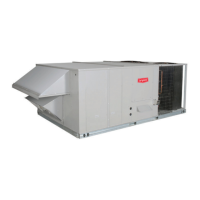
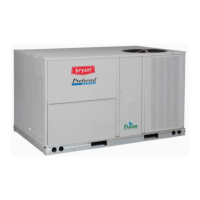
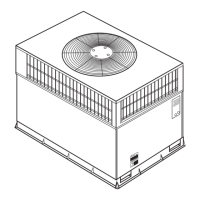
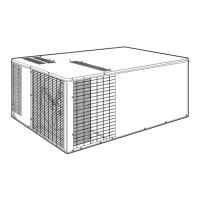
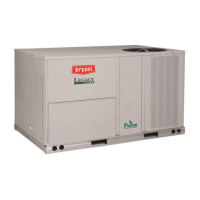
Small Rooftop Units
3 to 12.5 Tons
(48/50LC 14 Not Included)
Accessory Ultra Low Leak Vertical EconoMi$er
®
X



 To Next Page
 General