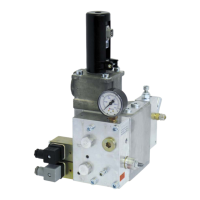
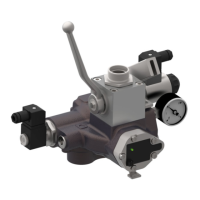
C−LRV lift control valve Operating controls and indicators
43/92
300−I−9010212−E−10/08.08
Removing the old version:
7. Exit and close all programmes
8. Remove the old version of WinDelta32 (refer to the Windows help
for information about how to remove a programme)
Installing the new version (the following steps may take a few minutes):
1. Navigate to the installation file Install_WinDelta32_1pXX_EN.exe
(XX = programme version) either by clicking the Windows Start but-
ton and selecting Run then Browse, or by using the Windows Ex-
plorer
2. Double−click the installation file Install_WinDelta32_1pXX_EN.exe .
After a few moments, an installation dialog will be displayed.
3. Click the button Next (or Install / Finish) until the installation is ter-
minated. A shortcut will automatically be placed on the desktop.
Configuring WinDelta32:
1. Start the new programme
2. To determine the serial port used for data communication between
the WinDelta32 programme (PC) and DELCON (electronics card),
in the menu Options / Configuration, call up the Serial Port page,
select the port you wrote down or a port from the list of available
ports and check the box Default in order to store the current set-
tings.
3. Open the window Curves / Collect. If the temporary file Data-
File.dat includes more than 200 curves, these curves will be saved
automatically to a file named YYMMDDHHMM.dat (with YY=Year /
MM=Month / DD=Day / HH=Hour / MM=Minute) and a new empty
file will be opened.


 To Next Page
 Loading...